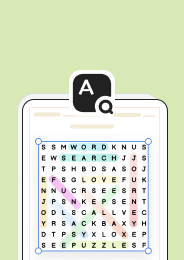
Elementary and early-middle school technology teachers often have only a short block of time before students move to hands-on device work. A printable word search fills that gap by putting core hardware terms in front of students in a format they already know how to use: scan a grid, find a word, circle it. There is no login screen, no app to troubleshoot, and no risk of a frozen tablet eating into instructional time.
This makes the activity a natural fit for the start of a unit on how computers work, a computer lab warm-up, or a review task before students label a diagram or complete a hands-on identification activity. Because it requires no screen time itself, it also works well in classrooms that limit device use during certain parts of the day.
Computer Parts Vocabulary Covered
A word search built around this keyword typically includes terms students will encounter across an intro-to-computers unit, such as:
- Monitor
- Keyboard
- Mouse
- CPU
- Hard drive
- Speakers
- Webcam
- Motherboard
Grouping these words together gives students repeated exposure to spelling and vocabulary they will need again when they move into labeling diagrams, discussing input versus output devices, or comparing internal and external parts.
Classroom Implementation
Teachers can use this word search in several places within a lesson sequence:
- As a warm-up at the start of a computer lab period, before the day's hands-on task
- As an early-finisher activity for students who complete a device-based task ahead of classmates
- As a low-prep sub plan when the regular teacher is out and screen time needs to be limited
- As a center activity during a technology rotation, paired with a labeling worksheet
- As a formative check before a unit on how computers work, to see which terms are already familiar
Because the activity is self-contained and requires no device setup, it also travels well between a computer lab, a homeroom, and a technology specials class without any change in format.
Frequently Asked Questions
1. What grade level is a parts of a computer word search appropriate for?
This type of puzzle works well for elementary grades introducing basic hardware vocabulary and for early-middle school students who need a quick review before a more technical unit. The vocabulary itself, terms like monitor, keyboard, and CPU, is typically introduced in elementary technology curricula.
2. How can teachers use a word search to teach computer hardware vocabulary effectively?
Pair the puzzle with a short follow-up task, such as labeling a diagram, writing a one-sentence definition for each found word, or sorting the words into categories like input and output devices. Using the puzzle as a lead-in to a hands-on activity, rather than a standalone worksheet, gets more instructional value from the few minutes it takes to complete.
3. What computer parts vocabulary words are typically included in this type of puzzle?
Common terms include monitor, keyboard, mouse, CPU, hard drive, speakers, webcam, and motherboard. These are the core hardware terms most elementary and early-middle school technology curricula introduce first.
4. How does a word search fit into a broader computer literacy or technology lesson plan?
It works best as a warm-up, early-finisher task, formative check, or low-prep sub plan rather than the centerpiece of a lesson. Because it requires no device or screen time, it fits naturally at the start of a computer lab period or before a hands-on activity that introduces the same vocabulary in context.
5. Can this activity be used for students with no prior computer vocabulary exposure?
Yes, though it works best with light support. Reading the word list aloud, showing picture cards for each part, or briefly introducing the terms before students start the puzzle helps students with no prior exposure locate the words successfully instead of struggling to decode unfamiliar vocabulary on their own.












 Interactive Worksheet Maker
 Quiz Maker
 Word Search Maker
 Crossword Puzzle Maker
 Word Scramble Generator
 Sentence Scramble Generator
 Handwriting Worksheet Generator
 Name Tracing Generator
 Fill In The Blank Generator