


















Views
Downloads


Essential Computer Hardware Word Search | Grades 7–8 ELA

Paste this activity's link or code into your existing LMS (Google Classroom, Canvas, Teams, Schoology, Moodle, etc.).
Students can open and work on the activity right away, with no student login required.
You'll still be able to track student progress and results from your teacher account.
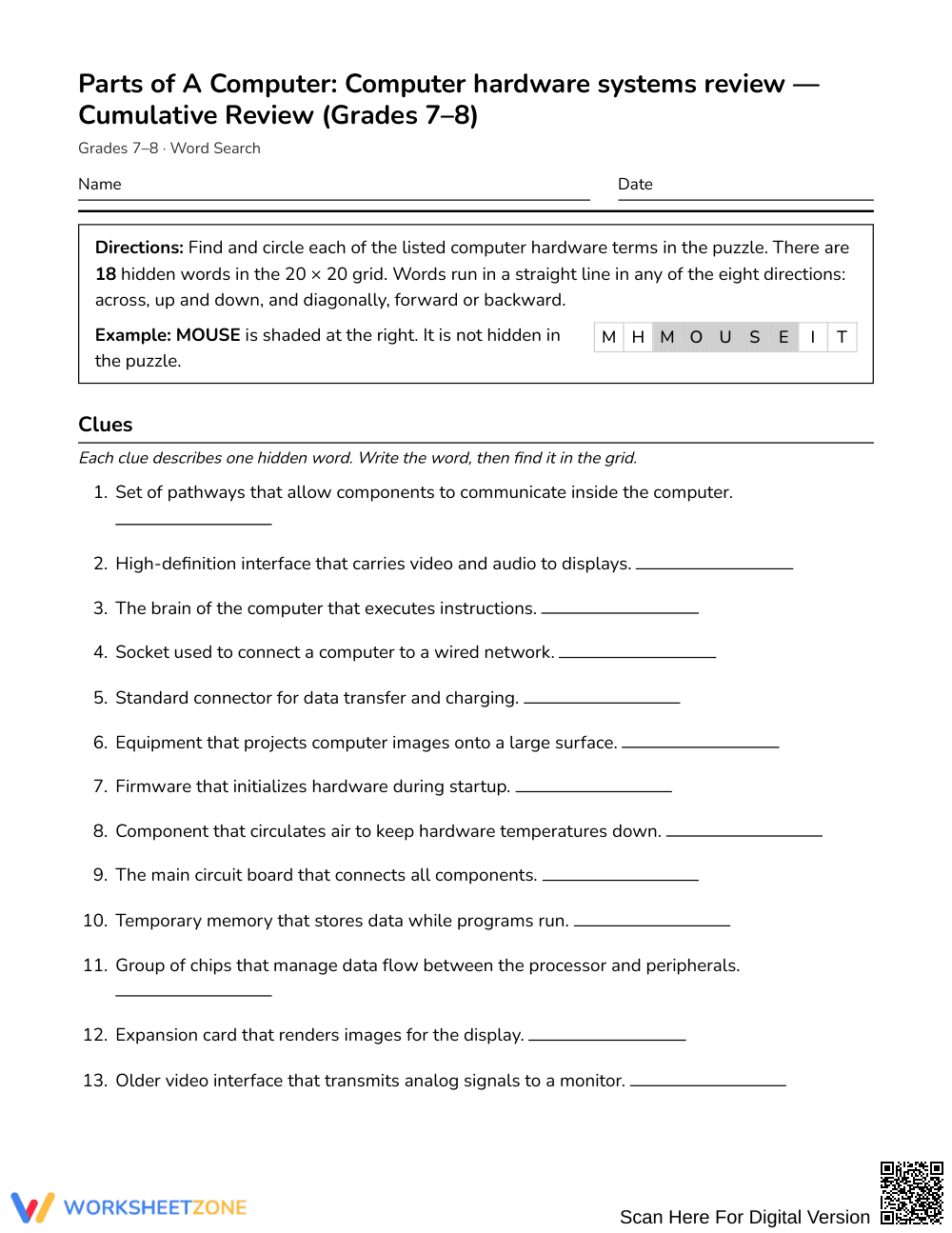
Build foundational technical literacy with this print-and-go word search covering core computer hardware terminology. Students reinforce academic vocabulary by identifying key components from functional definitions before locating each term within the letter grid. This resource strengthens domain-specific vocabulary retention, spelling accuracy, and text-scanning habits without requiring any advance preparation.
At a Glance
- Grade: Grades 7–8 · Subject: English Language Arts (ELA)
- Standard: Not standards-assessed — vocabulary enrichment
- Skill Focus: Computer hardware systems review
- Format: 3 pages · 18 words · Answer key included · PDF
- Best For: Vocabulary review or sub plan
- Time: 20–30 minutes
What's Inside
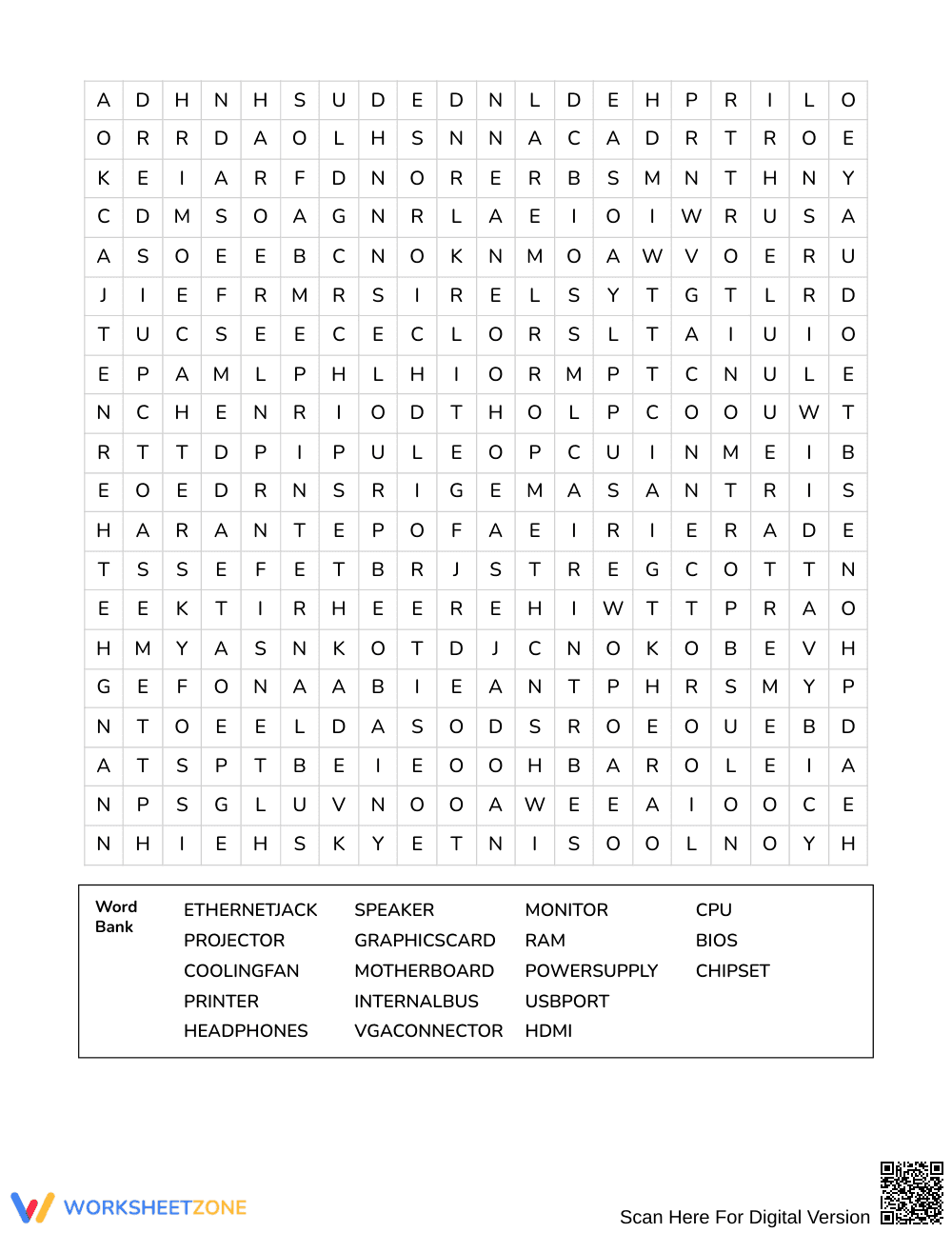
This 3-page printable activity features 18 hidden vocabulary terms embedded alongside functional definition clues for every hardware component. The layout pairs each term—such as CPU, motherboard, RAM, and internal bus—with a clear informational clue. A complete 3-page answer key displays exact letter coordinates and word placements for rapid checking.
Puzzle Structure and Mechanics
The activity is built around a dense 20 by 20 letter grid containing 18 technical vocabulary words. Words are hidden across all eight compass directions: north, northeast, east, southeast, south, southwest, west, and northwest, including forward, backward, and diagonal placements. A shuffled word bank challenges learners to read each functional clue, verify the targeted hardware term, and scan across multiple directional axes to locate every match.
Standards Alignment
This activity serves as general domain-specific vocabulary enrichment and is not aligned to a specific academic standard. It supports cross-curricular technical literacy across middle school English language arts, introductory computer science, and career and technical education modules.
How to Use It
Distribute this activity as an independent review session immediately after direct instruction on computer systems, or assign it as a reliable, zero-prep emergency sub plan. For a quick formative check, observe whether students read the technical clues to identify terms independently before searching the grid, or if they rely strictly on letter matching. Most middle school learners finish the puzzle within 20 to 30 minutes.
Who It's For
This puzzle is designed for middle school students in Grades 7–8 developing informational reading and technological vocabulary. It offers engaging individual practice for early finishers, targeted reinforcement for English language learners acquiring technical nouns, and a productive warm-up before hands-on computer lab sessions. Pair this word search with an informational diagram of internal computer architecture.
Explicit instruction in domain-specific vocabulary directly supports reading comprehension across informational and scientific texts. Research synthesized by Fisher & Frey (2014) demonstrates that structured encounters with technical terminology—especially tasks that connect clear definitions with repeated orthographic visual processing—solidify word schema and enhance lexical retrieval for adolescent learners. By requiring students in Grades 7–8 to review functional hardware definitions before identifying 18 key terms embedded in a complex grid, this computer systems review reinforces accurate mental representations of essential technical concepts. The multi-directional visual scanning demands active cognitive engagement, promoting long-term retention of specialized language across middle school curricula.


