


















Views
Downloads



Essential Display Settings Word Search | Grades 6–7 ELA

Paste this activity's link or code into your existing LMS (Google Classroom, Canvas, Teams, Schoology, Moodle, etc.).
Students can open and work on the activity right away, with no student login required.
You'll still be able to track student progress and results from your teacher account.
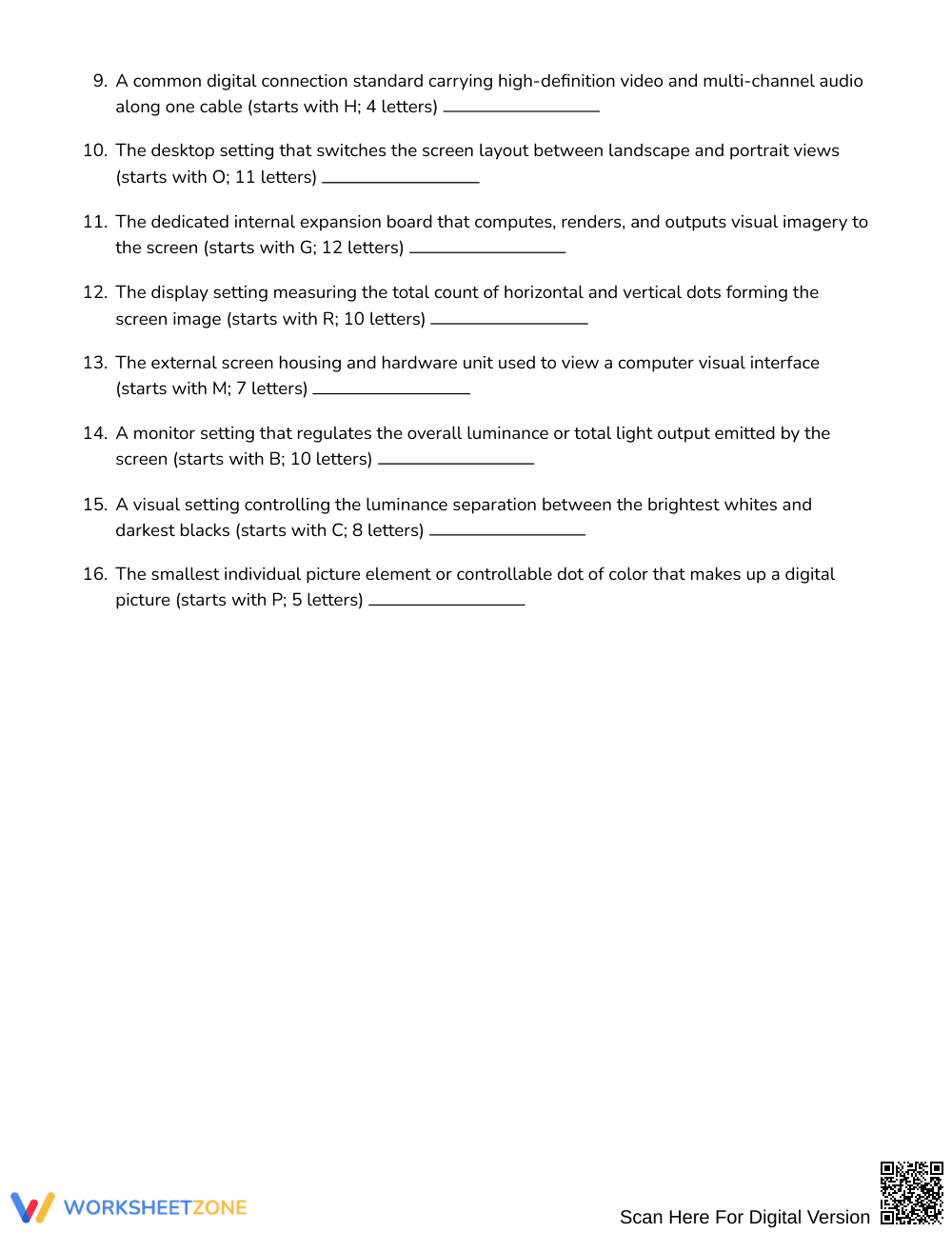
This computer vocabulary word search reinforces technical literacy by challenging middle school learners to identify and define critical hardware settings. Students read functional definitions for 16 display components—including resolution, refresh rate, and aspect ratio—and locate each term within an 18-by-18 letter grid, solidifying domain-specific technology terms through active retrieval.
At a Glance
- Grade: Grades 6–7 · Subject: English Language Arts (ELA)
- Standard: Not standards-assessed — vocabulary enrichment
- Skill Focus: Display parts and settings
- Format: 3 pages · 16 words · Answer key included · PDF
- Best For: Technical vocabulary enrichment and review
- Time: 20–30 minutes
What's Inside
This 3-page printable PDF features an 18-by-18 letter puzzle containing 16 words hidden across multiple orientations. Rather than relying on a traditional word bank, students analyze 16 technical definitions to deduce each target term before searching. The resource includes a full 4-page answer key showing exact letter coordinates and highlighted placements for efficient grading or student self-checking.
Puzzle Mechanics
The no-bank challenge increases cognitive demand by requiring students to recall vocabulary from definitions alone. Words are hidden across an 18-by-18 grid running in all 8 cardinal and diagonal directions: north, northeast, east, southeast, south, southwest, west, and northwest. Learners actively connect hardware definitions to vocabulary terms as they scan the puzzle board.
Standards Alignment
This activity serves as domain-specific vocabulary enrichment and is not aligned to a formal academic standard. It supports cross-curricular technical literacy across digital media and computer science concepts.
How to Use It
Introduce this word search after direct instruction on computer hardware or display technology to reinforce key vocabulary. Alternatively, assign it as a fast-finisher challenge or independent center activity during an informational text unit. For a formative assessment check, have students write an original sentence using three identified terms upon finishing. Most learners will complete the search in 20 to 30 minutes.
Who It's For
Designed for students in Grades 6–7, this activity supports general education classrooms, introductory technology courses, and STEM enrichment clusters. Pair this word search with a hardware diagram anchor chart or a computer literacy reading passage to support visual learners and provide additional context.
Technical vocabulary acquisition requires deliberate engagement with domain-specific terms in varied instructional contexts. Fisher & Frey (2014) emphasize that integrating vocabulary retrieval with conceptual definitions accelerates reading comprehension across informational texts, particularly when learners interact directly with word meanings rather than passive lists. This word search activity targets computer display parts and settings by asking students in Grades 6–7 to match detailed hardware descriptions with 16 technical terms before locating them within an 18-by-18 letter grid. By eliminating a visible word bank, the puzzle promotes active recall and reinforces structural knowledge of digital displays, including specifications such as resolution, refresh rate, and aspect ratio. Educators can deploy this resource during media literacy units or technology coursework to foster independent word consciousness and strengthen informational text mastery through purposeful, low-stakes vocabulary review.


