
















Views
Downloads



Essential Keyboard Key Groups Word Search | Grades 4–5 ELA
Paste this activity's link or code into your existing LMS (Google Classroom, Canvas, Teams, Schoology, Moodle, etc.).
Students can open and work on the activity right away, with no student login required.
You'll still be able to track student progress and results from your teacher account.
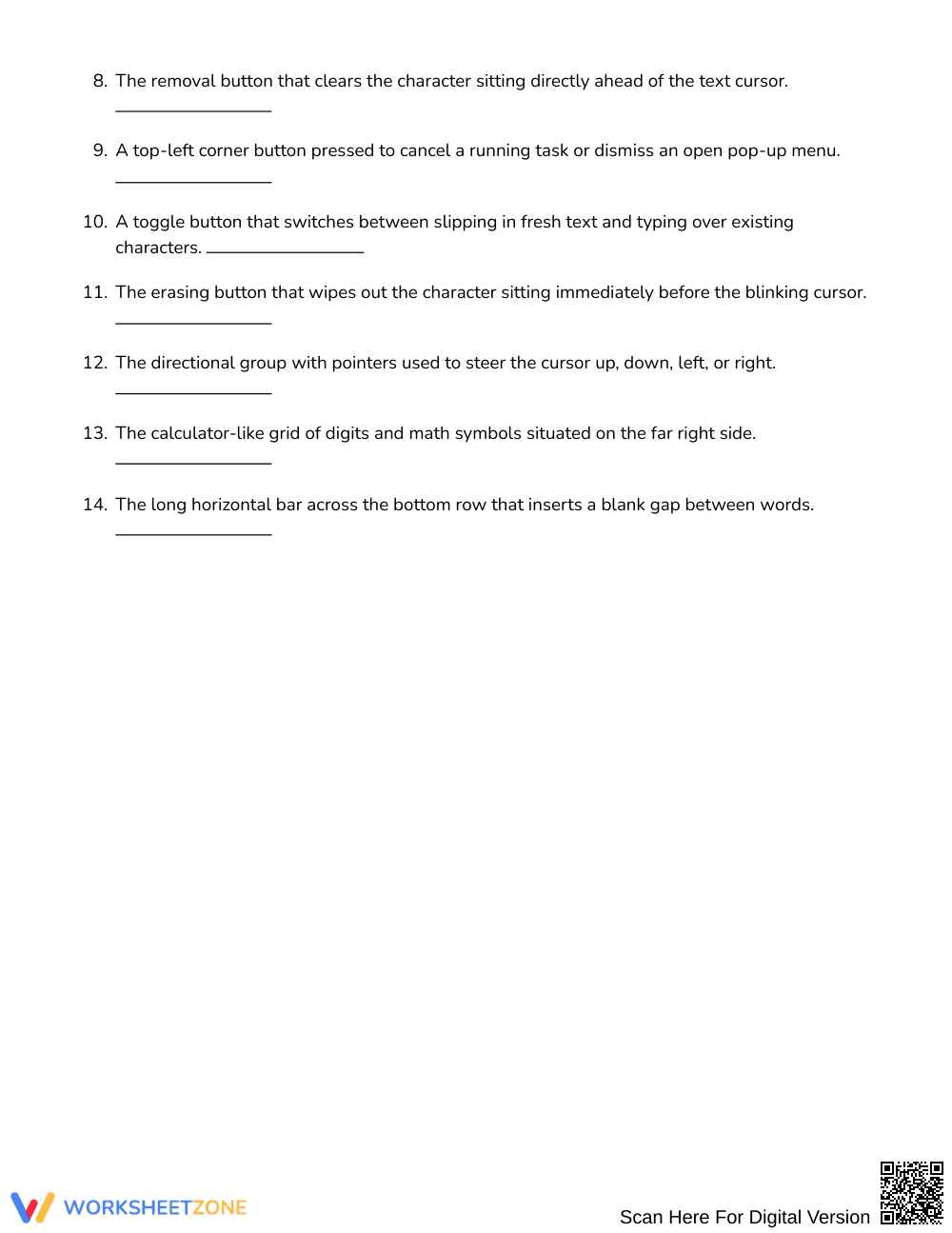
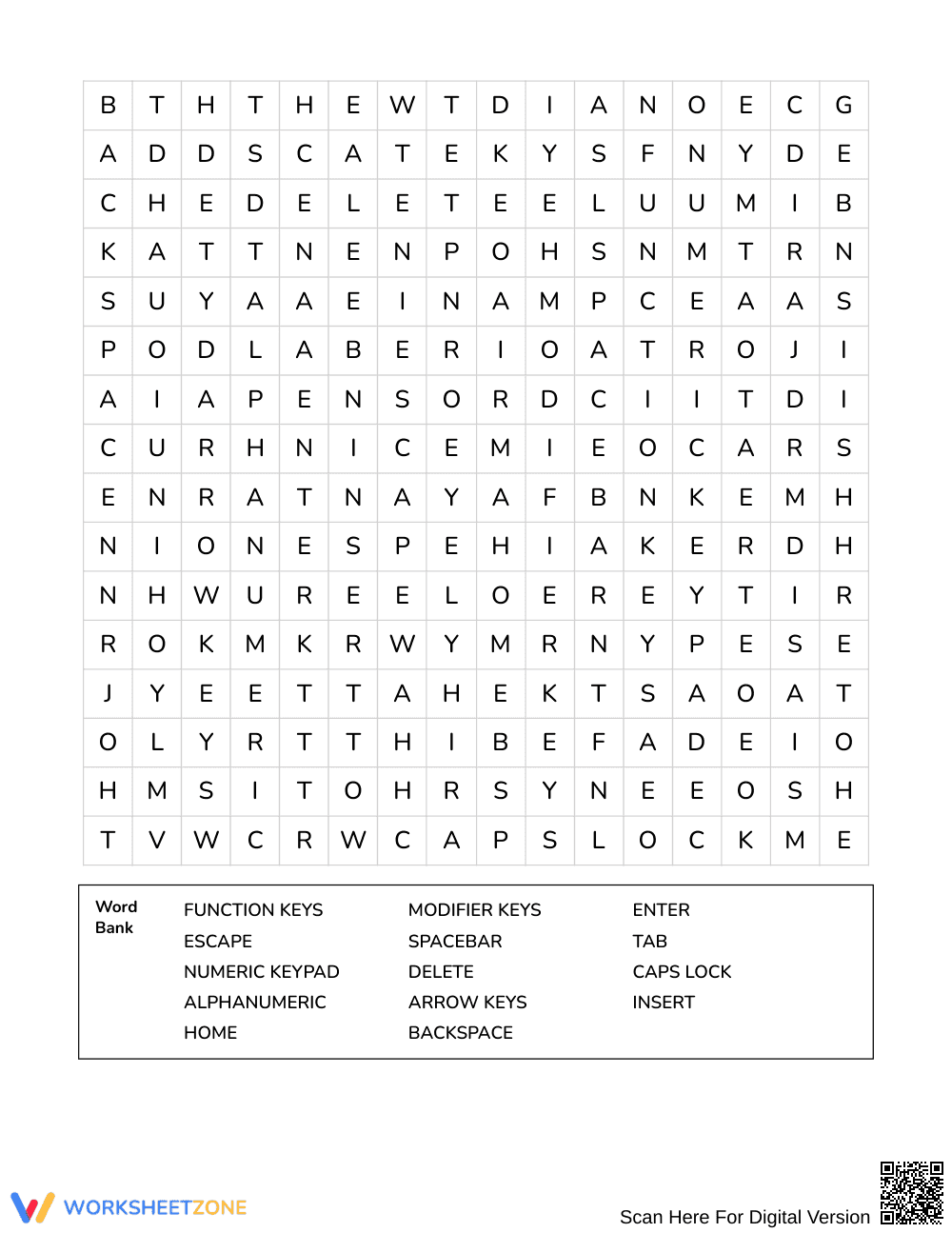
This Grades 4–5 vocabulary word search strengthens computer literacy by challenging students to connect technical definitions to essential keyboard terms. Learners read functional clues to identify 14 target key groups before locating each term within the letter grid, reinforcing precise technology vocabulary through active reading and contextual recall.
At a Glance
- Grade: Grades 4–5 · Subject: English Language Arts (ELA)
- Standard: Not standards-assessed — vocabulary enrichment
- Skill Focus: Keyboard key groups and functions
- Format: 3 pages · 14 words · Answer key included · PDF
- Best For: Tech lab warm-up or vocabulary station
- Time: 15–25 minutes
What's Inside: The 3-page activity packet features a Clue Detective layout requiring learners to solve descriptive clues rather than merely copying an exposed word bank. Students analyze technical descriptions for keys such as backspace, modifier keys, and alphanumeric clusters. A comprehensive 3-page answer key provides clear letter overlays to facilitate rapid self-checking or teacher verification.
Puzzle Mechanics and Structure
- 16 × 16 Grid Architecture: Words sit embedded across 256 letter positions, providing an optimal visual search challenge for intermediate elementary readers.
- Multi-Directional Placements: Target vocabulary spans four distinct vector paths—northeast, east, southeast, and south—encouraging spatial scanning without excessive backward disorientation.
- Clue-Driven Word Bank: Rather than passive word recognition, students examine 14 detailed functional definitions to deduce each hidden keyboard group before hunting through the grid.
Standards Alignment
This activity provides targeted vocabulary enrichment and is not aligned to an assessed state academic standard. It focuses on expanding domain-specific technology terminology, building foundational typing literacy, and supporting functional reading comprehension across digital literacy units.
How to Use It
Use this puzzle as an introductory anticipatory set before scheduled typing instruction, or assign it during independent literacy rotations following a direct lesson on input hardware. While students work, conduct brief formative checks by asking individuals to demonstrate the physical function of terms like Tab or Caps Lock on a physical keyboard. Expect the full 14-word puzzle to take between 15 and 25 minutes to complete.
Who It's For
This resource serves general education learners in Grades 4–5, introductory computer lab classes, and upper-elementary English learners acquiring everyday academic vocabulary. Pair this printable with a labeled physical keyboard diagram or a whole-class keyboarding anchor chart to support developing typists.
Domain-specific vocabulary acquisition accelerates when students actively retrieve definitions rather than scanning isolated term lists, an instructional dynamic highlighted in Fisher & Frey (2014) regarding purposeful word exploration. By requiring upper-elementary learners to parse functional descriptions for 14 operational computer inputs—such as modifier keys, alphanumeric clusters, and spacebars—this 16-by-16 puzzle embeds technical terminology into long-term memory. The multi-directional word search provides repeated visual exposure to orthographic patterns across northeast, east, southeast, and south vectors. Combining contextual clue solving with targeted spatial search strategies ensures that Grades 4–5 students bridge technical reading comprehension with practical digital literacy skills.


