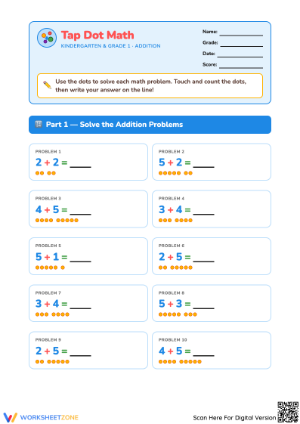
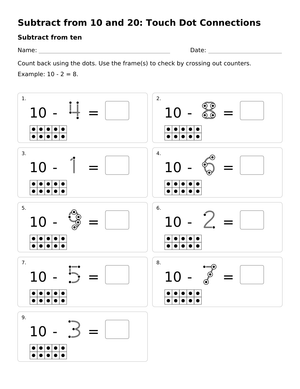
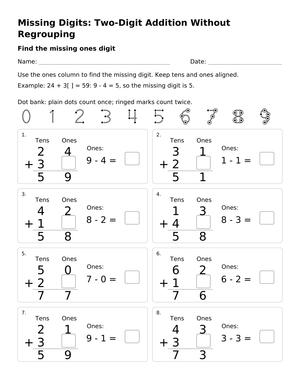
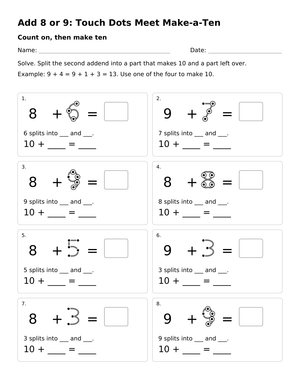
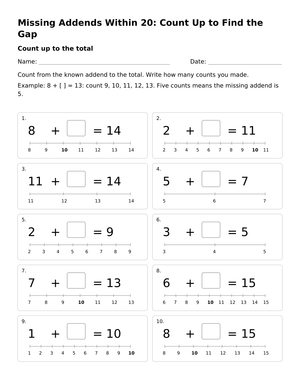
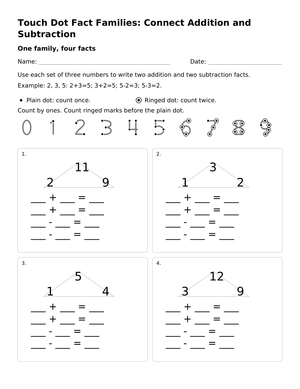
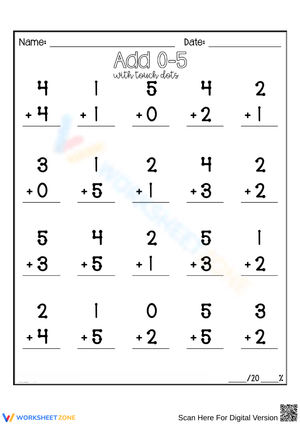
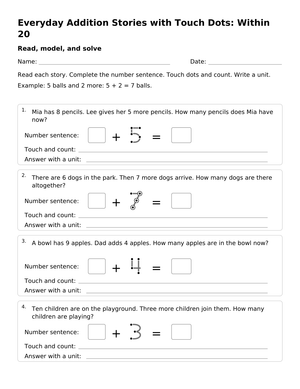
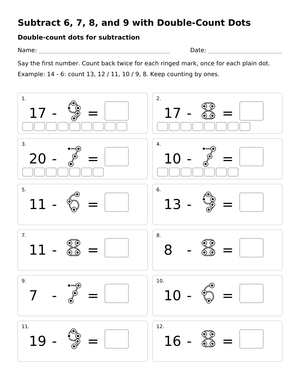
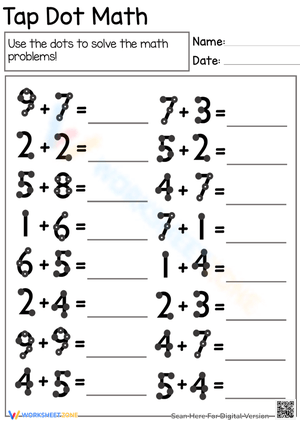
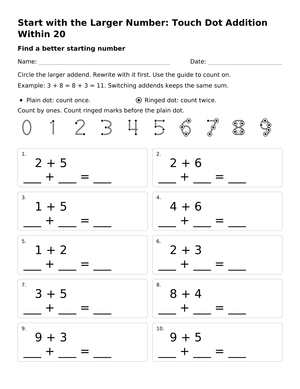
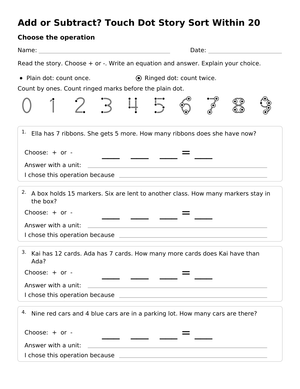
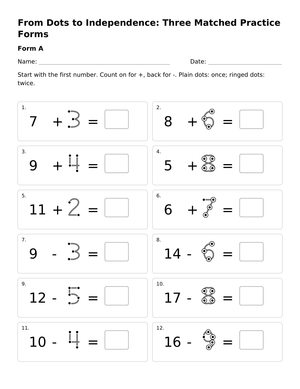
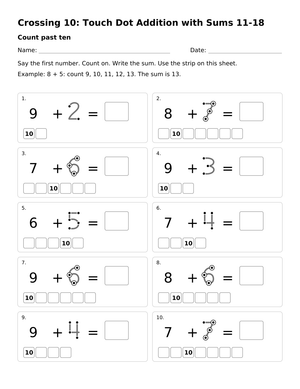
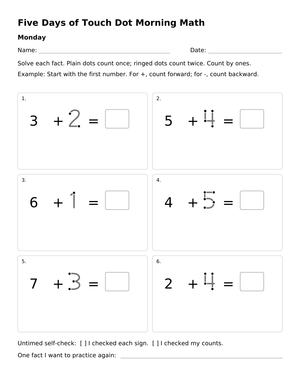
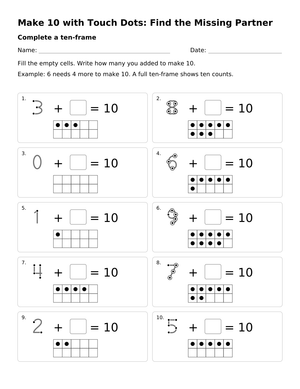
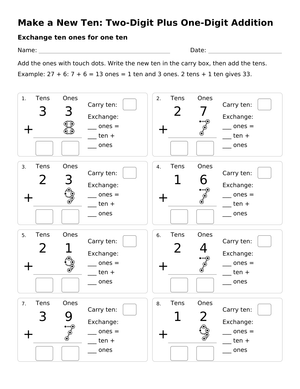
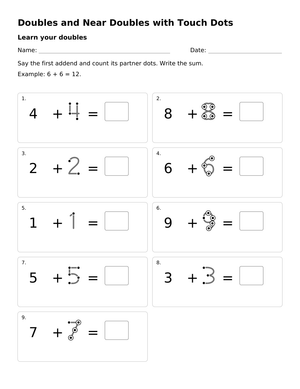
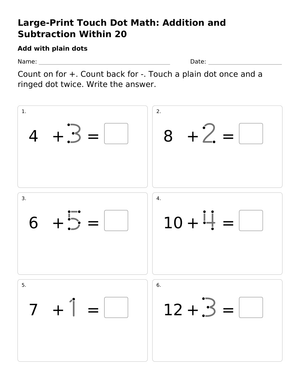
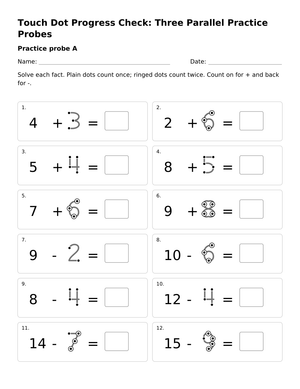
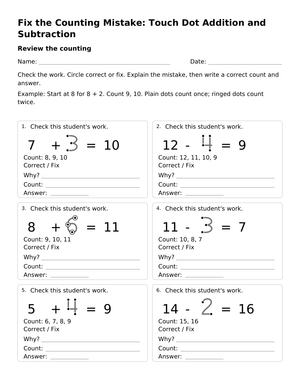
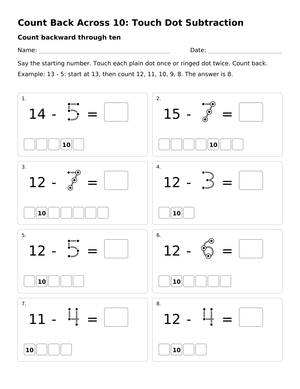
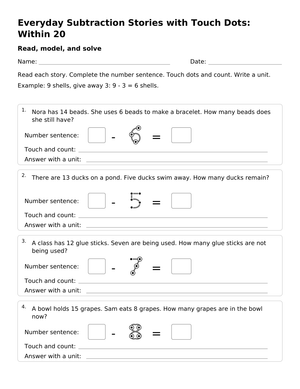
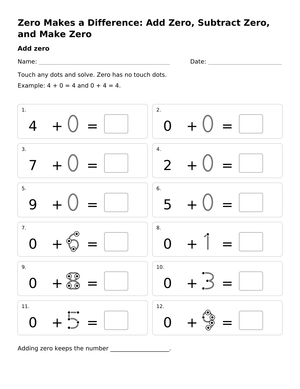
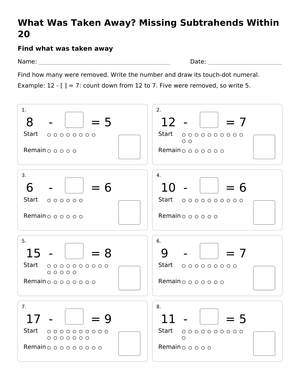
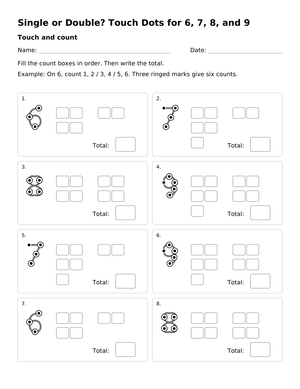
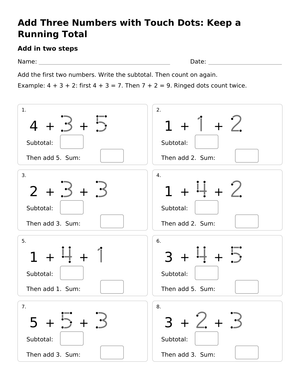
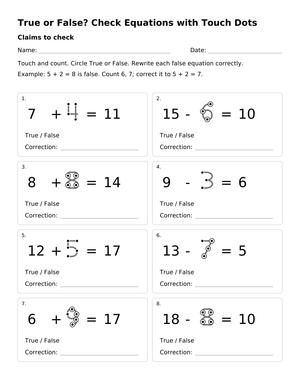
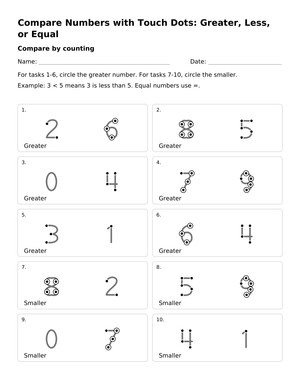
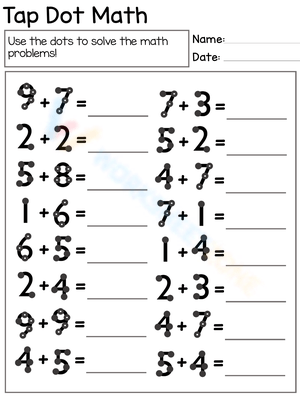
These 1st grade touch math worksheets give teachers a tactile counting system that connects written numerals to physical quantities, moving students away from unreliable finger counting and toward a method they can apply independently on any problem. The set targets addition and subtraction within 20, with TouchPoints printed directly on each numeral so the counting information lives on the page rather than in a child's strained working memory.
How the TouchPoint System Works
The structure is simple but spatially precise. Numerals 1 through 5 carry single TouchPoints — one dot placed at a fixed location on each digit — and the student touches and counts each dot once, aloud. Numerals 6 through 9 introduce double points: a dot inside a circle that the student touches and counts twice in sequence. The numeral 6, for instance, has three double points. The student taps the first and says "one, two," taps the second and says "three, four," taps the third and says "five, six." The positions are consistent across every worksheet in the set — the dot on the numeral 1 sits at the top of the vertical stroke, the two points on the numeral 2 sit at the curve and the base — so students gradually build spatial memory for where to look.
Addition problems use a counting-on strategy: the student identifies the larger number, states it aloud, then touches the points on the smaller addend to count forward. This keeps the pencil moving and the eyes on the paper, and it reduces the total counting required. Subtraction uses the same point locations but counts backward — and that directional shift is where the most instructional work is needed.
Errors Students Make That Are Worth Anticipating
The most persistent error is directional. Students who have spent weeks counting forward will add instead of subtract even when the minus sign is clearly printed. The fix that works consistently is having students trace the subtraction symbol with their pencil tip before solving — the physical gesture acts as a kinesthetic interrupt that redirects the counting direction. Students who skip this step make the reversal error at a noticeably higher rate, and reminding them verbally is less effective than making the tracing a non-negotiable step.
Double-point miscounting is the second pattern to watch. When students first encounter numerals 6 through 9, they routinely touch each double point once instead of twice, arriving at 4 instead of 6 or 7 instead of 9. Catching this early matters because the habit hardens quickly. Five minutes of teacher-led touching on the board before students open their worksheets interrupts the error before it becomes automatic.
Point-location drift is the subtler problem. A student who internalizes the wrong position on one numeral carries that error into every problem involving that digit. In the patterns we see in early student work, the numeral 8 causes the most confusion — its double points span both loops of the figure-eight, and children frequently cluster all points in the upper half. A brief check during the first week of instruction, where the teacher watches each student touch the numeral 8 and narrates the correct locations aloud, prevents weeks of compounding inaccuracy.
Standard Alignment
These worksheets address CCSS.MATH.CONTENT.1.OA.C.5 (relate counting to addition and subtraction, e.g., counting on 2 to add 2) and CCSS.MATH.CONTENT.1.OA.C.6 (add and subtract within 20, demonstrating fluency for addition and subtraction within 10). In classroom terms, 1.OA.C.5 is where this system earns the most traction — the standard explicitly names counting on and counting back as the bridge to fact fluency, and the TouchPoint method makes that strategy visible and self-verifying. The worksheets fit best in the first-semester sequence, before teachers are pushing toward automatic recall, because they give students a reliable procedure to use while fact memory is still developing. They are not a replacement for number sense instruction; they are the counting-strategy layer that sits beneath it.
How to Build These Worksheets Into Your Lesson Plans
The highest-yield placement is small-group instruction during the math block, where a teacher can observe whether students are touching the correct locations and counting aloud rather than silently guessing. Using these as independent center work too early — before students have internalized the point locations — produces confident-looking wrong answers. A two-day guided introduction before releasing students to work alone makes a measurable difference in accuracy.
For repeated practice without consuming paper, slide each worksheet into a clear plastic sleeve and give students dry-erase markers. The same worksheet runs through an entire week of center rotations. By Thursday, the counting is smoother; by Friday, some students are starting to tap positions on bare numerals without needing the printed dots — a signal worth noting because it indicates readiness to move forward. These 1st grade touch math worksheets also work well as Monday morning warm-ups, six to eight problems at the start of the math block, when the goal is maintaining counting accuracy across a unit rather than building it from scratch.
Differentiating These Worksheets Across Student Levels
Students who have mastered counting on with fully-printed points are ready for versions where only the smaller addend carries the dots. This intermediate step keeps the counting strategy intact while reducing visual support on the numeral the student is already stating aloud. The 1st grade touch math worksheets set includes both fully-dotted and partially-dotted versions for this transition. When a student solves partially-dotted problems at 90 percent accuracy across two consecutive worksheets, move them to plain numerals and let them tap the invisible point locations with their pencil. Most students continue tapping for several weeks; the physical action fades on its own as fact recall develops.
For students working below grade level or receiving Tier 2 math support, begin with addition only and restrict the number range to 1 through 5 until single-point numerals are solid. Introducing double points before single-point counting is automatic creates confusion that slows the entire system down. Students receiving special education services sometimes benefit from a laminated reference card showing the TouchPoint locations for each numeral, placed at the corner of the workspace — not as a permanent support, but as a confidence anchor during the initial acquisition phase.
Frequently Asked Questions
Can students start using these worksheets independently without any prior introduction to the system?
Not productively. Students need at least two teacher-led sessions in which they trace numerals, touch the points with guidance, and count aloud in unison before working independently. The worksheets are practice tools, not introductory instruction. Releasing students to work alone before they know the point locations produces practiced inaccuracy, which takes longer to correct than the initial introduction would have required.
How long does it typically take before students stop needing the printed dots?
Most first graders working with this system daily reach the point-tapping-on-bare-numerals stage within four to six weeks of consistent practice. The transition is driven by accuracy, not calendar time. A student hitting 90 percent or better across three consecutive worksheets is ready to try plain numerals regardless of how many days that took — and some students get there in three weeks, others in eight.
Are these worksheets useful for kindergartners or second graders?
The single-point numeral worksheets (addition within 10) translate well for kindergartners in the spring semester, particularly for students who are ready to move past physical manipulatives. For second graders, the worksheets function best as an intervention for students who have not yet developed reliable addition and subtraction strategies rather than as on-grade instruction. The 1st grade touch math worksheets set is calibrated for the standard first-grade math scope, but individual worksheets are flexible enough to serve a range of instructional needs when the skill gap calls for it.












 Interactive Worksheet Maker
 Quiz Maker
 Word Search Maker
 Crossword Puzzle Maker
 Word Scramble Generator
 Sentence Scramble Generator
 Handwriting Worksheet Generator
 Name Tracing Generator
 Fill In The Blank Generator