




























Views
Plays

Digital Literacy Quiz | Grade 7 Essential Worksheet

Paste this activity's link or code into your existing LMS (Google Classroom, Canvas, Teams, Schoology, Moodle, etc.).
Students can open and work on the activity right away, with no student login required.
You'll still be able to track student progress and results from your teacher account.
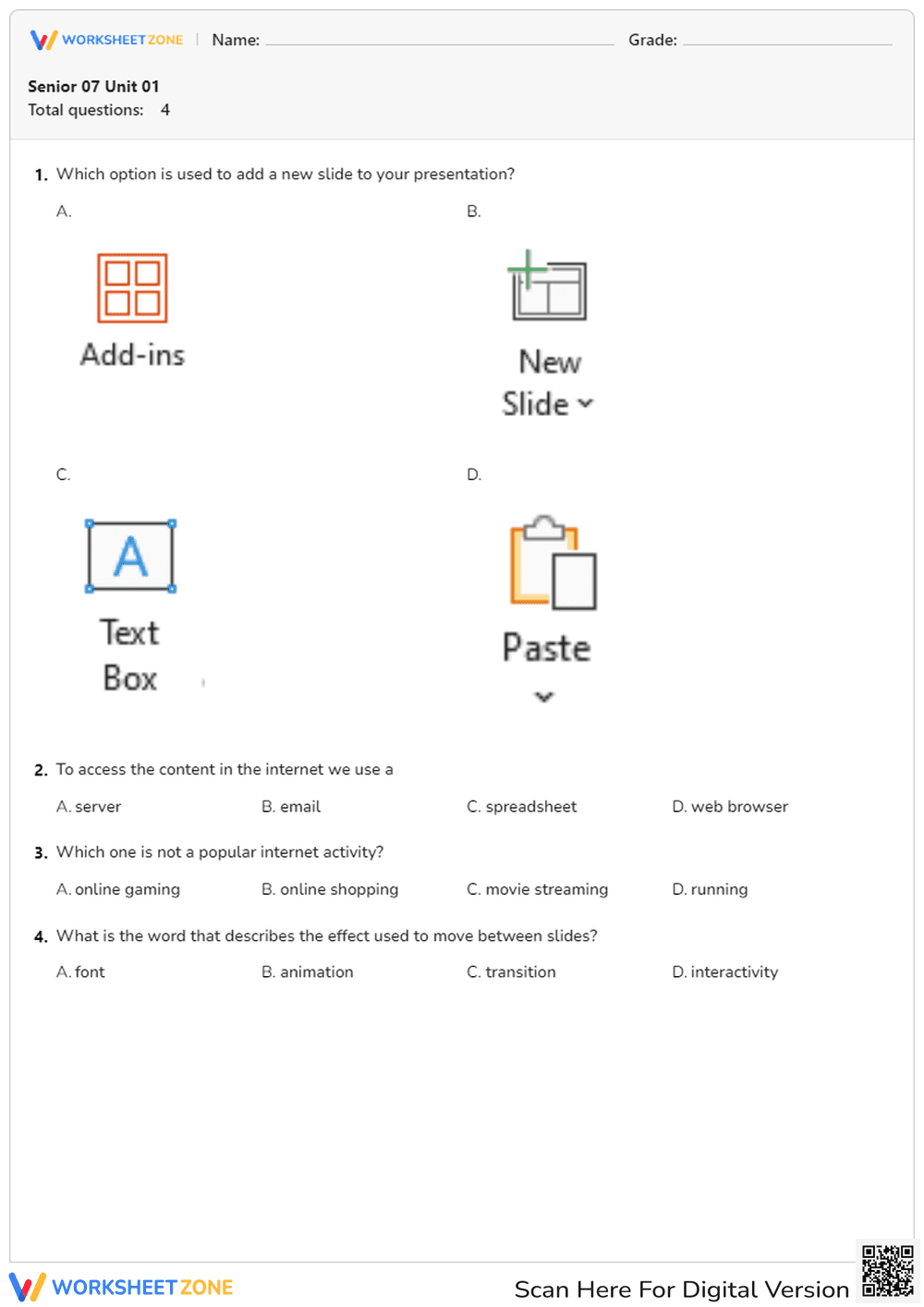
This Grade 7 digital literacy worksheet assesses student understanding of presentation software and internet fundamentals. By identifying specific software icons and defining web-based terminology, learners demonstrate their ability to use technology effectively for academic tasks. It provides a quick check for mastery of essential computer skills required for modern classroom projects.
At a Glance
- Grade: 7 · Subject: Digital Literacy
- Standard:
CCSS.ELA-LITERACY.W.7.6— Use technology, including the Internet, to produce and publish writing and link to sources- Skill Focus: Presentation Tools & Internet Basics
- Format: 1 page · 4 problems · Answer key included · PDF
- Best For: Quick formative assessment or exit ticket
- Time: 5–10 minutes
This single-page PDF features 4 multiple-choice questions designed for rapid assessment. The first question uses visual icons to test recognition of presentation software functions like adding slides or text boxes. Subsequent questions cover internet access tools and common online activities. A clear, easy-to-grade answer key is included to streamline the evaluation process.
This resource is designed for immediate classroom implementation. Teachers can print the single-sheet PDF in under 1 minute. Distribution takes seconds, and because there are only 4 targeted questions, students can complete the task in approximately 5 minutes. Reviewing the answers as a whole group provides instant feedback with zero teacher preparation required.
The primary focus is CCSS.ELA-LITERACY.W.7.6, which requires students to use technology and the internet to produce and publish writing. By mastering the tools of presentation software, students meet the technical prerequisites for this standard. Both standard codes can be copied directly into lesson plans, IEP goals, or district curriculum mapping tools.
Use this worksheet as an exit ticket at the end of a computer lab session to verify that students understand the interface of presentation software. Alternatively, assign it as a pre-assessment before starting a research project to identify students who may need additional support with web browsers or slide transitions. Completion typically takes 5 to 10 minutes.
This resource is ideal for middle school students in Grade 7 who are developing their digital citizenship and technical proficiency. It is particularly useful for general education classrooms, technology electives, or as a supplemental activity for students working on multimedia presentations. It pairs naturally with an introductory slide deck or a web safety anchor chart.
According to the RAND AIRS 2024 report, foundational digital literacy skills are critical predictors of student success in higher-order multimedia composition. This worksheet targets CCSS.ELA-LITERACY.W.7.6 by evaluating a student's ability to identify presentation tools and internet access methods. By focusing on specific student actions—such as distinguishing between slide transitions and animations—the assessment provides clear evidence of technical readiness. Research from Fisher & Frey (2014) emphasizes that short, targeted formative assessments like this 4-question quiz allow for immediate instructional adjustments. Ensuring students can navigate web browsers and presentation interfaces is a necessary scaffold for more complex digital publishing tasks. This resource provides a reliable, standardized way to document these competencies for student portfolios or progress monitoring.


