


























Views
Downloads
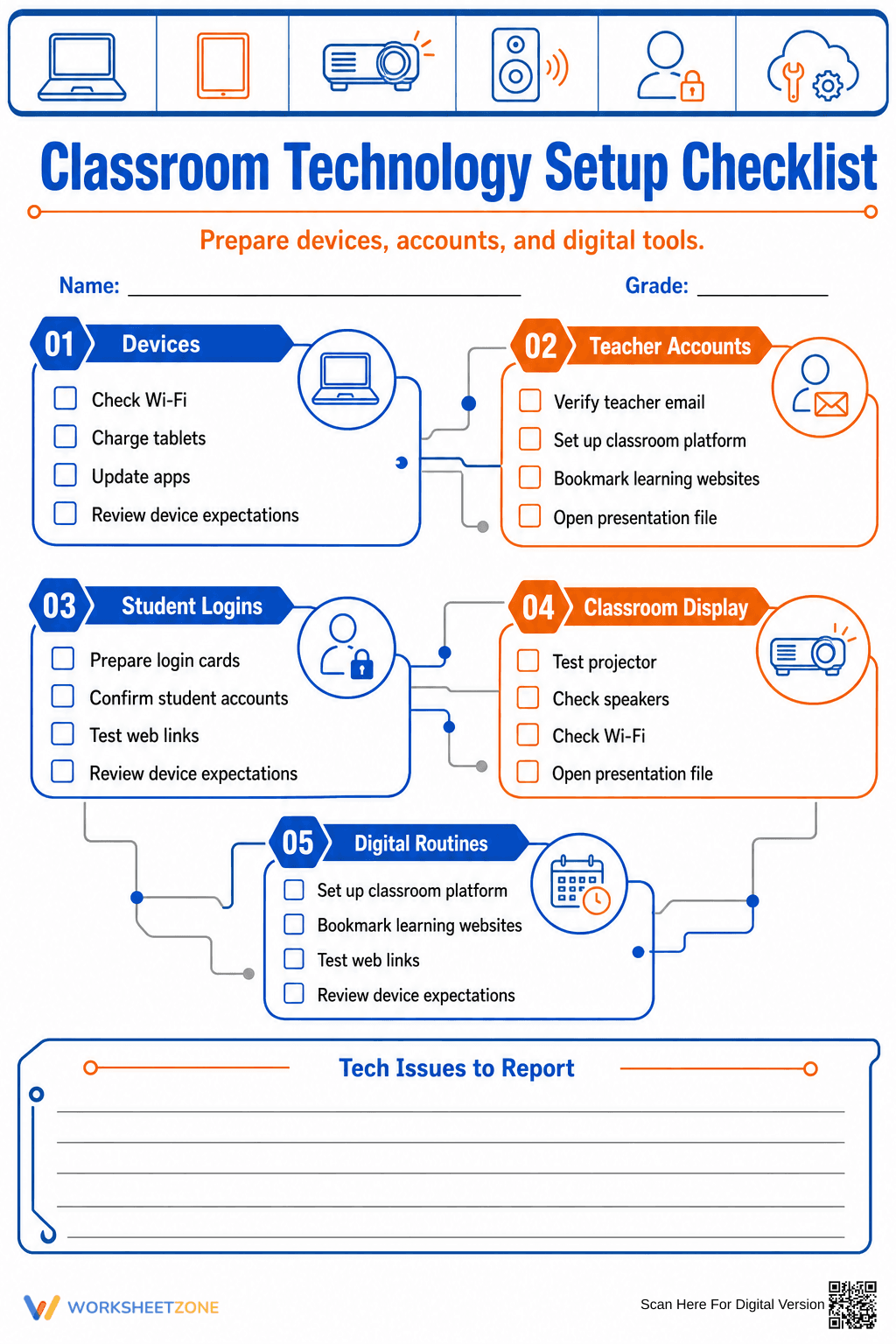

Classroom Technology Setup Checklist | Essential Guide
Paste this activity's link or code into your existing LMS (Google Classroom, Canvas, Teams, Schoology, Moodle, etc.).
Students can open and work on the activity right away, with no student login required.
You'll still be able to track student progress and results from your teacher account.
This professional classroom technology setup checklist ensures educators are fully prepared for digital instruction. By providing a structured framework for hardware, software, and account management, this resource eliminates technical friction during the first week of school. It helps teachers verify connectivity and device readiness before students arrive, fostering a more productive learning environment.
At a Glance
- Grade: K-12 · Subject: Teacher Organization
- Standard:
ISTE.T.1— Educators continually improve their practice by learning from and with others- Skill Focus: Digital Classroom Management
- Format: 1 page · 20 tasks · Checklist format · PDF
- Best For: Back-to-school prep and tech audits
- Time: 15–30 minutes
This single-page PDF features a clean, modern design with five distinct categories: Devices, Teacher Accounts, Student Logins, Classroom Display, and Digital Routines. Each section contains four actionable checkboxes, totaling 20 specific tasks. The layout includes a dedicated "Tech Issues to Report" section with ruled lines for documenting hardware failures or software bugs that require IT intervention.
Zero-Prep Workflow
- Print: Send the high-resolution PDF to your school printer (30 seconds).
- Distribute: Place a copy on your desk or clipboard as you walk through your classroom tech stations (10 seconds).
- Review: Systematically check off items like Wi-Fi connectivity, projector functionality, and student login cards (20 minutes).
This workflow requires zero teacher preparation time and serves as a reliable record for administrative audits or IT support requests.
Standards Alignment
This resource aligns with `ISTE.T.1`, which focuses on educators as empowered professionals who leverage technology to take an active role in their professional goals. By systematically auditing classroom tools, teachers demonstrate proficiency in managing digital learning environments. Both standard codes can be copied directly into lesson plans, IEP goals, or district curriculum mapping tools.
How to Use It
Use this checklist during the pre-service week before students return to ensure all hardware is charged and updated. It is also effective as a monthly "tech health check" to identify broken speakers or outdated apps. Formative assessment observation tip: If you find yourself checking "Review device expectations" frequently, consider creating a dedicated anchor chart for student digital citizenship. Expected completion time is 15 to 30 minutes.
Who It's For
This resource is designed for K-12 classroom teachers, technology coordinators, and instructional coaches. It is particularly helpful for new teachers setting up their first digital classroom or for veteran teachers transitioning to a 1:1 device model. It pairs naturally with a digital citizenship curriculum or a classroom management plan.
Effective classroom management in the digital age requires proactive technical preparation to minimize instructional downtime. According to research from EdReports (2024), teachers who utilize structured organizational tools for technology integration report higher levels of confidence and fewer disruptions during technology-enhanced lessons. This checklist addresses the core requirements of ISTE.T.1 by providing a systematic approach to digital classroom readiness. By verifying 20 critical points—ranging from Wi-Fi stability to student login accessibility—educators can ensure that digital tools serve as catalysts for learning rather than barriers. Fisher & Frey (2014) emphasize that the physical and digital environment must be ready for learning before complex instruction begins. This printable resource serves as a professional artifact for documenting classroom readiness and can be used to streamline communication with school IT departments regarding hardware maintenance and software updates.


