




























Views
Downloads
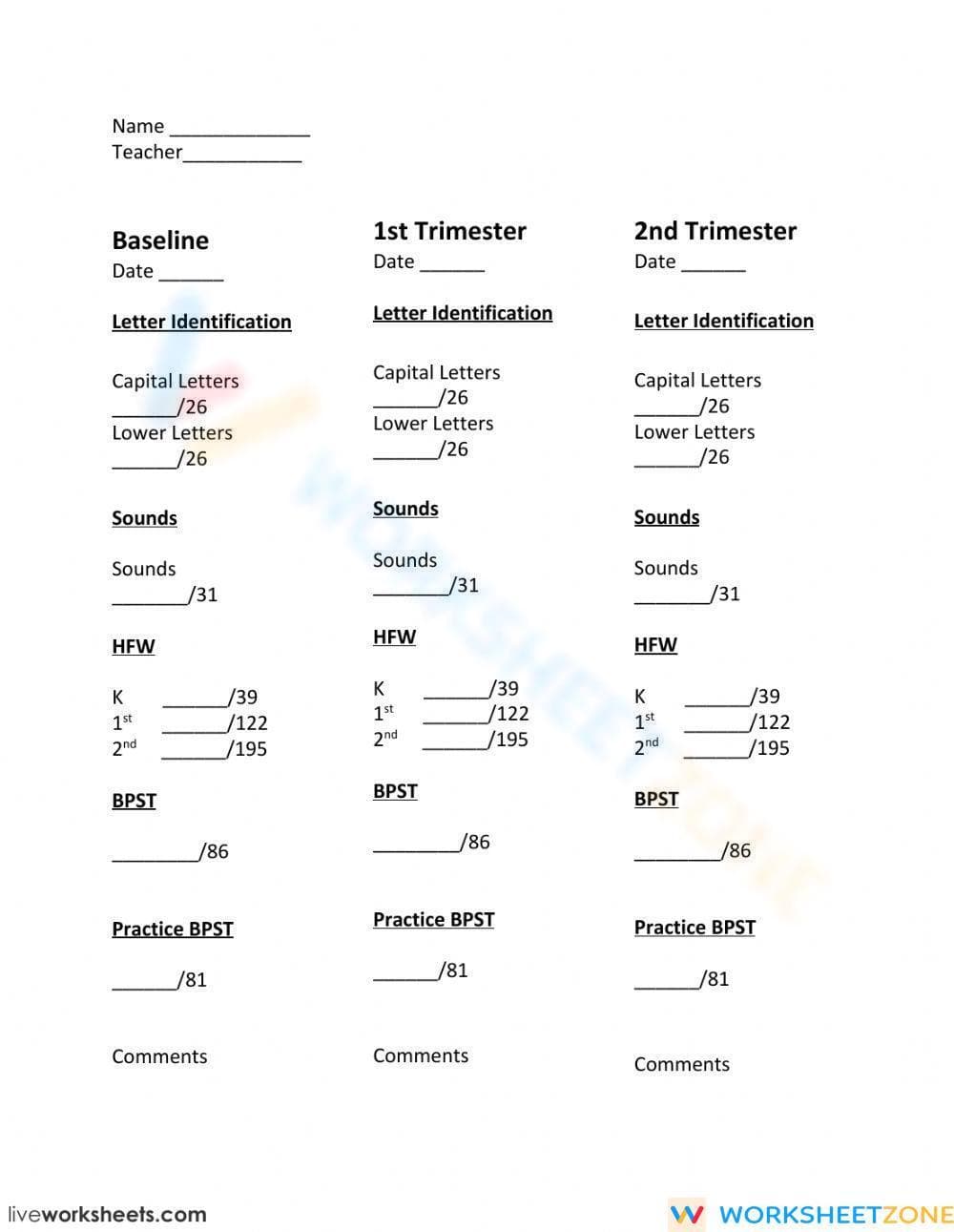

Printable Kindergarten Assessment & Data Tracker

Paste this activity's link or code into your existing LMS (Google Classroom, Canvas, Teams, Schoology, Moodle, etc.).
Students can open and work on the activity right away, with no student login required.
You'll still be able to track student progress and results from your teacher account.
Efficiently Track Early Literacy Skills
This single-page assessment tracker provides a clear, organized system for monitoring a student's progress in foundational reading skills across the school year. Designed for busy kindergarten and first-grade teachers, this tool allows for quick data entry at three key checkpoints: a baseline assessment, a first-trimester review, and a second-trimester update. It simplifies the process of collecting quantitative data for report cards, parent conferences, and intervention planning, providing a year-long snapshot of student growth.
At a Glance
- Grade: Kindergarten · Subject: ELA
- Standard:
CCSS.ELA-LITERACY.RF.K.1— Demonstrate understanding of the organization and basic features of print.- Skill Focus: Foundational Skills Assessment Tracking
- Format: 1 page · 5 assessment areas · Data tracker format · PDF
- Best For: Individual student data binders and progress monitoring
- Time: 5–10 minutes (to record scores)
What's Inside
This resource is a one-page PDF designed for teacher use. It features three columns for recording scores from a Baseline, 1st Trimester, and 2nd Trimester assessment period. Within each period, dedicated sections are provided for tracking scores in five critical early literacy domains: Letter Identification (Capital and Lower), Sounds (Phonemic Awareness), HFW (High-Frequency Words), and BPST (Basic Phonics Skills Test). Each section includes a pre-labeled denominator (e.g., /26 for letters) to make scoring consistent. A comments section at the bottom allows for qualitative notes.
Zero-Prep Teacher Workflow
This tool is built to save teachers time and streamline data management. The workflow is simple and efficient:
- Print (Under 1 Minute): At the beginning of the year, print one copy for each student. Place it in their individual data folder, portfolio, or your master assessment binder.
- Assess & Record (5-10 Minutes per Student): After administering your preferred foundational skills assessments, transfer the raw scores directly onto this sheet. The clear layout makes transcribing data fast and error-free.
- Review & Plan (5 Minutes): Use the completed tracker to get an immediate, holistic view of a student's progress. The organized data helps quickly identify skill deficits and prepare for parent-teacher conferences or RTI/MTSS meetings.
How to Use It
This versatile tool can be integrated into your classroom routines in several ways. Use it as the primary data-recording sheet for student portfolios; it provides a clean summary of growth to share with parents, administrators, and support staff. Expected completion time for recording scores is just 5-10 minutes per student. You can also leverage the tracker as a formative assessment guide. After baseline testing, a quick scan of the sheets can reveal that a small group is struggling with lowercase letter identification, providing an immediate, data-driven starting point for small-group instruction. It is an invaluable resource for Kindergarten and 1st Grade teachers, literacy coaches, reading specialists, and any educator responsible for tracking IEP goals related to letter, sound, or sight word knowledge.


