


























Views
Plays
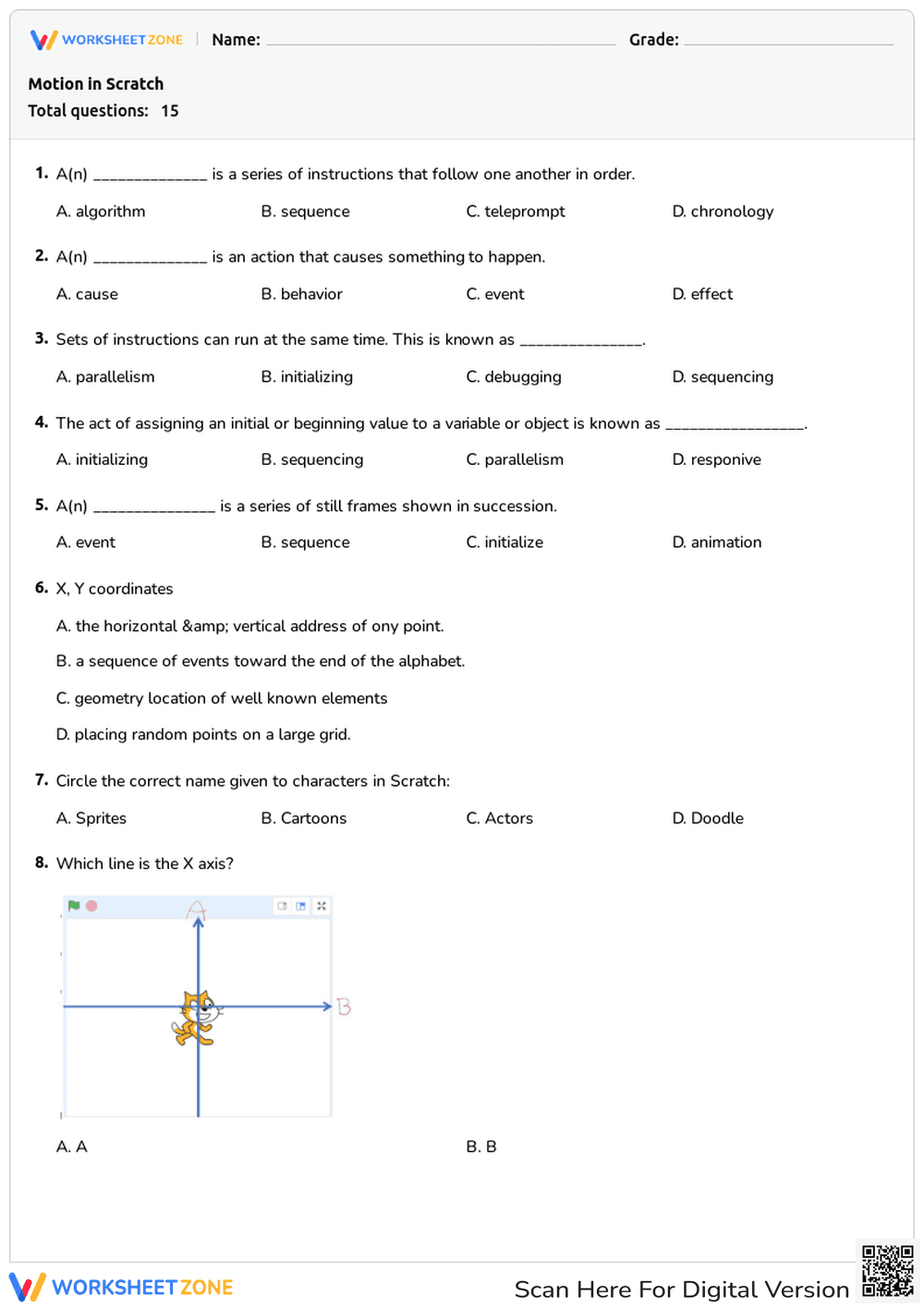
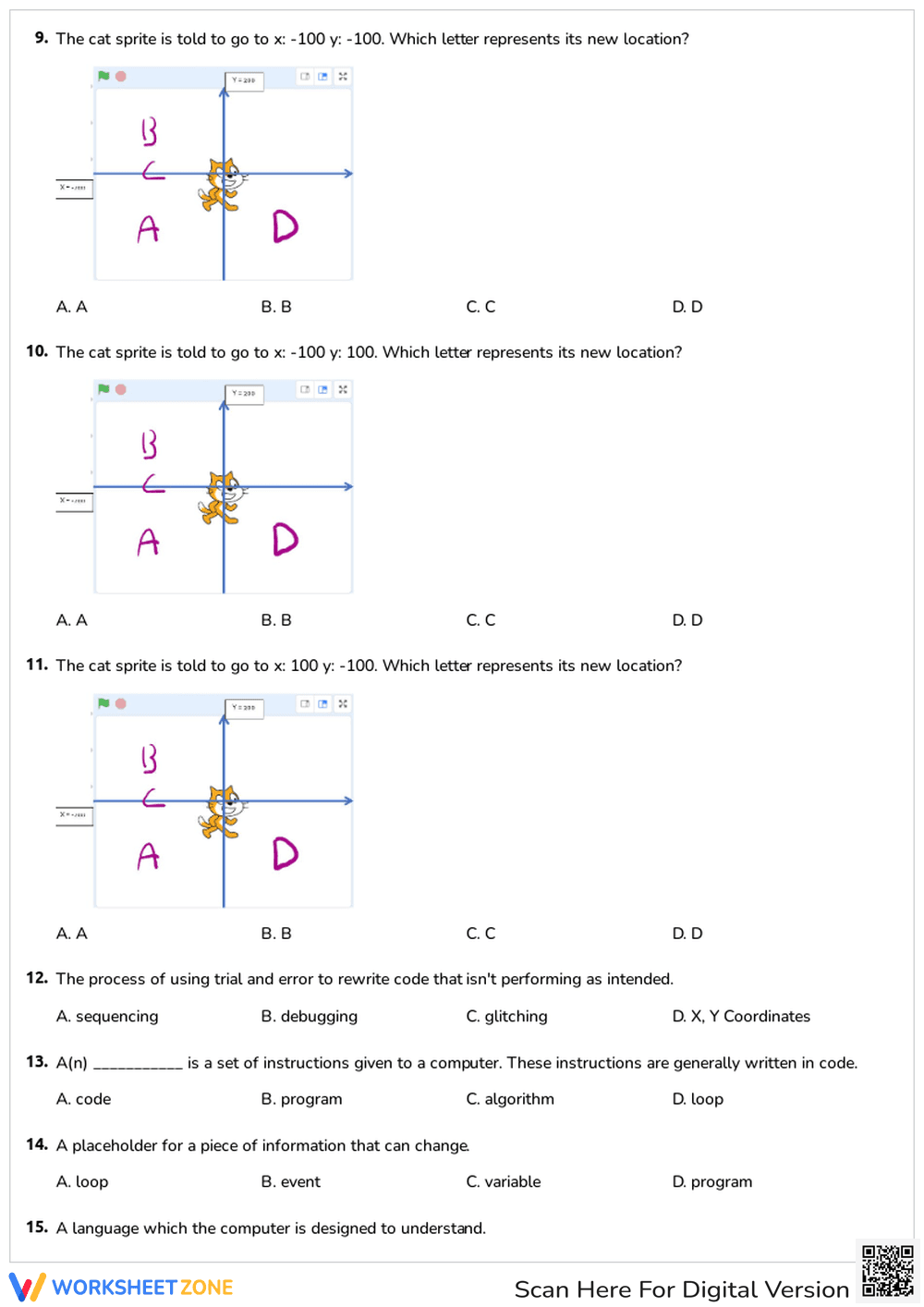


Grade 3 Scratch Coding Vocabulary — Printable Worksheet
Paste this activity's link or code into your existing LMS (Google Classroom, Canvas, Teams, Schoology, Moodle, etc.).
Students can open and work on the activity right away, with no student login required.
You'll still be able to track student progress and results from your teacher account.
This Grade 3 computer science worksheet gives students targeted practice with essential coding terminology. By completing this quiz, learners will demonstrate their understanding of foundational Scratch concepts, including sprites, debugging, and coordinate mapping, ensuring they are prepared for hands-on programming.
At a Glance
- Grade: 3 · Subject: English Language Arts (ELA)
- Standard:
CCSS.ELA-LITERACY.L.3.6— Acquire and use domain-specific words- Skill Focus: Coding Vocabulary & Coordinates
- Format: 3 pages · 15 problems · Answer key included · PDF
- Best For: Formative assessment or independent practice
- Time: 15–20 minutes
Inside this resource, educators will find a 15-question multiple-choice assessment spanning three pages. The tasks require students to identify definitions for key programming terms like algorithm, sequence, and variable. Visual problems also ask students to determine correct X and Y coordinates for a sprite. A complete answer key is provided.
Zero-Prep Workflow
This resource is designed for immediate classroom implementation with minimal teacher setup:
- Print (1 minute): Simply download the PDF and print the three-page assessment along with the answer key.
- Distribute (1 minute): Hand out the copies to students as a standalone quiz or a follow-up activity after a computer lab session.
- Review (3 minutes): Use the included key to quickly grade submissions or facilitate a whole-class review of the correct answers.
With a total teacher prep time of under two minutes, this worksheet is an excellent addition to any emergency sub plan.
Standards Alignment
This worksheet is aligned to CCSS.ELA-LITERACY.L.3.6, requiring students to acquire and use accurately grade-appropriate domain-specific words. By mastering terms like "parallelism," students build technical vocabulary necessary for STEM success. Both standard codes can be copied directly into lesson plans, IEP goals, or district curriculum mapping tools.
How to Use It
This versatile worksheet can be deployed at various instructional moments. Use it after direct instruction on block-based coding to assess comprehension, or assign it as independent seatwork while you troubleshoot technical issues with small groups. As a formative assessment observation tip, monitor which students struggle with the coordinate grid questions (numbers 8 through 11); this may indicate a need for a quick math review on the X and Y axes. Expected completion time ranges from 15 to 20 minutes.
Who It's For
This resource is primarily designed for third-grade students beginning their journey into computer science and block-based programming. To differentiate for learners who need extra support, consider allowing them to open the Scratch interface on a device to test the coordinate questions visually. This worksheet pairs naturally with an introductory direct instruction lesson on digital citizenship or basic coding algorithms.
Mastering domain-specific vocabulary is a critical stepping stone for students engaging with complex technical subjects. According to a recent ScienceDirect TpT Analysis, explicit vocabulary instruction in STEM contexts significantly improves students' ability to articulate their problem-solving processes and reduces cognitive load during hands-on tasks. This worksheet directly supports CCSS.ELA-LITERACY.L.3.6 by helping learners acquire and use domain-specific words related to computer programming. When students confidently understand terms like "debugging" and "variable," they transition more smoothly from passive technology consumers to active creators. By integrating these targeted vocabulary assessments into the curriculum, educators provide the foundational literacy skills necessary for advanced computational thinking. Regular practice with these concepts ensures that students can interact with digital environments effectively and communicate their logic clearly to peers and instructors alike, fostering a collaborative classroom.


