


























0
Views
0
Downloads

0.0
0
Save
0 Likes
Mastering Word Processing Tools: An Essential Guide
0 Views
0 Downloads
Paste this activity's link or code into your existing LMS (Google Classroom, Canvas, Teams, Schoology, Moodle, etc.).
Students can open and work on the activity right away, with no student login required.
You'll still be able to track student progress and results from your teacher account.
Information
Description
What It Is:
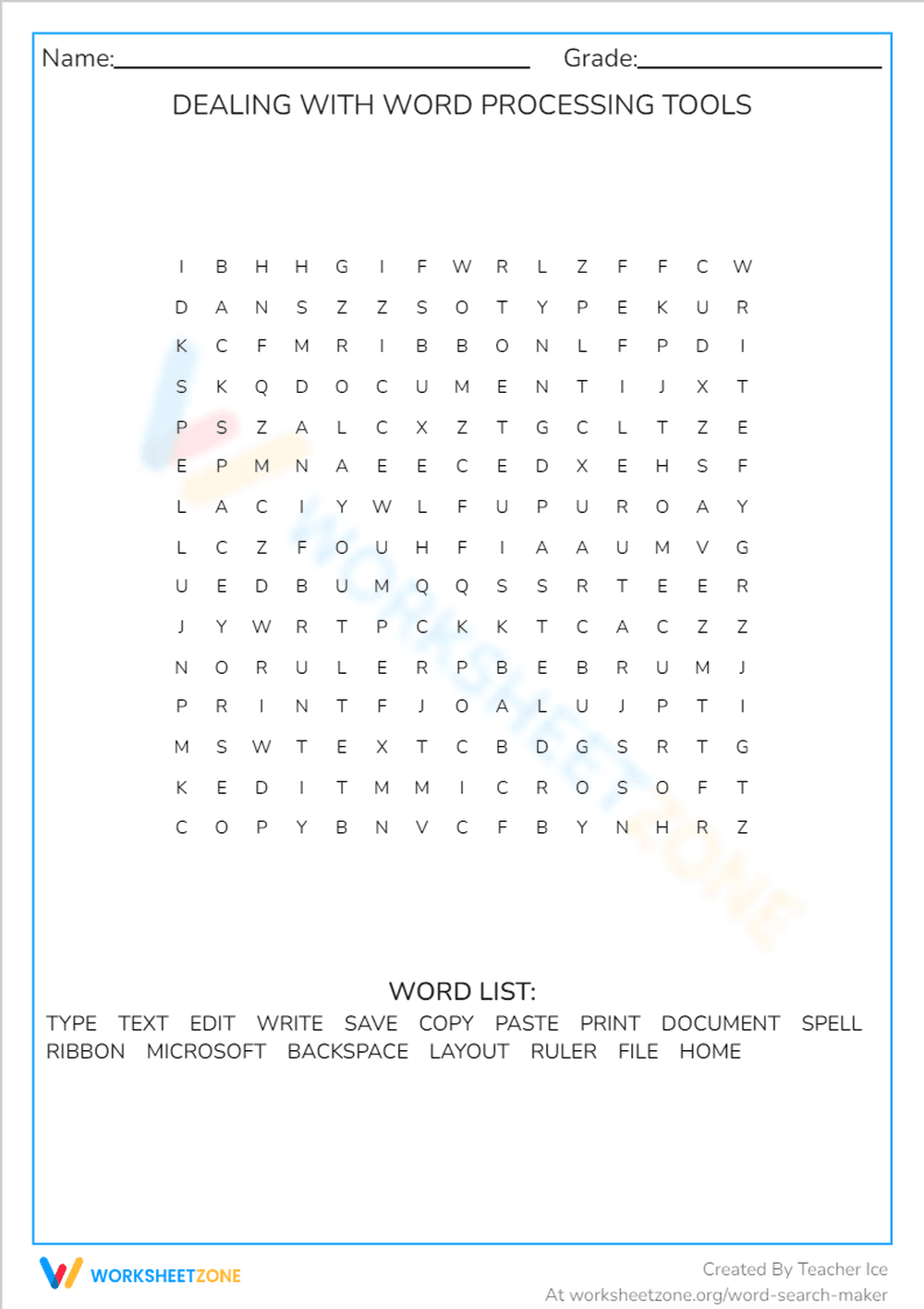
This is an educational word search worksheet titled 'Dealing with Word Processing Tools.' It features a grid of letters and a word list containing terms related to word processing, such as TYPE, TEXT, EDIT, WRITE, SAVE, COPY, PASTE, PRINT, DOCUMENT, SPELL, RIBBON, MICROSOFT, BACKSPACE, LAYOUT, RULER, FILE, and HOME. Students need to find these words hidden within the letter grid.
Grade Level Suitability:
This worksheet is suitable for grades 3-6. The vocabulary is relatively simple and commonly used in elementary and middle school computer classes. The word search format is familiar and engaging for this age range.
Why Use It:
This worksheet helps students reinforce their understanding of common word processing terms. It improves vocabulary, spelling skills, and visual scanning abilities. It can also serve as a fun and engaging activity to introduce or review word processing concepts.
How to Use It:
Students should read the word list and then search for each word within the letter grid. The words can be oriented horizontally, vertically, or diagonally. Once a word is found, students can circle or highlight it. The goal is to find all the words in the list.
Target Users:
This worksheet is designed for elementary and middle school students who are learning about or using word processing software. It's also suitable for teachers looking for a supplementary activity to reinforce vocabulary and spelling skills related to technology.
This is an educational word search worksheet titled 'Dealing with Word Processing Tools.' It features a grid of letters and a word list containing terms related to word processing, such as TYPE, TEXT, EDIT, WRITE, SAVE, COPY, PASTE, PRINT, DOCUMENT, SPELL, RIBBON, MICROSOFT, BACKSPACE, LAYOUT, RULER, FILE, and HOME. Students need to find these words hidden within the letter grid.
Grade Level Suitability:
This worksheet is suitable for grades 3-6. The vocabulary is relatively simple and commonly used in elementary and middle school computer classes. The word search format is familiar and engaging for this age range.
Why Use It:
This worksheet helps students reinforce their understanding of common word processing terms. It improves vocabulary, spelling skills, and visual scanning abilities. It can also serve as a fun and engaging activity to introduce or review word processing concepts.
How to Use It:
Students should read the word list and then search for each word within the letter grid. The words can be oriented horizontally, vertically, or diagonally. Once a word is found, students can circle or highlight it. The goal is to find all the words in the list.
Target Users:
This worksheet is designed for elementary and middle school students who are learning about or using word processing software. It's also suitable for teachers looking for a supplementary activity to reinforce vocabulary and spelling skills related to technology.


