


























0
Views
0
Downloads

0.0
0
Save
0 Likes
Compare and Order Fractions with Visuals
0 Views
0 Downloads
Paste this activity's link or code into your existing LMS (Google Classroom, Canvas, Teams, Schoology, Moodle, etc.).
Students can open and work on the activity right away, with no student login required.
You'll still be able to track student progress and results from your teacher account.
Information
Description
What It Is:
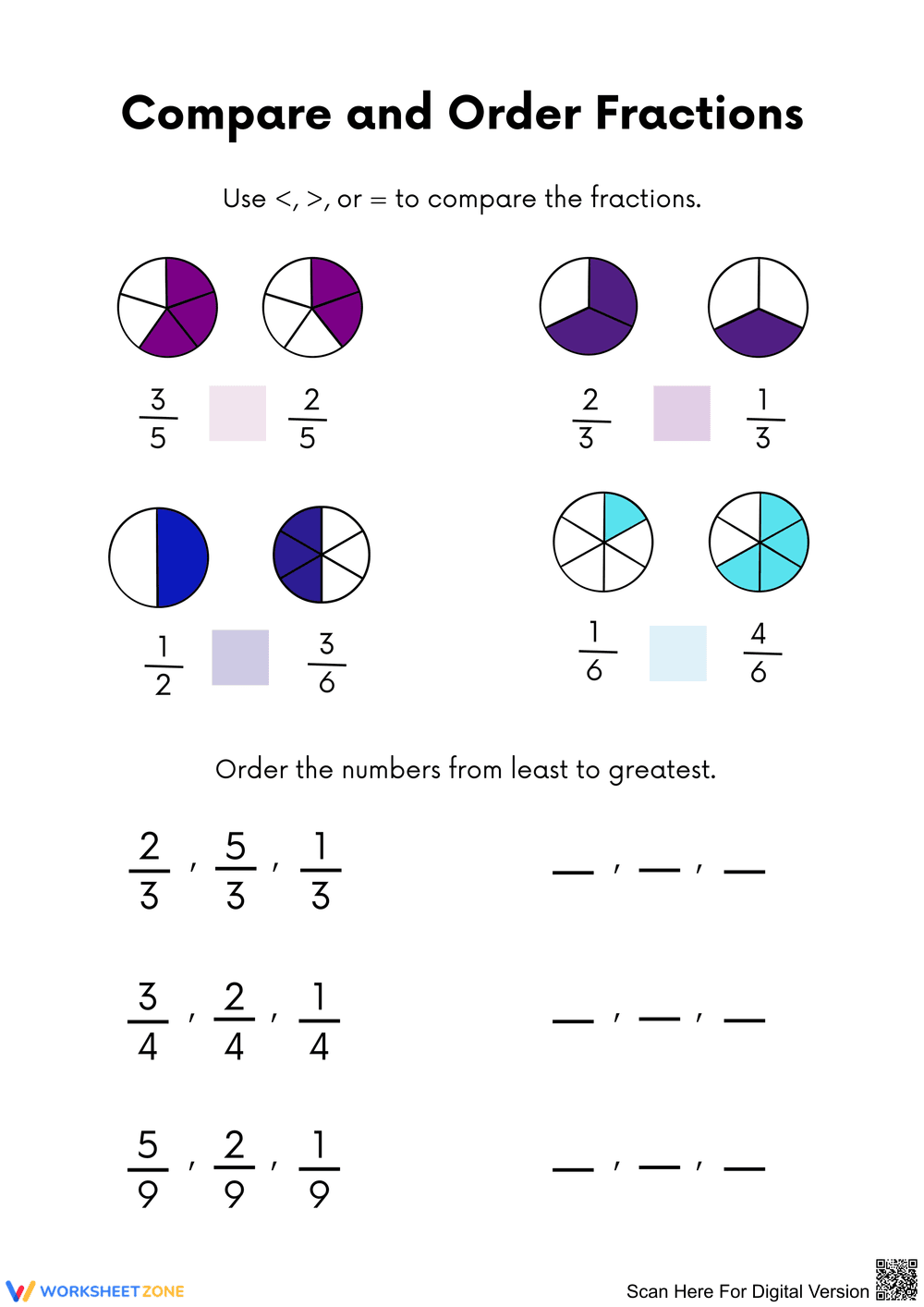
This worksheet focuses on comparing and ordering fractions through visual representations and numeric comparisons. Students will utilize pie charts to discern the value of different fractions, filling in symbols and arranging numbers in order.
Why Use It:
This activity enhances students' understanding of fractions, reinforcing visual learning and numeric ordering skills.
How to Use It:
• Examine the visual fractions.
• Use <, >, or = to compare the values.
• Order the given fractions from least to greatest.
Grade Suitability:
Best for Grade 2 to Grade 4.
• Younger kids focus on basic fractions and comparison.
• Older students delve into more complex fraction ordering.
Target Users:
This worksheet is designed for teachers, parents, and students interested in improving fraction skills.
This worksheet focuses on comparing and ordering fractions through visual representations and numeric comparisons. Students will utilize pie charts to discern the value of different fractions, filling in symbols and arranging numbers in order.
Why Use It:
This activity enhances students' understanding of fractions, reinforcing visual learning and numeric ordering skills.
How to Use It:
• Examine the visual fractions.
• Use <, >, or = to compare the values.
• Order the given fractions from least to greatest.
Grade Suitability:
Best for Grade 2 to Grade 4.
• Younger kids focus on basic fractions and comparison.
• Older students delve into more complex fraction ordering.
Target Users:
This worksheet is designed for teachers, parents, and students interested in improving fraction skills.


