




















Padlet alternatives are digital collaboration platforms that provide infinite canvases, multimedia bulletin boards, and interactive student response systems beyond the standard Padlet interface. These alternatives refer to specialized tools for AI-powered worksheets, professional whiteboarding, and curated resource collections designed for students in grades PreK–12.
10 Padlet alternatives
Finding the right collaboration tool fosters children’s curiosity and social-emotional growth through shared projects and real-time feedback. In a classroom setting, these platforms work best when selected based on the specific interaction goal, such as brainstorming or resource curation. According to Common Sense Education, collaborative digital environments help students develop the critical communication skills required for 21st-century success.
1. Worksheetzone

Worksheetzone is an all-in-one teaching platform designed specifically for educators. Instead of focusing on a single collaboration board, it supports structured classroom interaction through classes, assignments, and interactive activities. For teachers who use Padlet to collect ideas or reflections, Worksheetzone offers a more complete and organized environment that scales from one activity to an entire course.
Key features of Worksheetzone:
- Extensive library of thousands of pre-made, searchable worksheet templates
- AI-powered worksheet and lesson plan generators for rapid content creation
- Real-time student progress tracking and automated grading dashboard
- Support for various question types, including drag-and-drop, multiple-choice, and open-ended
Pricing: The pricing for Worksheetzone is highly accessible for individual educators. It offers a robust free tier that allows access to a vast majority of the public library and basic creation tools. For teachers requiring advanced features like unlimited private storage, detailed student analytics, and ad-free browsing, affordable premium subscriptions are available.
Why it is a Padlet alternative:
Worksheetzone is a premier Padlet alternative that focuses on structured practice and AI-powered content creation.
While Padlet excels at open-ended posting, Worksheetzone provides deeper tools for educational rigor. Teachers can use the Interactive Worksheet Maker to create boards where students must apply what they have learned through specific tasks. This ensures that collaboration is always grounded in academic objectives.
2. Wakelet

Wakelet is a premier curation tool that allows users to organize links, videos, and images into beautiful, shareable collections. It is widely praised for its clean interface and its ability to handle a wide variety of media formats seamlessly. Its effectiveness shines when used for student portfolios, resource hubs, or digital storytelling, where visual organization is paramount.
Key features of Wakelet:
- Versatile layout options including Grid, Moodboard, Column, and Timeline views
- Deep integration with YouTube, Google Drive, Twitter, and Adobe Express
- Collaboration features that allow multiple users to contribute to a single collection without an account
- Inclusive design with an integrated Immersive Reader for accessibility
Pricing: Wakelet remains one of the most generous tools on the market regarding its pricing. The platform offers a comprehensive free version for individual teachers and students that includes unlimited collections. They also offer “Pro” and “School” plans for advanced collaboration and administrative controls.
Why it is a Padlet alternative: As a Padlet alternative, Wakelet is often preferred for its lack of strict “board limits” on the free plan. It is particularly effective for those who use Padlet primarily as a place to dump links and resources, offering a more organized and aesthetically pleasing way to present content.
3. Miro
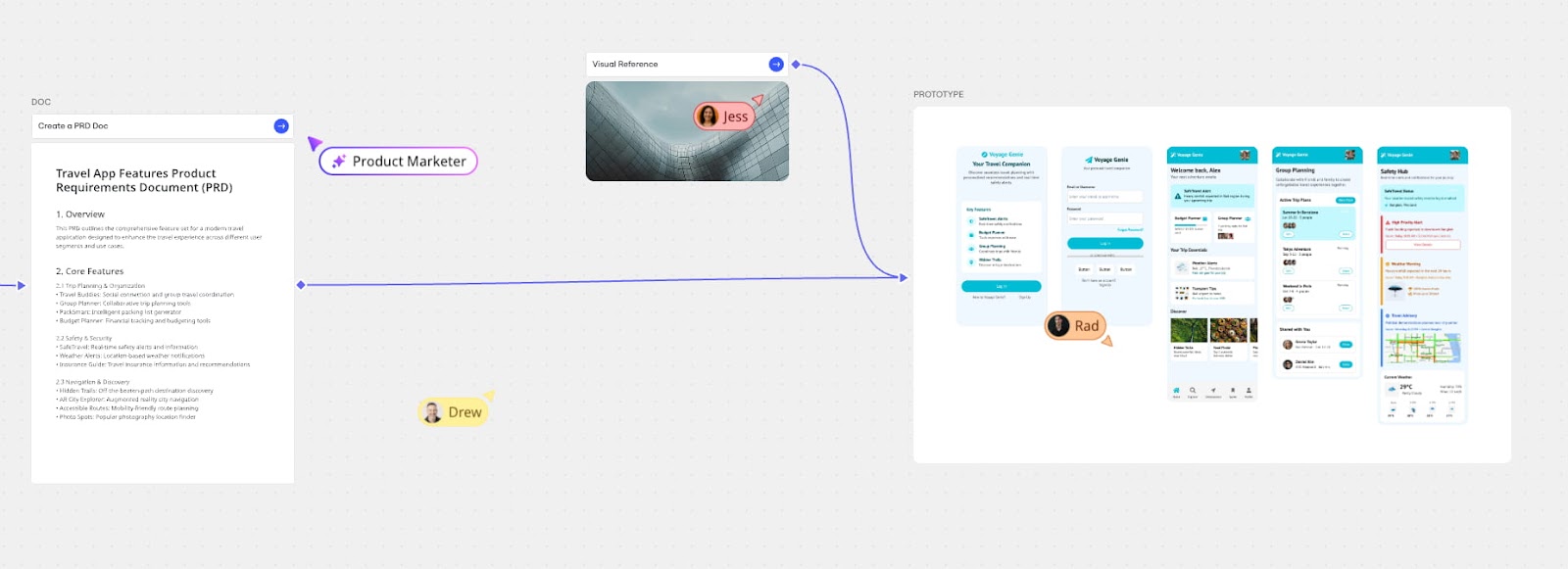
Miro is the industry standard for digital whiteboarding, offering an infinite canvas that is perfect for complex brainstorming and agile workflows. Its professional-grade tools make it a favorite for remote teams and design thinkers who need more than just a digital bulletin board. It is highly effective for scaling ideas from simple sticky notes to full-scale project roadmaps.
Key features of Miro:
- Infinite canvas with advanced drawing, mapping, and diagramming tools
- Massive “Miroverse” library containing thousands of community-generated frameworks
- Built-in video conferencing, timers, and voting tools for live workshops
- Seamless integrations with professional software like Jira, Slack, and Zoom
Pricing: Miro offers a tiered pricing model that includes a free version featuring three editable boards and unlimited viewers. Paid plans start at roughly $8 per user per month, unlocking unlimited boards and advanced facilitation features. They also offer a generous “Education Plan” for verified teachers and students.
Why it is a Padlet alternative: Miro stands out as a Padlet alternative for “power users” who find Padlet’s grid-based system too restrictive. If your collaboration requires deep technical mapping, flowcharting, or large-scale strategic planning, Miro provides the infinite space and technical depth that Padlet cannot match.
4. Google Jamboard
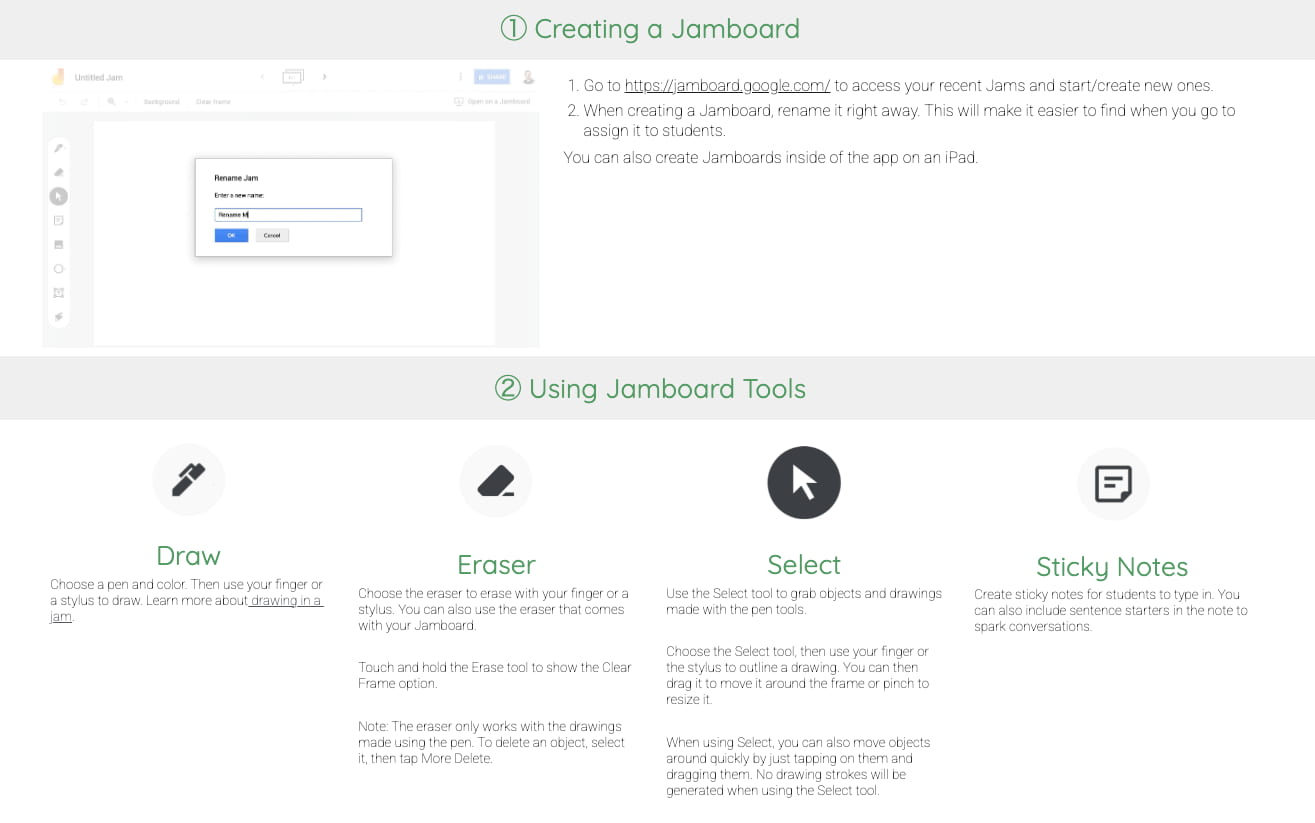
Google Jamboard was a beloved, simple whiteboard tool integrated into the Google Workspace ecosystem. While Google officially retired the Jamboard app at the end of 2024, it remains a benchmark for the “minimalist whiteboard” experience. Many users still seek its legacy of simplicity, leading them to its official successors within the Google ecosystem, such as FigJam and Miro integrations.
Key features of Google Jamboard:
- Extremely low learning curve with a focus on sticky notes and basic sketching
- Direct integration with Google Drive for easy saving and sharing
- Multi-page “frames” that allow for structured, sequential collaborative sessions
- Real-time co-authoring that supported dozens of users simultaneously
Pricing: Historically, Google Jamboard was free for all Google Workspace users, making it one of the most cost-effective tools available. Since its retirement, users are generally directed toward the free tiers of its partner platforms or Google’s own basic tools like Google Drawings.
Why it is a Padlet alternative: It was considered a top Padlet alternative for years due to its 100% free status and its no-frills approach. For those who found Padlet’s features overwhelming or its paywall frustrating, Jamboard provided a frictionless, collaborative space that worked perfectly on any device.
5. Nearpod Collaborate Board

Nearpod is an all-in-one instructional platform, and its Collaborate Board feature is designed specifically for real-time classroom participation. It allows teachers to weave collaborative discussions directly into their interactive slide decks, making it highly effective for synchronous learning. This tool ensures that every student has a voice during a live lesson.
Key features of Nearpod Collaborate Board
- Teacher moderation tools that allow for the approval of posts before they appear
- Support for text, images, and audio responses from students
- Seamless transitions between collaborative boards and interactive quizzes or 3D models
- Post-session reports that capture all student contributions for grading
Pricing: Nearpod offers a “Silver” plan for free, which includes access to basic features and a limited storage capacity. For schools and districts, they offer “Gold” and “Platinum” tiers that provide more storage, larger class sizes, and access to their full library of over 22,000 lessons.
Why it is a Padlet alternative: This platform is the best Padlet alternative for educators who want to minimize “tab-switching.” Instead of sending students to an external Padlet link, teachers can keep the collaborative experience housed entirely within their Nearpod lesson, providing a more focused and controlled learning environment.
6. FigJam
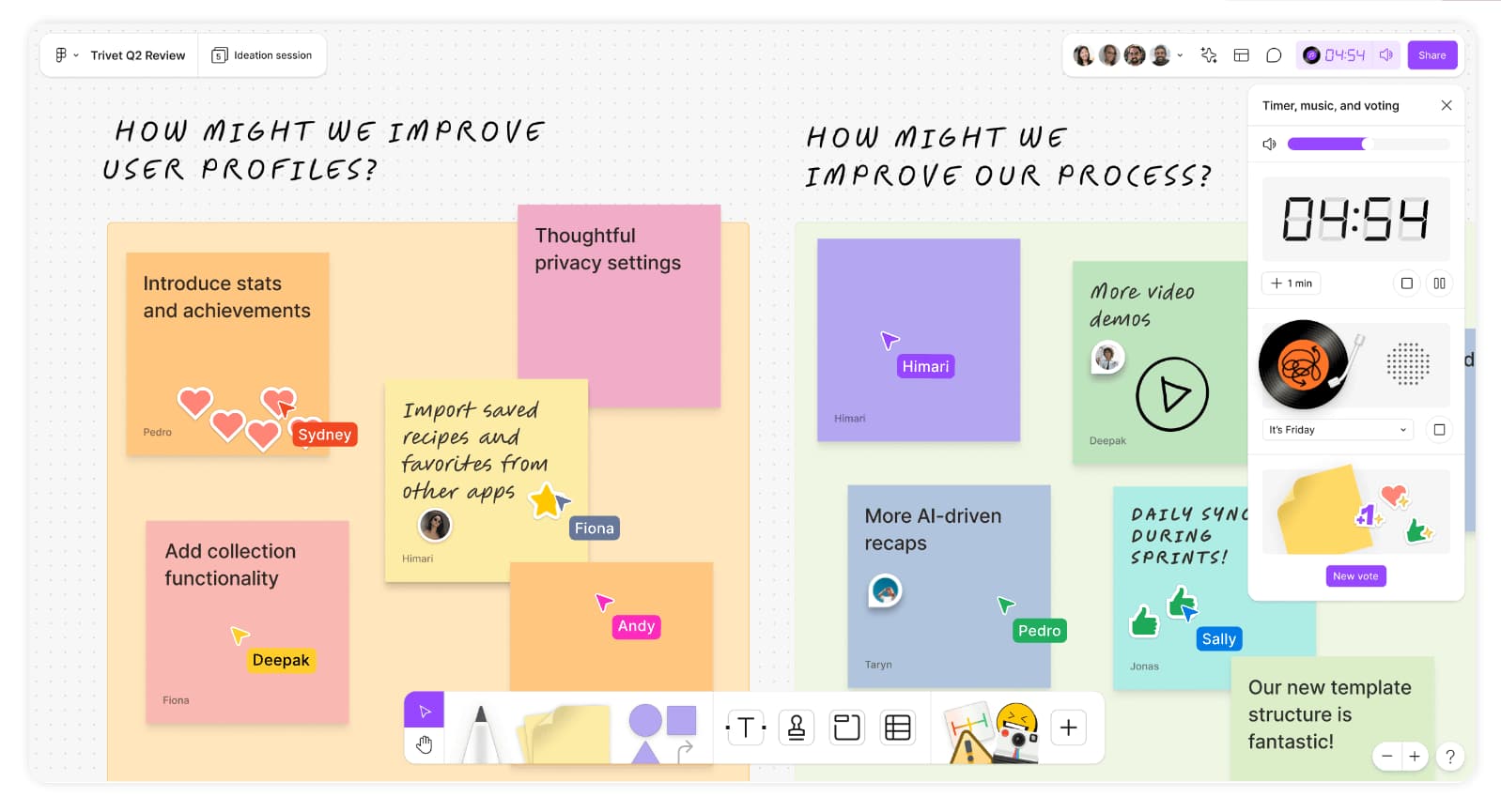
FigJam is an online whiteboard for teams to ideate and brainstorm, known for its playful interface and high-performance collaboration. Created by Figma, it is particularly effective for creative teams and classrooms that value expression. Its “stamps,” “stickers,” and “high-fives” make digital collaboration feel tactile and energetic.
Key features of FigJam:
- Interactive “Cursor Chat” for instance, informal communication without typing in boxes
- Built-in widgets like timers, polls, and music players to keep sessions moving
- “Open Sessions” feature that allows guests to collaborate for 24 hours without an account
- Deep integration with Figma for moving from brainstorming to high-fidelity design
Pricing: FigJam is incredibly affordable, offering a free plan for up to three files. For educators, FigJam is 100% free for verified teachers and students, which includes unlimited files and collaborators. Professional teams can upgrade for a small monthly fee per editor.
Why it is a Padlet alternative: FigJam is a superior Padlet alternative for those who find Padlet too “static.” The fluid movement, playful interaction tools, and the fact that it is entirely free for the education sector make it a modern favorite for fostering genuine creative engagement.
7. Classwork
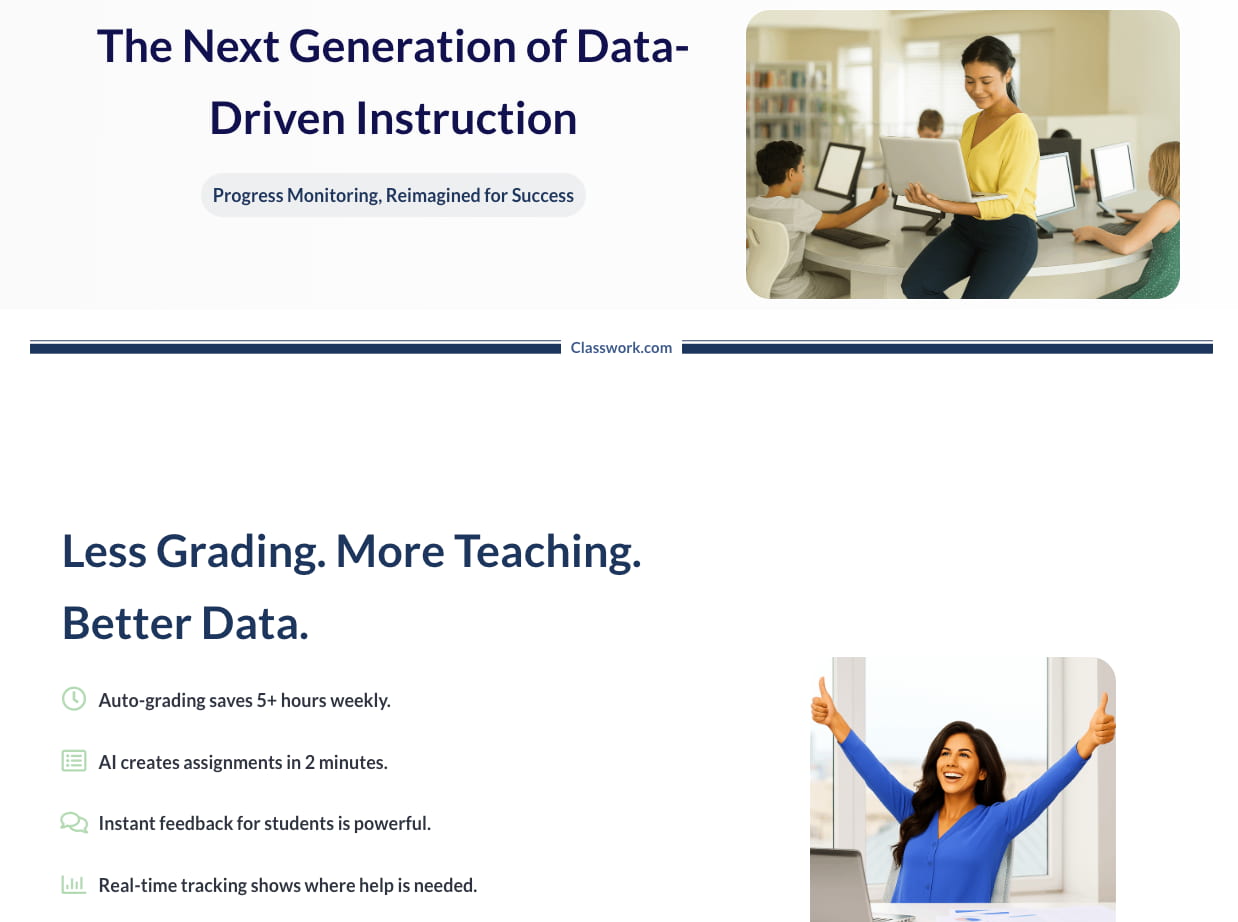
“Classwork” typically refers to the dedicated management modules within Learning Management Systems (LMS) like Google Classroom or Microsoft Teams. These modules are highly effective for the formal distribution, collection, and grading of assignments. While less “artistic” than a board, they are the backbone of digital classroom organization.
Key features of Classwork:
- Structured organization of resources by topic, unit, or date
- Integrated grading systems and private feedback loops
- Automatic calendar synchronization for all deadlines and events
- Direct link to cloud storage for easy file submission and version history
Pricing: The “Classwork” features are generally included for free as part of the broader LMS package provided to schools and organizations. There are no additional costs beyond the initial setup of the school’s digital ecosystem.
Why it is a Padlet alternative: As an alternative to Padlet, Classwork is the preferred choice for those who need accountability and organization over open-ended brainstorming. While Padlet is a “wall,” Classwork is a “folder,” making it better for long-term project management and individual student assessment.
8. Microsoft Whiteboard
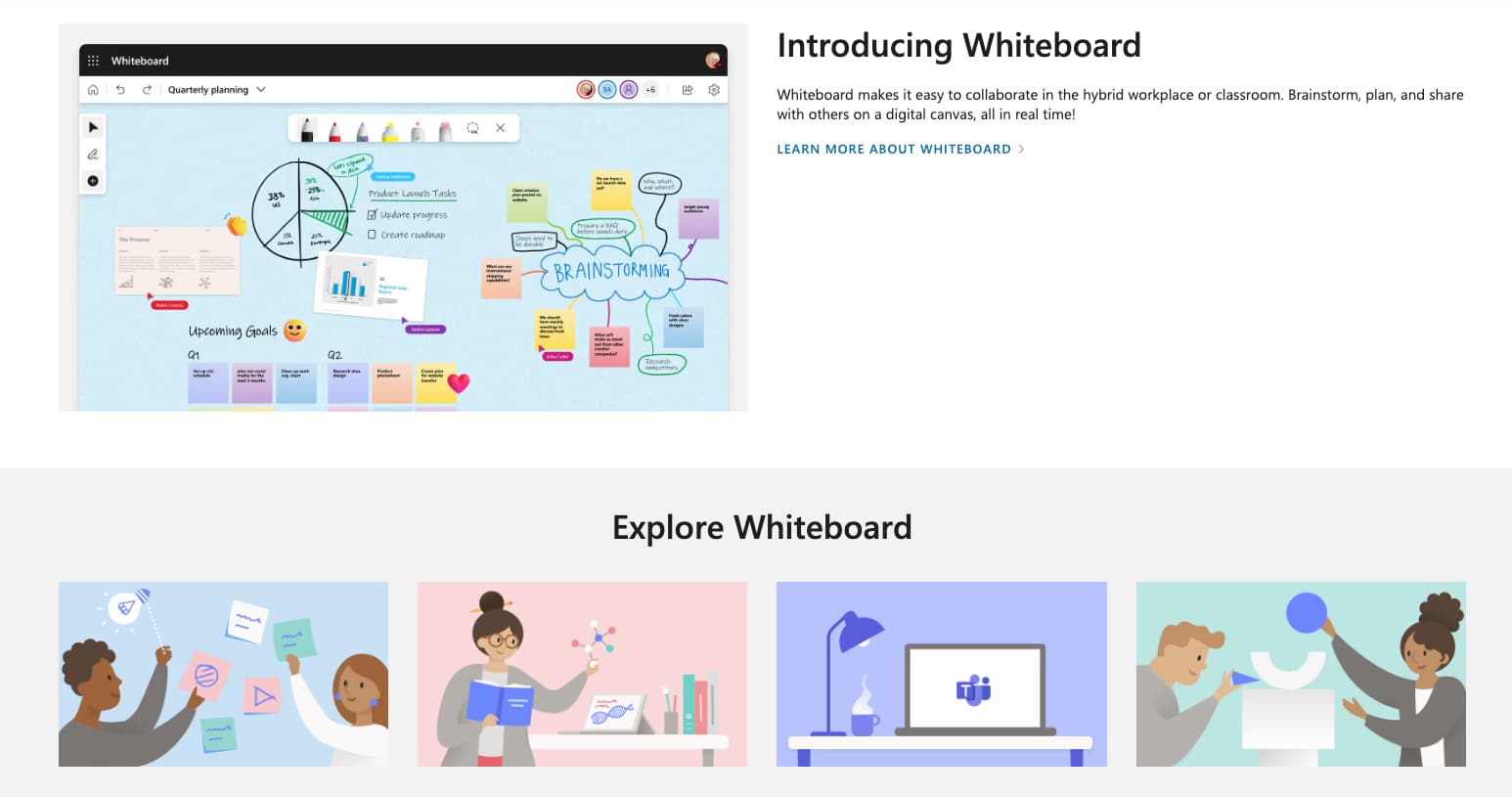
Microsoft Whiteboard provides a free-form digital canvas where ideas, content, and people can come together. It is deeply integrated into the Microsoft 365 ecosystem, making it a natural choice for corporate and educational environments already using Teams. It is effective for hybrid meetings where participants need to sketch ideas in real-time across different devices.
Key features of Microsoft Whiteboard:
- Infinite, zoomable canvas with ink-to-shape and ink-to-table recognition
- Dozens of pre-built templates for retrospectives, SWOT analyses, and lesson plans
- Seamless “Follow” mode that allows a facilitator to guide participants across the board
- Automatic saving to the cloud, accessible through the Web, Windows app, or Teams
Pricing: Microsoft Whiteboard is included at no extra cost for anyone with a Microsoft 365 subscription. A basic free version is also available for users with a personal Microsoft account, though it has slightly fewer collaborative features than the enterprise version.
Why it is a Padlet alternative: This tool is the logical Padlet alternative for Microsoft-centric organizations. It offers better security, native integration with Office files, and a more expansive canvas for users who find Padlet’s “shelf” or “wall” layouts too restrictive for complex diagrams.
9. Lino
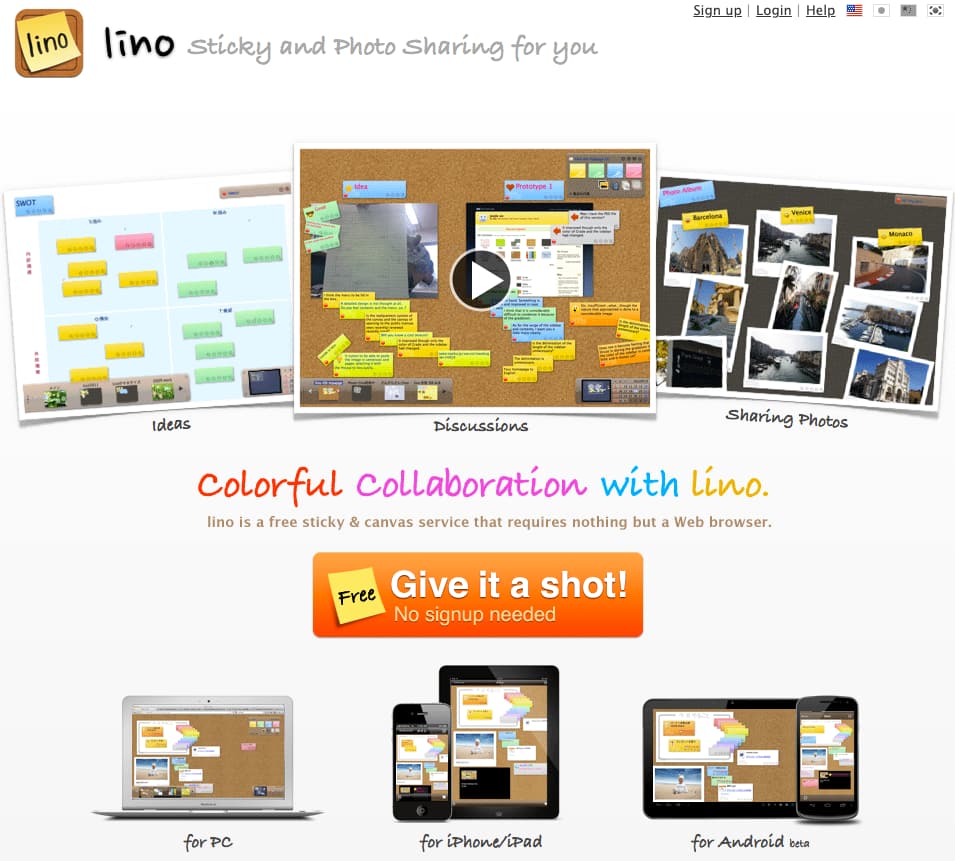
Lino is one of the most established digital “sticky note” services, offering a simple and nostalgic way to post ideas online. Its effectiveness lies in its pure simplicity – it does one thing and does it well. It is an excellent choice for quick, anonymous brainstorming sessions where user registration would be a barrier to participation.
Key features of Lino:
- Classic drag-and-drop sticky note interface with various colors and tags
- Capability to set “stickers” as private, public, or shared with specific groups
- Support for attaching images, videos, and files directly to notes
- Canvases can be organized into “Groups” for easier project management
Pricing: Lino is primarily a free service, making it one of the most budget-friendly options on this list. While they offer a premium version for a very low fee to remove ads and increase file upload limits, the free version is more than sufficient for most users.
Why it is a Padlet alternative: Lino is the most direct “clone” alternative for those who only used Padlet for its basic sticky-note functionality. If you are looking for a tool that mimics the original Padlet experience without the modern complexities or high subscription costs, Lino is your best bet.
10. Lucidchart
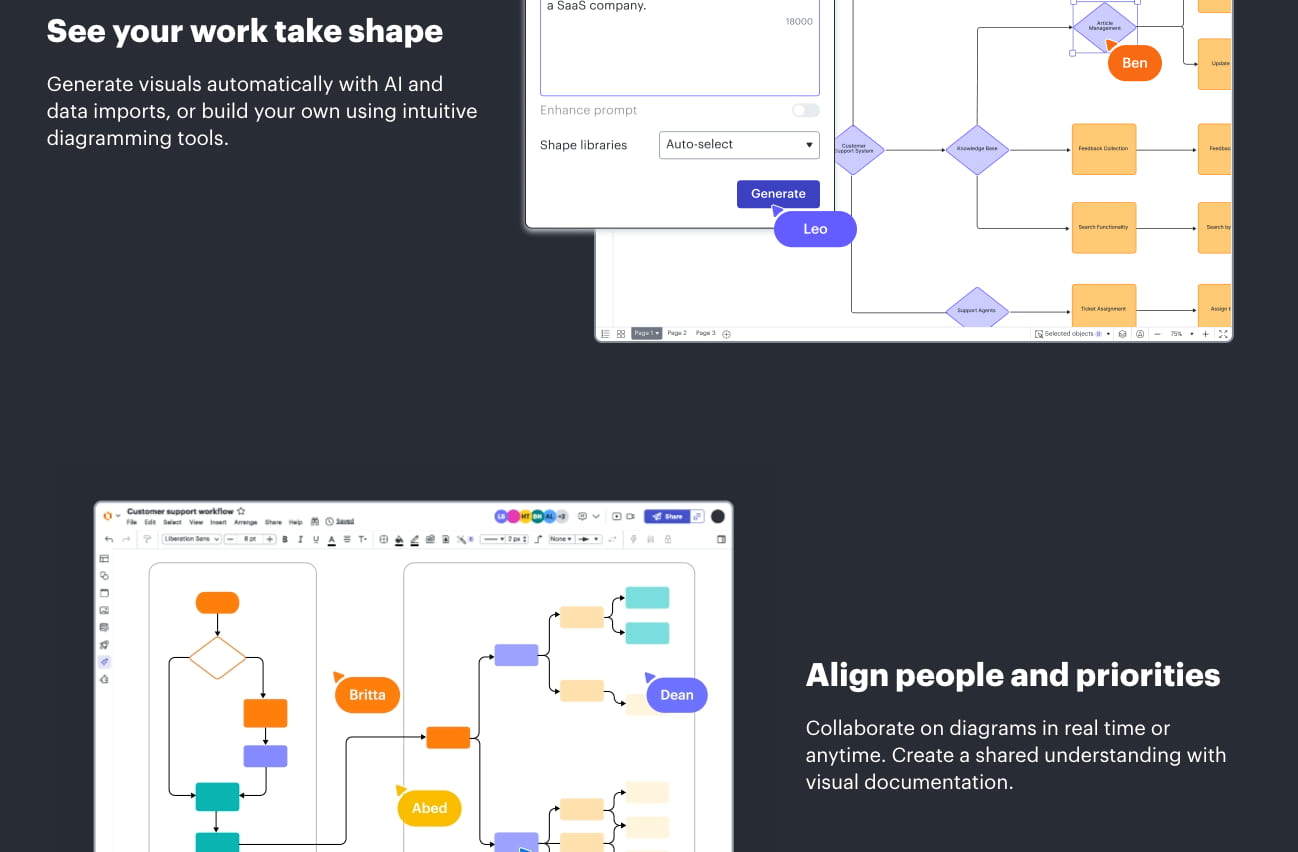
Lucidchart is a sophisticated diagramming application that helps users visualize complex systems and processes. It is highly effective for technical mapping, flowcharts, and organizational charts where logic and structure are required. Unlike free-form boards, Lucidchart ensures that ideas are connected with clarity and precision.
Key features of Lucidchart:
- Extensive shape libraries for everything from UML diagrams to floor plans
- Automated diagramming features that turn data sets into visual charts
- Real-time collaborative editing with a detailed version history
- Dynamic “layers” that allow users to toggle between different views of a project
Pricing: Lucidchart offers a free version with a limit of three editable documents and 60 shapes per document. Individual paid plans start at around $8 per month, while team plans offer more collaborative controls and integration options.
Why it is a Padlet alternative: It serves as a professional Padlet alternative for users who need to move beyond simple “idea sharing” into “system design.” If your project requires showing the relationship between complex ideas or technical workflows, Lucidchart provides the structural integrity that a visual board like Padlet lacks.
Conclusion
Selecting the best from these Padlet alternatives depends entirely on your specific collaborative needs and budget constraints. Whether you prioritize the creative freedom of Miro, the educational focus of Worksheetzone, or the simple curation of Wakelet, there is a platform tailored for every workflow. As digital collaboration continues to evolve, exploring these diverse tools ensures that your team or classroom remains productive and engaged. Take the time to test these options today to find the perfect fit that enhances your unique interactive projects and organization goals.
Frequently Asked Questions (FAQ)
Are these Padlet alternatives free for teachers?
Yes, most of the platforms mentioned, including Worksheetzone and Wakelet, offer free basic versions for educators. While some advanced features or larger student limits may require a subscription, the foundational tools are accessible to all.
How do I choose the best tool for my grade level?
We recommend choosing based on the complexity of the interaction. For younger students in grades PreK-2, simple visual tools like Worksheetzone are best. For older students, more complex design and whiteboarding tools like Miro or FigJam are highly effective.
Can these boards be used for remote learning?
Absolutely. All these platforms are designed to work seamlessly in both in-person and remote learning environments. They provide the synchronous and asynchronous flexibility needed for modern educational models. Check our guide on Enrichment Activities for more ideas on remote engagement.
Do these alternatives integrate with my LMS?
Most major platforms like Google Jamboard and Microsoft Whiteboard integrate directly with their respective suites. Specialized tools like Worksheetzone provide links and embed codes that can be shared in any Learning Management System (LMS) or sent via email.


