




















Finding the best Canva alternatives is essential for creators who need specialized tools beyond what a generalist platform offers. While Canva is incredibly popular for its ease of use, many professionals find themselves limited by its rigid templates or generic asset library. Whether you are a small business owner, an educator, or a data-driven marketer, exploring different platforms can unlock new creative possibilities. In this guide, we break down 10 high-quality options to help you elevate your visual content strategy.
10 Canva alternatives
Here are some of the best Canva alternatives you can use to create designs, presentations, documents, and visuals tailored to your specific needs and workflow.
1. Visme
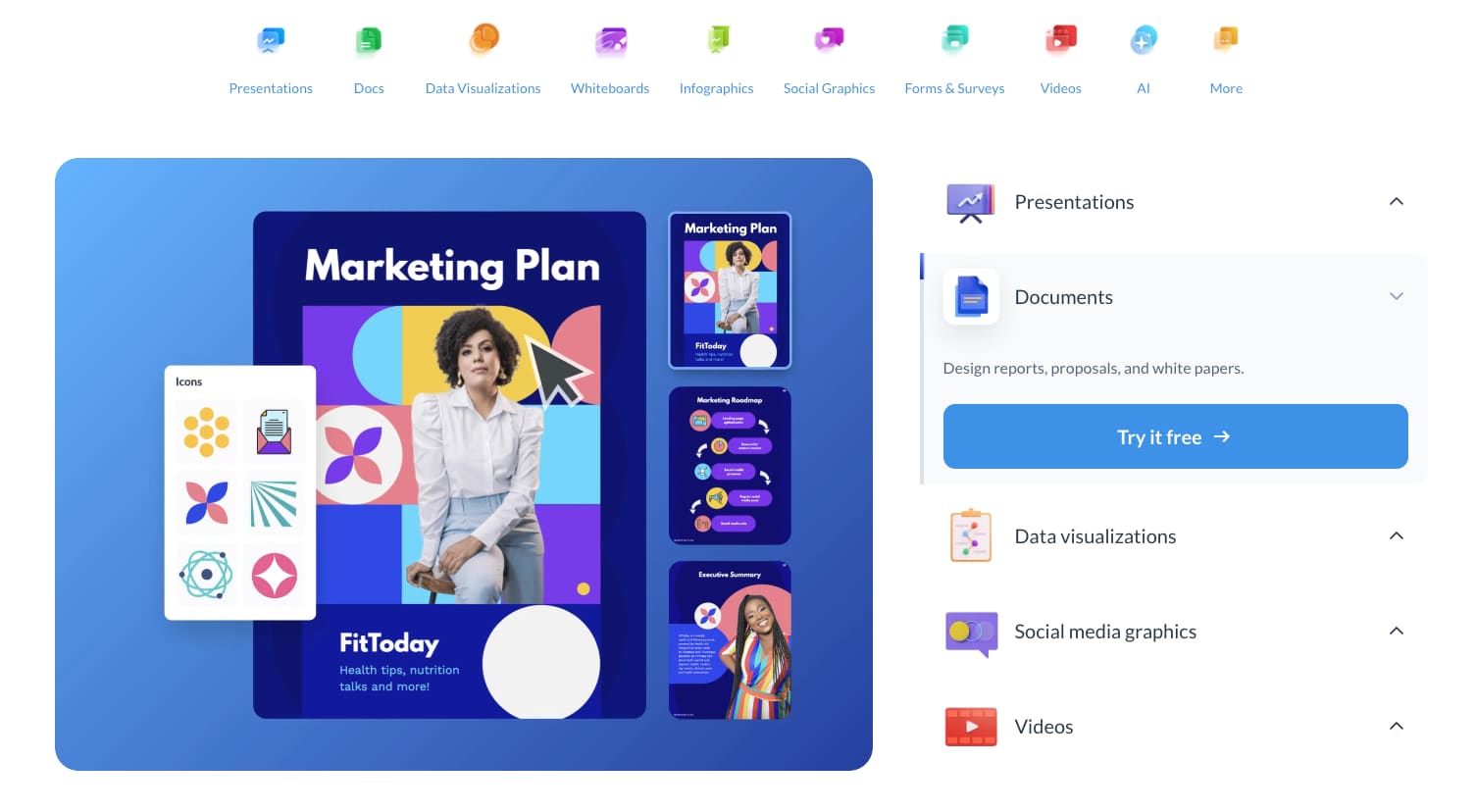
Visme is a comprehensive design tool that focuses heavily on data visualization and professional presentations. It is the ideal choice for marketers, researchers, and corporate professionals who need to transform complex statistics into easy-to-digest infographics or interactive reports. Unlike simpler tools, Visme allows for a high degree of interactivity within its designs.
Key features of Visme:
- Advanced data widgets: Hundreds of charts and maps to visualize live data
- Interactivity: Ability to add clickable buttons, hover effects, and popups
- Asset library: Millions of high-quality stock photos, icons, and animated characters
- Brand kit: Centralized storage for logos, fonts, and brand colors to ensure consistency
Pricing: Visme offers a tiered pricing model to suit different needs. There is a Basic free version for limited use, while the Starter plan begins at approximately $12.25 per month (billed annually). For more advanced features like privacy controls and data collection, the Pro plan is available for around $24.75 per month.
Why it’s a Canva alternative: This tool stands as a powerful Canva alternative because it bridges the gap between simple graphic design and professional data storytelling. While Canva is great for social media, Visme provides the depth required for high-stakes business presentations and detailed infographics that require more than just a “drag-and-drop” look.
2. Adobe Express
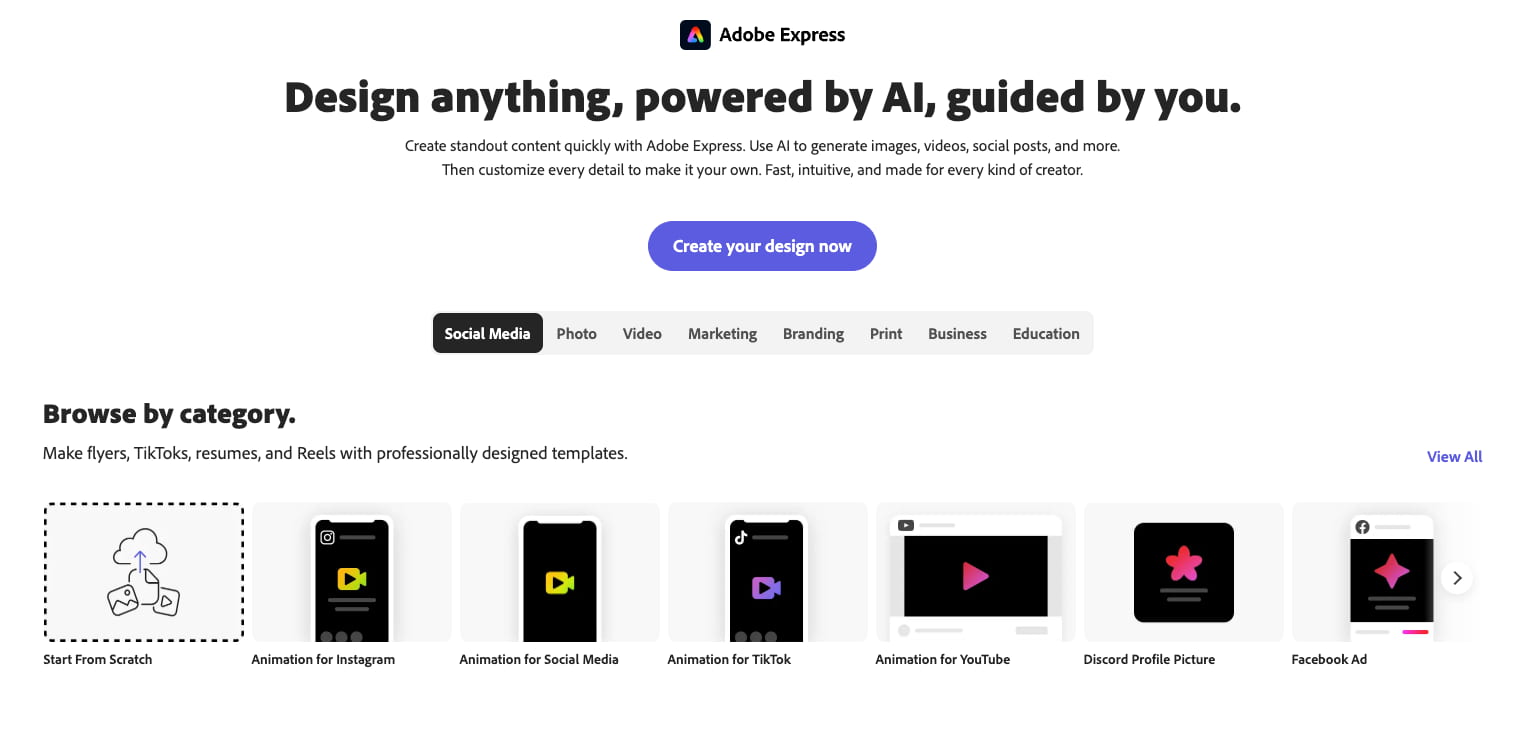
Adobe Express is Adobe’s direct answer to the casual design market, leveraging the power of Photoshop and Illustrator in a simplified web interface. It is perfectly suited for social media managers and small business owners who want the “Adobe look” without the steep learning curve of professional software. It also integrates seamlessly with the wider Adobe Creative Cloud ecosystem.
Key features of Adobe Express:
- Generative AI: Powered by Adobe Firefly for text-to-image and text-to-effect features
- Quick actions: One-click tools for removing backgrounds, resizing videos, and converting PDFs
- Adobe Stock integration: Access to a massive library of professional-grade royalty-free images
- PDF editing: Robust tools to edit and export PDF documents directly within the app
Pricing: Adobe Express follows a freemium model. The Free plan is surprisingly generous, offering thousands of templates and basic AI features. The Premium plan costs roughly $9.99 per month, which unlocks the full library of Adobe Stock assets, social media scheduling tools, and 100GB of cloud storage.
Why it’s a Canva alternative: As a Canva alternative, Adobe Express wins on brand authority and AI integration. Because it is built on Adobe’s industry-standard engines, the output often feels more polished and professional. If you already use other Adobe products, the synchronization of assets makes it a much more efficient workflow than jumping between unrelated platforms.
3. Piktochart
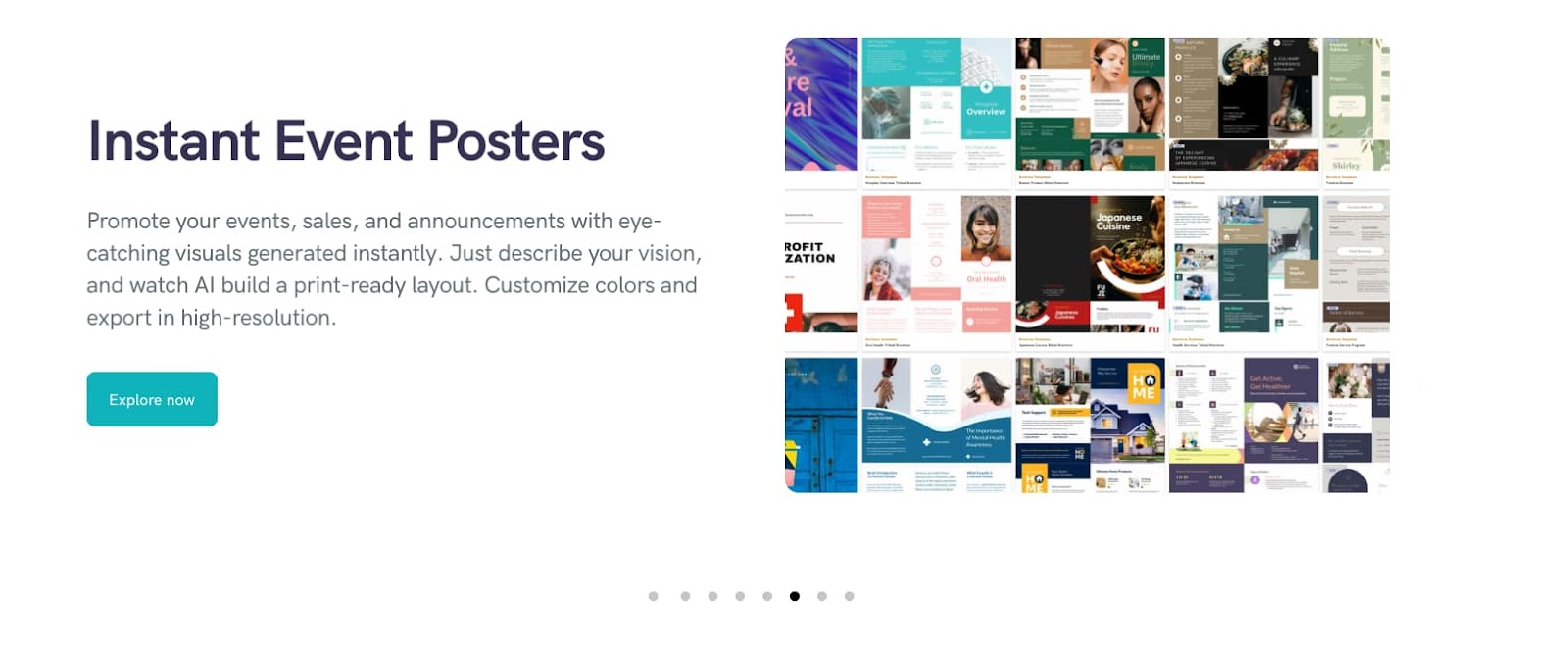
Piktochart is a design platform specifically engineered for information design, such as reports, posters, and infographics. It is highly favored by internal communications teams, educators, and HR professionals who need to deliver clear, visually appealing information to a specific audience. Its interface is designed to make “boring” data look professional and engaging.
Key features of Piktochart:
- Infographic templates: Specialized layouts designed for logical flow and data hierarchy
- Video to text: A unique feature that allows users to edit the video by editing the transcribed text
- Custom maps: Easy-to-use map builders for geographical data representation
- Chart linking: Ability to import data directly from Excel or Google Sheets for dynamic updates.
Pricing: Piktochart provides a Free plan for casual users with a limited number of active projects. The Pro plan is priced at about $14 per month (billed annually), which offers unlimited projects and folders. They also offer specialized pricing for Education and Non-profits, often starting as low as $39.99 per year.
Why it’s a Canva alternative: Piktochart serves as a great Canva alternative for those who find Canva’s infographic templates too “decorative” and not functional enough. Piktochart prioritizes the clarity of information over artistic flair, making it the superior choice for technical reports and educational materials where the data must speak for itself.
4. Worksheetzone Worksheet Maker

Worksheetzone’s Worksheet Maker is a niche but powerful tool designed specifically for the education sector. It is the go-to platform for teachers, tutors, and homeschooling parents who need to create custom educational worksheets, puzzles, and interactive assignments. It simplifies the process of creating structured learning materials that are both functional and visually stimulating for students.
Key features of Worksheetzone Worksheet Maker:
- Educational templates: Specific layouts for crosswords, word searches, math problems, and more
- Interactive elements: Options to create digital worksheets that students can fill out online
- Clip art library: A vast collection of school-themed graphics and symbols
- PDF export: Optimized settings for high-quality printing on standard classroom paper size
Pricing: Worksheetzone is highly accessible, offering a robust Free version that satisfies most basic classroom needs. For teachers looking for advanced features like ad-free browsing and premium interactive hosting, they offer a Pro subscription that typically costs around $5 to $8 per month, depending on current promotions.
Why it’s a Canva alternative: This platform is a necessary Canva alternative for educators because Canva often lacks the specific logic-based templates required for teaching. While you can “draw” a worksheet in Canva, Worksheetzone provides the actual frameworks – like grid alignments for math and auto-generators for puzzles – that save teachers hours of manual design work.
5. Snappa
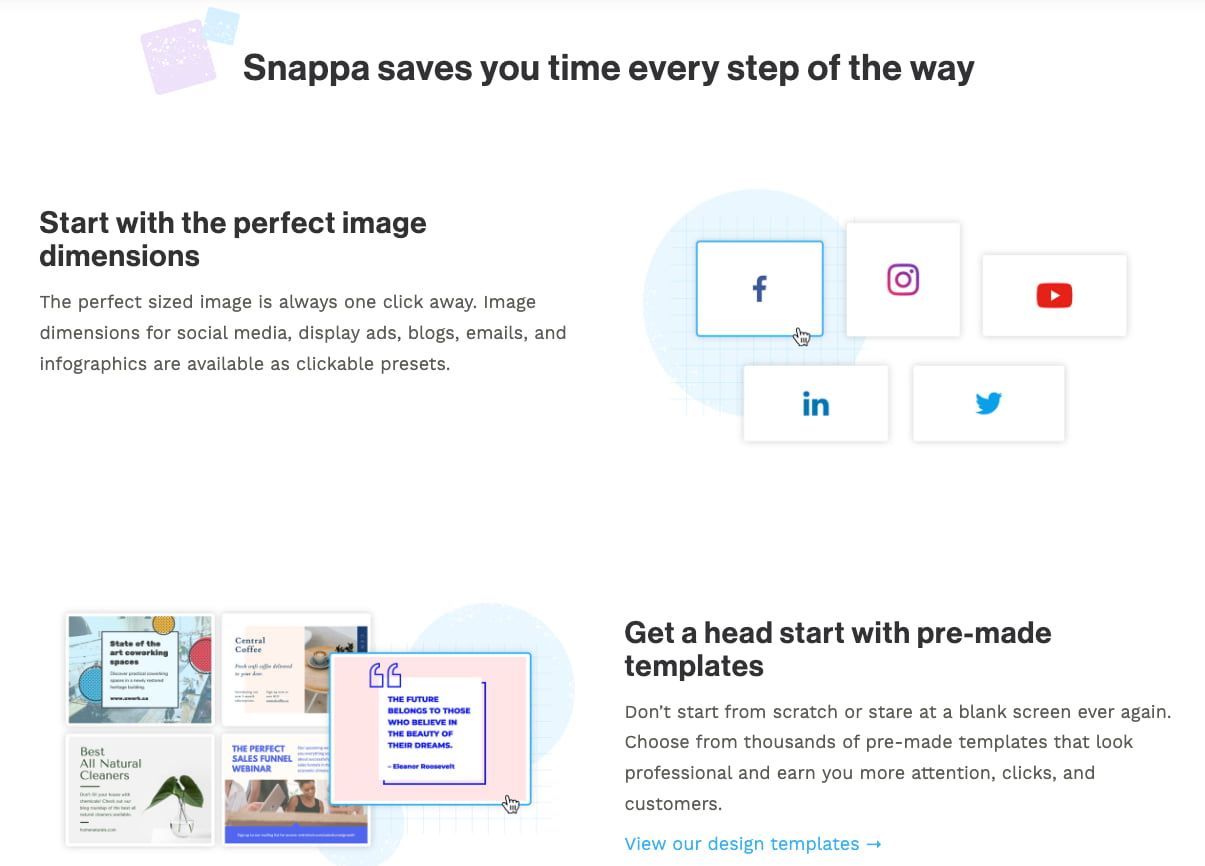
Snappa is built for speed, aimed at marketers and bloggers who need to produce high-quality graphics in under five minutes. It ignores the “bloat” of complex features to focus on a streamlined workflow that is highly efficient. This makes it a favorite for solo entrepreneurs who handle their own digital marketing but don’t have hours to spend on design.
Key features of Snappa:
- Pre-set dimensions: Perfect sizes for every social media platform, blog header, and display ad
- Background remover: A quick, reliable tool to isolate subjects in one click
- Social media buffer integration: Schedule your designs to post directly from the Snappa dashboard
- Template diversity: Professional templates that are specifically designed to drive clicks and engagement.
Pricing: Snappa offers a Starter plan for free, which allows for three downloads per month. The Pro plan costs $10 per month (billed annually) and offers unlimited downloads and social media integrations. For teams, the Team plan is available for $20 per month and supports up to five users.
Why it’s a Canva alternative: Snappa is a refreshing Canva alternative for users who feel overwhelmed by Canva’s increasingly complex interface. Snappa’s “no-nonsense” approach ensures that you aren’t distracted by unnecessary features, allowing you to get in, create a professional post, and get back to running your business.
6. VistaCreate (Cello)
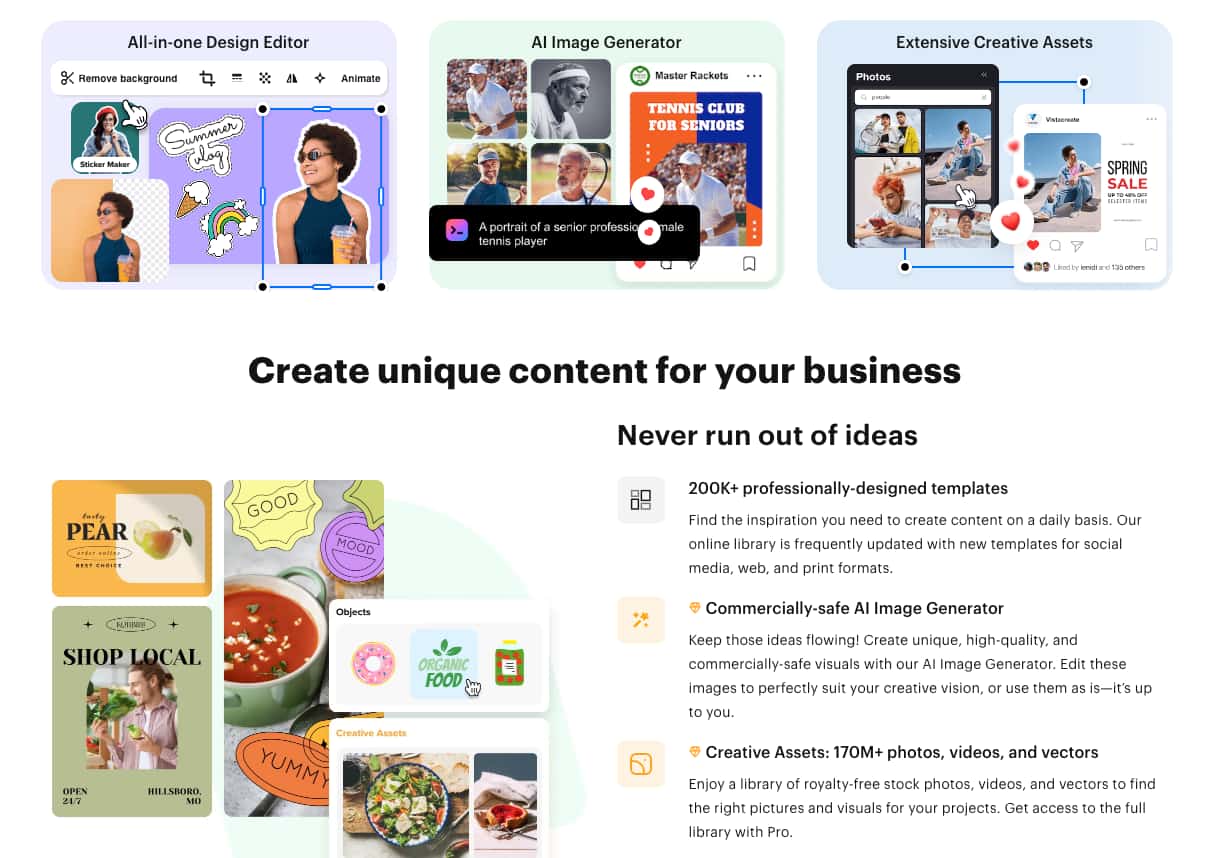
VistaCreate, which many long-time users still recognize as Crello, is a design tool that mirrors the Canva experience very closely but often offers more “pro” features for free. It is owned by VistaPrint, making it an excellent choice for businesses that need to transition seamlessly from digital designs to physical marketing materials like business cards and banners.
Key features of VistaCreate:
- Animation styles: A massive library of animated templates and objects for video content
- Brand kits: Unlimited brand kits for Pro users to manage multiple clients or brands
- Direct printing: Integrated “Order Print” button to send designs directly to VistaPrint
- Music library: A large selection of licensed tracks to add to social media stories and ads
Pricing: VistaCreate offers a Free plan with access to most templates and assets. The Pro plan is priced competitively at approximately $10 per month (billed annually). This plan includes the background remover, version history, and unlimited storage, making it one of the best values on the market.
Why it’s a Canva alternative: As a Canva alternative, VistaCreate shines for users who want a similar interface but require better video and animation assets. Additionally, for small businesses that frequently print physical products, the direct integration with Vista’s printing services provides a level of convenience and color accuracy that Canva’s third-party printing cannot always match.
7. Figma
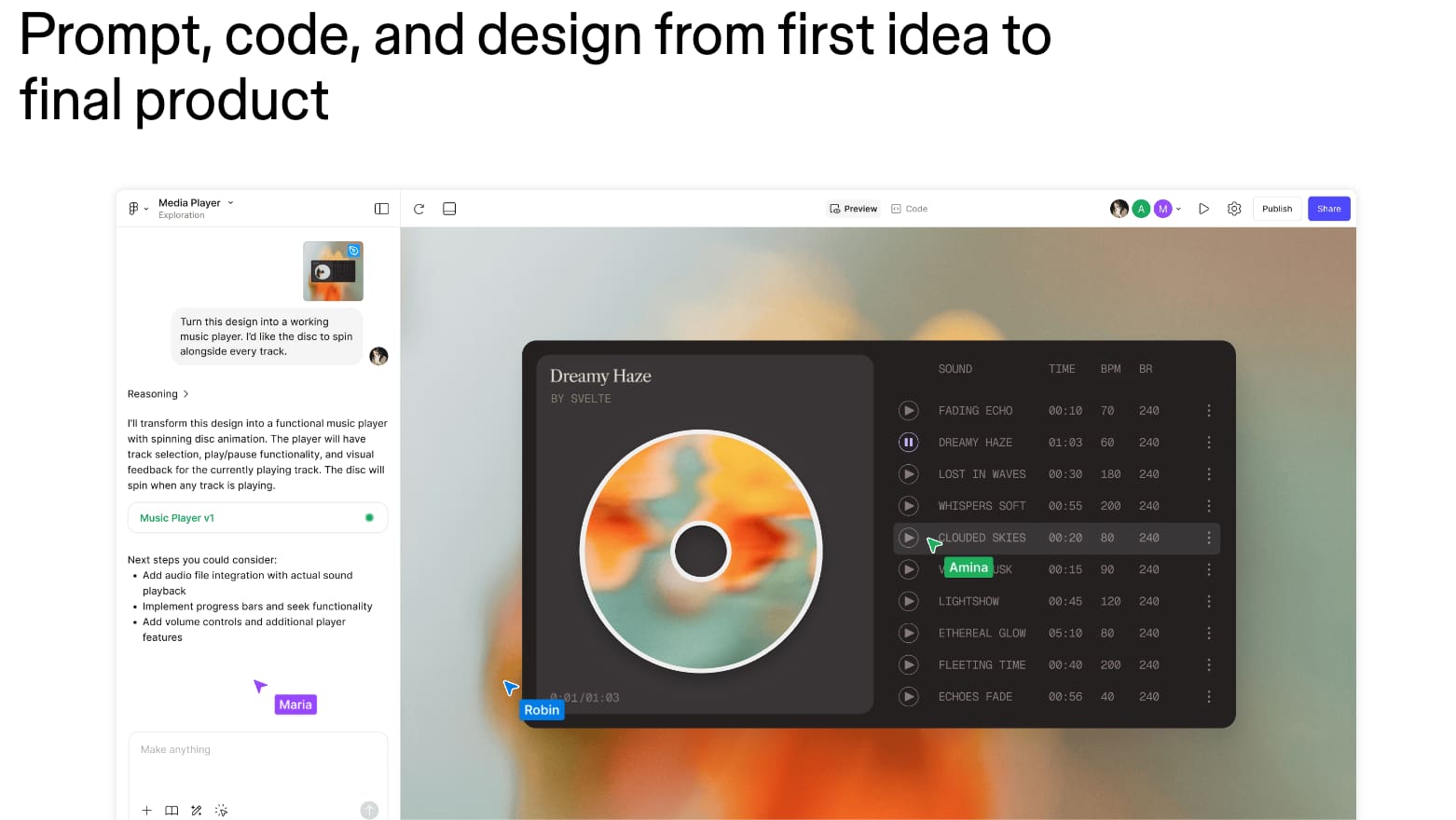
Figma is a professional-grade design tool primarily used for UI/UX (User Interface/User Experience) design and prototyping. It is the industry standard for product designers, web developers, and collaborative creative teams. While it has a steeper learning curve than Canva, it offers absolute precision and powerful vector-based editing that template-based apps cannot achieve.
Key features of Figma:
- Auto layout: Responsive design features that automatically adjust elements based on content
- Prototyping: Create interactive, clickable simulations of websites and mobile apps
- Real-time collaboration: Multiple users can edit the same file simultaneously with live cursors
- Components and design systems: Build reusable elements that update across all files when changed
Pricing: Figma offers a Starter plan that is free for up to 3 files and unlimited collaborators. The Figma Professional plan costs $12 per editor/month (billed annually), which allows for unlimited files and advanced prototyping. They also offer an Organization tier for larger companies at a higher price point.
Why it’s a Canva alternative: Figma is the ultimate Canva alternative for those who have outgrown basic templates and want to build digital products from scratch. If you are designing a website interface or a complex app, Canva’s rigid structure will fail you; Figma provides the pixel-perfect control and developer-handoff tools necessary for professional software development.
8. Google Slides and Google Drawings
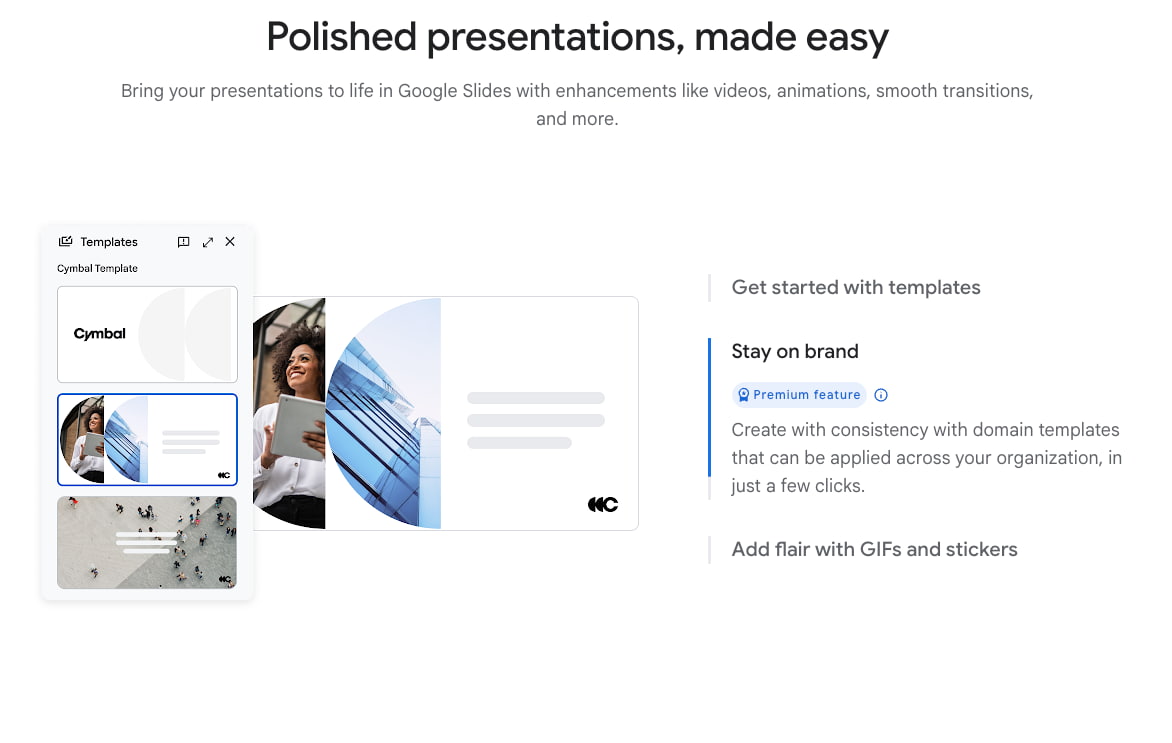
Google Slides and Google Drawings are free, browser-based tools that offer a surprisingly flexible environment for basic design tasks. While they lack the flashy templates of dedicated design apps, they are the best choice for students, non-profits, and budget-conscious teams who prioritize collaborative editing and accessibility above all else.
Key features of Google Slides and Google Drawings:
- Cloud collaboration: Industry-leading real-time editing and commenting capabilities
- Extensive font library: Access to the entire Google Fonts collection
- Add-on ecosystem: Connect with third-party apps like Unsplash or Flaticon for assets
- Version history: Detailed logs that allow you to revert to any previous version of your work
Pricing: These tools are 100% free for anyone with a Google account. There are no hidden fees or “pro” versions of the apps themselves, though some third-party add-ons may require separate subscriptions. This makes them the most cost-effective design solution available.
Why it’s a Canva alternative: Google’s suite is a viable Canva alternative for users who prioritize function and collaboration over aesthetics. Because almost everyone has a Google account, sharing and editing files is seamless. If you are creating internal documents or simple presentations where “pretty” matters less than “done,” Google’s tools are faster and more familiar than any dedicated design platform.
9. Flipsnack
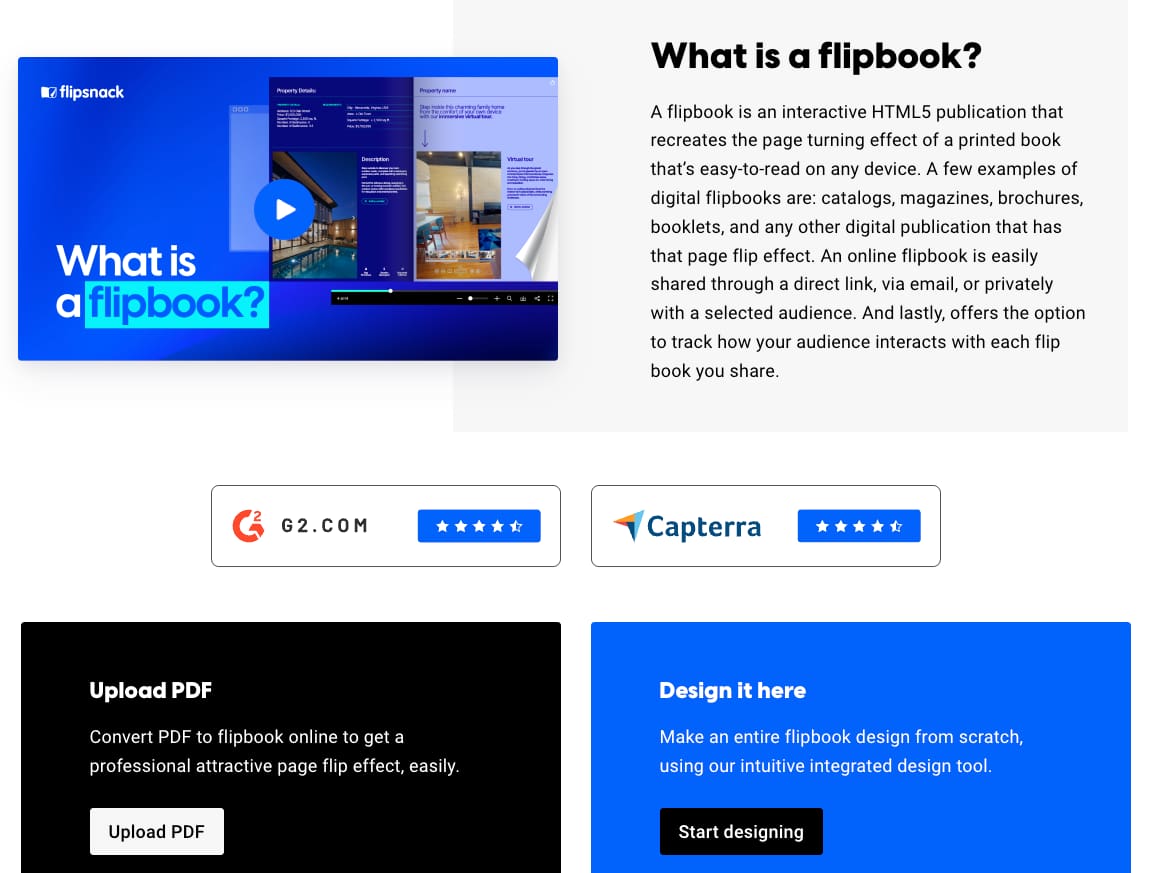
Flipsnack is a specialized design and publishing tool focused on creating digital flipbooks, catalogs, and brochures. It is perfectly suited for retailers, real estate agents, and publishers who want to provide an immersive, page-turning reading experience for their digital audiences. It transforms static PDFs into interactive online publications.
- Page-flip effect: Realistic 3D animations that mimic the feeling of reading a physical book
- Shopping integration: Add “Buy” buttons directly onto product images in your catalog
- Statistics and analytics: Track how many people read your publication and which pages they visit
- White labeling: Option to remove Flipsnack branding and use your own custom domain
Pricing: Flipsnack offers a very limited Free plan. The Starter plan begins at $14 per month (billed annually), allowing for up to 10 publications. For businesses needing shopping features and more advanced security, the Business plan is approximately $35 per month.
Why it’s a Canva alternative: Flipsnack is the best Canva alternative for long-form, multi-page documents. While Canva can export PDFs, it cannot replicate the professional, branded reading experience of a digital flipbook. For businesses that rely on digital catalogs to drive sales, Flipsnack’s specialized analytics and e-commerce integrations provide a significant ROI that general design tools lack.
10. Desygner
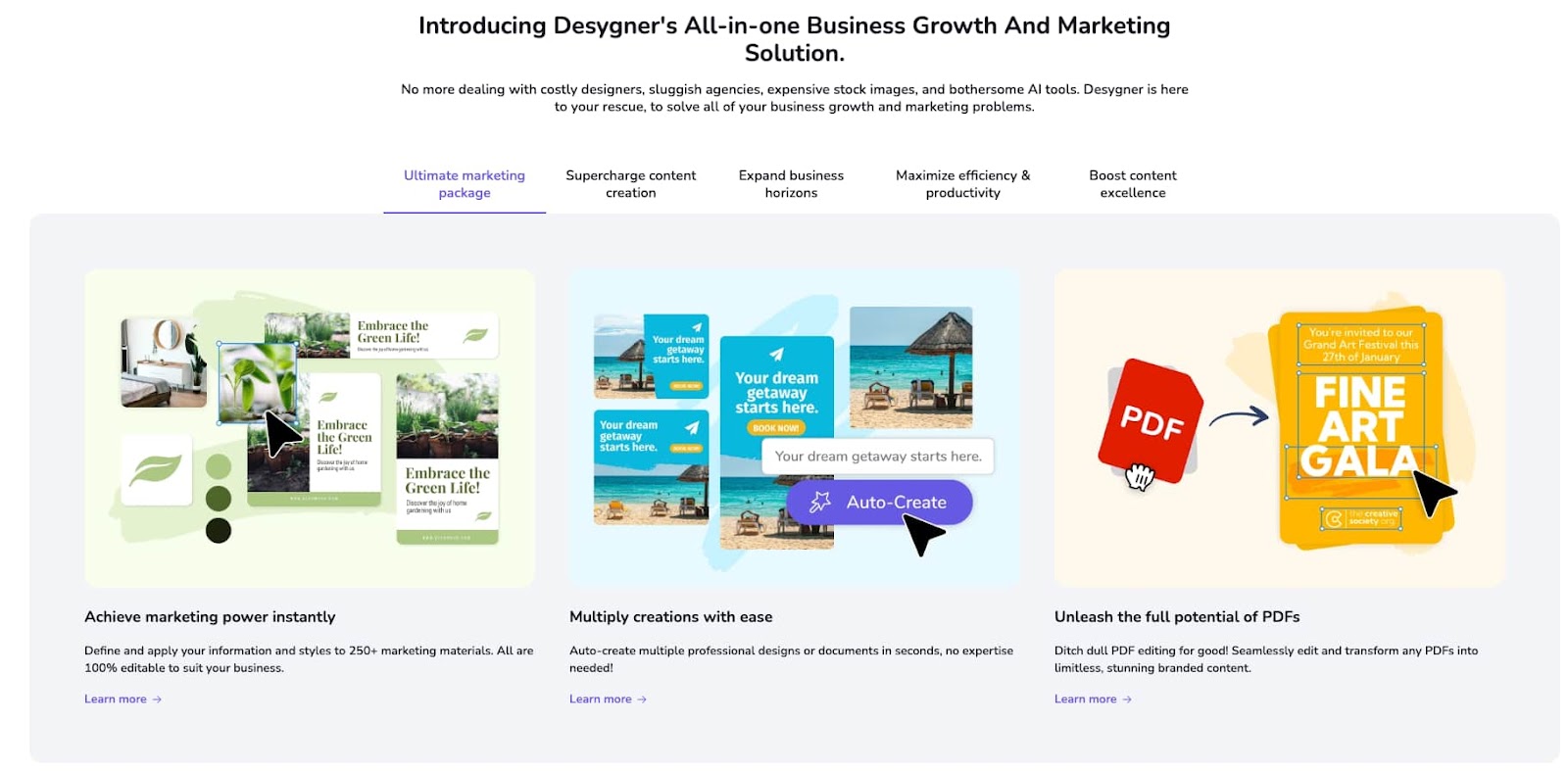
Desygner is a versatile graphic design platform known for its excellent mobile app and robust PDF editing capabilities. It is designed for marketers and individuals who need to design “on the go” without sacrificing quality. It is also uniquely positioned as a tool for “non-designers” who need to manage professional brand assets across a large organization.
Key features of Desygner:
- PDF editor: One of the most advanced web-based tools for importing and editing PDF files
- Mobile-first design: A highly rated mobile app that offers almost the same power as the desktop version
- Social media scheduler: Integrated tools to plan and post content across multiple platforms
- DAM integration: Powerful digital asset management for large teams to keep brand files organized
Pricing: Desygner offers a Free plan with basic templates and images. The Pro+ plan costs $4.95 per month, which is significantly cheaper than many competitors. For larger teams, the Business plan is roughly $9.95 per user/month, offering advanced brand control and guest accounts.
Why it’s a Canva alternative: Desygner is a strong Canva alternative because of its affordability and its superior PDF editing engine. If your workflow involves taking existing PDF documents and tweaking them for different uses, Desygner handles the conversion and layout much more reliably than Canva. Its lower price point also makes it an attractive “budget-friendly” option for freelancers.
Frequently Asked Questions (FAQs)
1. Which alternative is best for creating worksheets?
Worksheetzone is the best choice for worksheets because it is specifically designed for educational needs. Unlike general design tools, it allows you to easily create word searches, crossword puzzles and other teaching resources that are both visually appealing and academically sound.
2. How do I learn to use these new platforms?
Most of these tools offer extensive tutorial libraries and “starter templates” to help you get up to speed quickly. We recommend starting with a small project, such as a classroom announcement, before moving on to complex student assignments.
Conclusion
Choosing the right Canva alternatives depends entirely on your specific project needs and your team’s technical expertise. While Canva remains a powerhouse for quick, everyday graphics, platforms like Adobe Express or Figma offer deeper customization and professional-grade features for those ready to scale. By diversifying your design toolkit, you can produce more unique, high-impact visuals that stand out in a crowded digital landscape. Experiment with these different tools today to find the perfect match for your unique creative workflow and business goals.


