




























Views
Downloads
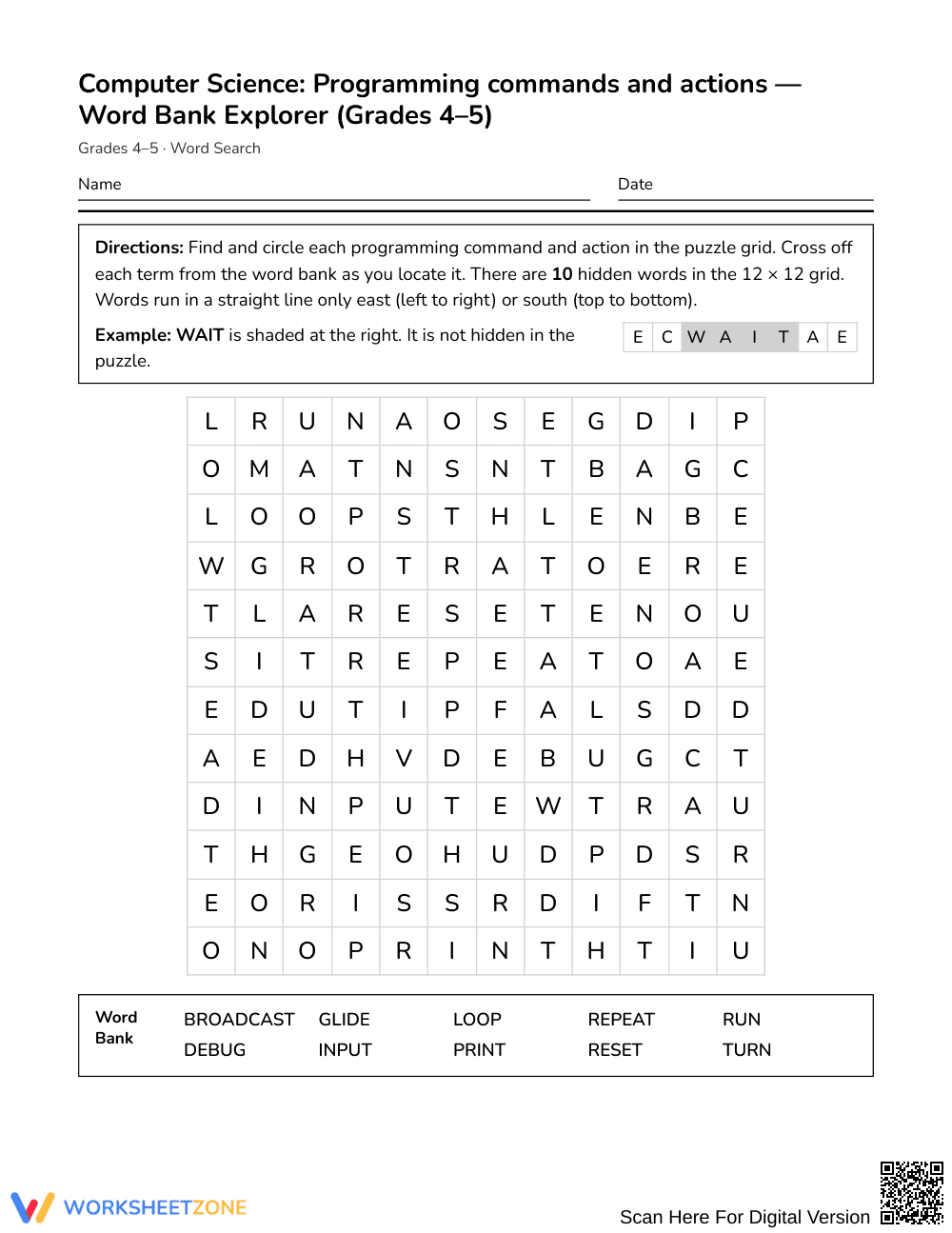

Ready Programming Commands Word Search | Grades 4–5 ELA

Paste this activity's link or code into your existing LMS (Google Classroom, Canvas, Teams, Schoology, Moodle, etc.).
Students can open and work on the activity right away, with no student login required.
You'll still be able to track student progress and results from your teacher account.
This Grades 4–5 computer science word search introduces students to foundational coding vocabulary through focused word recognition. Learners locate key programming actions to reinforce technical language and build confidence before hands-on coding tasks. The engaging puzzle provides a productive, low-stress entry point into computer science terminology.
At a Glance
- Grade: Grades 4–5 · Subject: English Language Arts (ELA)
- Standard: Not standards-assessed — vocabulary enrichment for introductory computer science
- Skill Focus: Programming commands and actions terminology
- Format: 1 page · 10 words · Answer key included · Printable PDF
- Best For: Independent practice, early finishers, sub plans, vocabulary introduction
- Time: 15–20 minutes of focused student work
This 1-page printable features 10 target computer science vocabulary terms. Students locate words embedded within the puzzle grid, utilizing an alphabetical word bank to track progress. The activity includes a comprehensive 2-page answer key that highlights exact word placements, enabling rapid self-checking or teacher verification without extra preparation.
Puzzle Structure and Mechanics
The activity is built on a 12 by 12 letter grid designed for upper elementary learners. Hidden vocabulary terms run in only two directions: East (left to right) and South (top to bottom). Words do not appear backward or diagonally, keeping visual scanning accessible. Students consult an alphabetical word bank containing all 10 terms—such as BROADCAST, DEBUG, LOOP, and RESET—crossing off each entry as it is discovered.
Standards Alignment
This activity serves as cross-curricular vocabulary enrichment and is not aligned to a specific standard. It supports foundational literacy by exposing students to essential computing terminology within an English Language Arts or technology setting. Because it emphasizes domain-specific word recognition rather than formal assessment benchmarks, educators can integrate it flexibly across units.
How to Use It
Use this puzzle as an introductory hook before direct coding instruction to activate interest around terms like RUN, INPUT, and GLIDE. Alternatively, assign it after instruction as an independent consolidation task or emergency sub plan. Circulate to observe which terms prompt hesitation, gauging student background knowledge before coding projects. Completion typically takes 15 to 20 minutes.
Who It's For
This resource is tailored for Grades 4–5 students building cross-disciplinary literacy in computing and ELA. It offers accessible practice for general classrooms, English learners needing orthographic support, and introductory STEM labs. For differentiation, highlight the initial letter of each word in the grid. Pair this puzzle with an introductory block-coding tutorial or an anchor chart displaying visual definitions.
Targeting foundational programming commands and actions, this vocabulary enrichment activity develops domain-specific word recognition and orthographic familiarity for upper elementary learners. According to Fisher & Frey (2014), intentional exposure to specialized academic language across content disciplines accelerates conceptual understanding and improves reading comprehension during technical tasks. By isolating high-frequency computing vocabulary within a structured letter search, learners repeatedly analyze letter sequences and reinforce correct spelling in a low-stakes environment. This visual scanning process solidifies mental representations of technical terms such as loop, debug, and broadcast before students encounter them in active programming environments. Consequently, structured vocabulary previewing bridges the gap between general language arts instruction and computational literacy, allowing students to comprehend procedural commands more fluidly. Teachers can leverage this focused word search to build academic confidence, enhance cross-disciplinary terminology retention, and prepare elementary students for complex coding curricula.


