


























Views
Plays


Kolour Paint Tools Worksheet | Essential Grade 5-6 Art
Paste this activity's link or code into your existing LMS (Google Classroom, Canvas, Teams, Schoology, Moodle, etc.).
Students can open and work on the activity right away, with no student login required.
You'll still be able to track student progress and results from your teacher account.
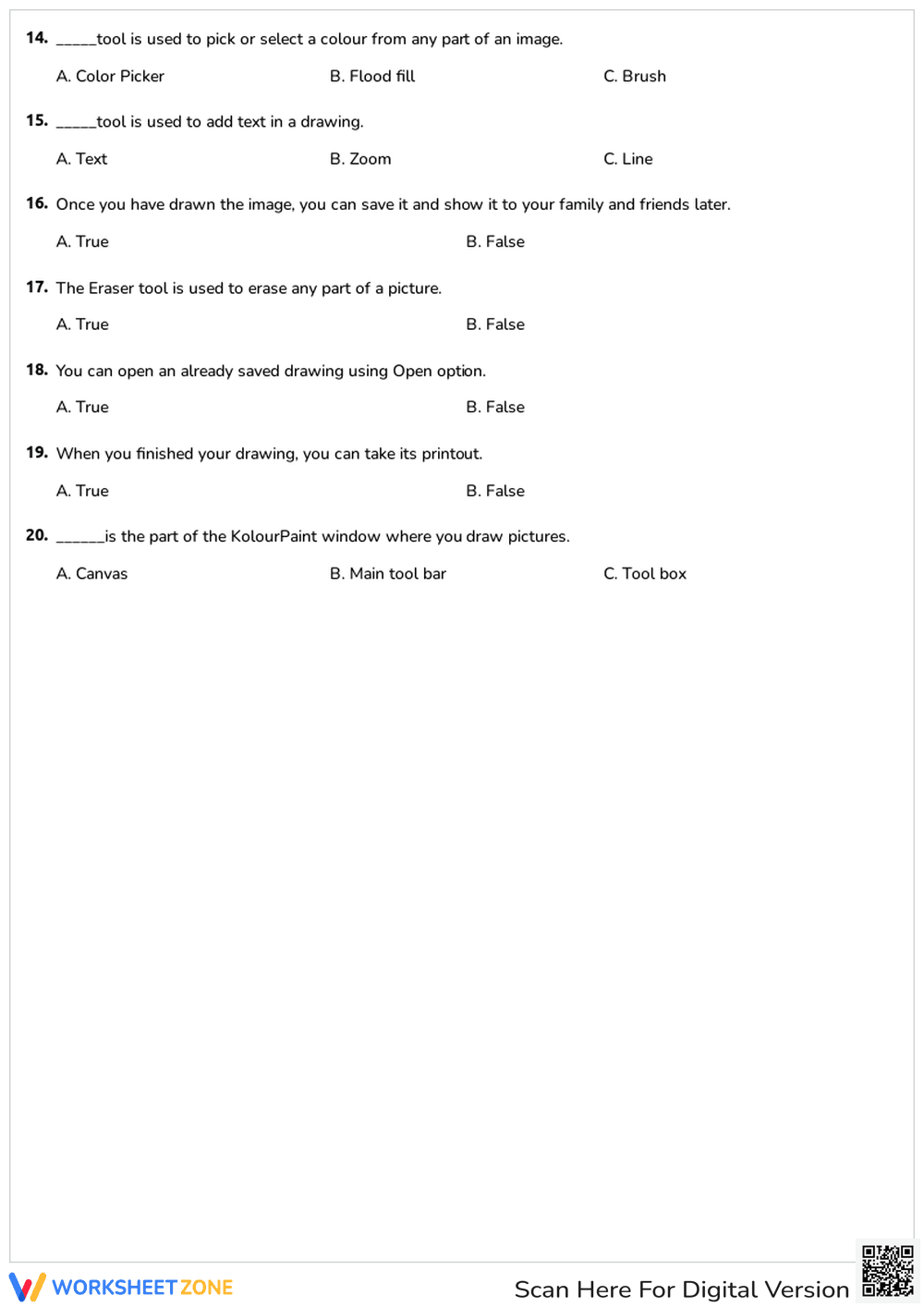
This Grade 5 and 6 digital art worksheet provides a comprehensive review of Kolour Paint software tools. Students demonstrate their technical literacy by identifying specific functions for drawing, editing, and navigating the digital canvas. By completing these 20 targeted questions, learners solidify their understanding of graphic design basics before starting hands-on projects.
At a Glance
- Grade: 5-6 · Subject: Fine Art / Digital Literacy
- Standard:
CCSS.ELA-LITERACY.RI.5.7— Locate answers and solve problems efficiently using digital information sources- Skill Focus: Software tool identification and functional application
- Format: 2 pages · 20 problems · Answer key included · PDF
- Best For: Computer lab assessment or sub plans
- Time: 15–25 minutes
The resource consists of two printable pages featuring 20 total questions. The first section utilizes multiple-choice items to test knowledge of specific drawing tools like the Ellipse, Polygon, and Flood Fill. The second section incorporates true/false statements regarding file management and output, such as saving and printing digital work. A clear layout ensures students can focus on the technical vocabulary without visual clutter.
This resource is designed for a zero-prep workflow in busy computer labs or art rooms. First, print the two-page PDF (30 seconds). Next, distribute the sheets to students as a pre-assessment or post-instruction review (1 minute). Finally, use the included answer key to grade the 20 items or review them as a whole class (5 minutes). Total teacher preparation time is under two minutes.
This worksheet aligns with CCSS.ELA-LITERACY.RI.5.7, which requires students to draw on information from digital sources to solve problems efficiently. By identifying the correct tool for a specific artistic task, students demonstrate technical reading comprehension. Additionally, it supports ISTE standards for creative communicators. Both standard codes can be copied directly into lesson plans, IEP goals, or district curriculum mapping tools.
Use this worksheet as a formative assessment after a live demonstration of Kolour Paint. It works effectively as a "check for understanding" before students begin their first independent drawing project. Teachers should observe if students can mentally map the tool name to its icon. Expected completion time ranges from 15 to 25 minutes depending on prior software exposure.
This resource is ideal for upper elementary and middle school students beginning their journey into digital graphic design. It is particularly helpful for English Language Learners who need to pair technical vocabulary with specific actions. Pair this worksheet with a printed "cheat sheet" of tool icons or a direct instruction lesson on the Kolour Paint interface.
Technical literacy in the middle grades requires a bridge between conceptual understanding and functional software application. This worksheet targets CCSS.ELA-LITERACY.RI.5.7 by requiring students to translate functional descriptions into specific tool selections within the Kolour Paint environment. According to research from EdReports (2024), high-quality instructional materials must provide explicit opportunities for students to engage with technical texts and digital interfaces to build procedural fluency. By isolating 20 distinct software functions, this resource prevents cognitive overload during the actual creative process. Fisher & Frey (2014) emphasize that checking for understanding through structured retrieval practice, like this quiz, ensures that foundational knowledge is moved into long-term memory. This allows students to focus their future cognitive energy on artistic expression rather than basic navigation. The inclusion of true/false questions further reinforces the digital citizenship and file management skills necessary for modern classroom environments.


