


























Views
Plays


Computer Quiz 1: Essential Digital Literacy — Grade 3-5
Paste this activity's link or code into your existing LMS (Google Classroom, Canvas, Teams, Schoology, Moodle, etc.).
Students can open and work on the activity right away, with no student login required.
You'll still be able to track student progress and results from your teacher account.
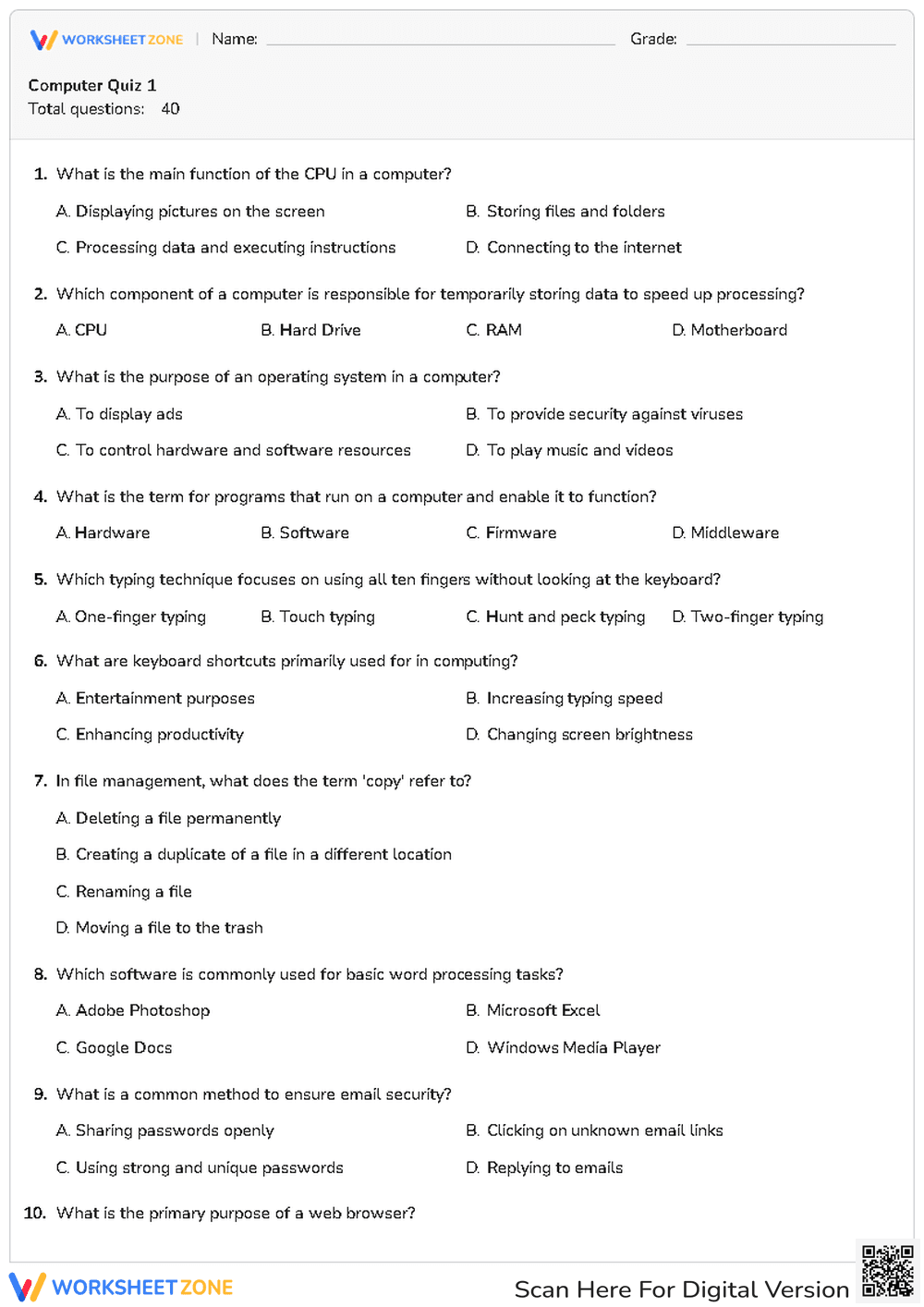
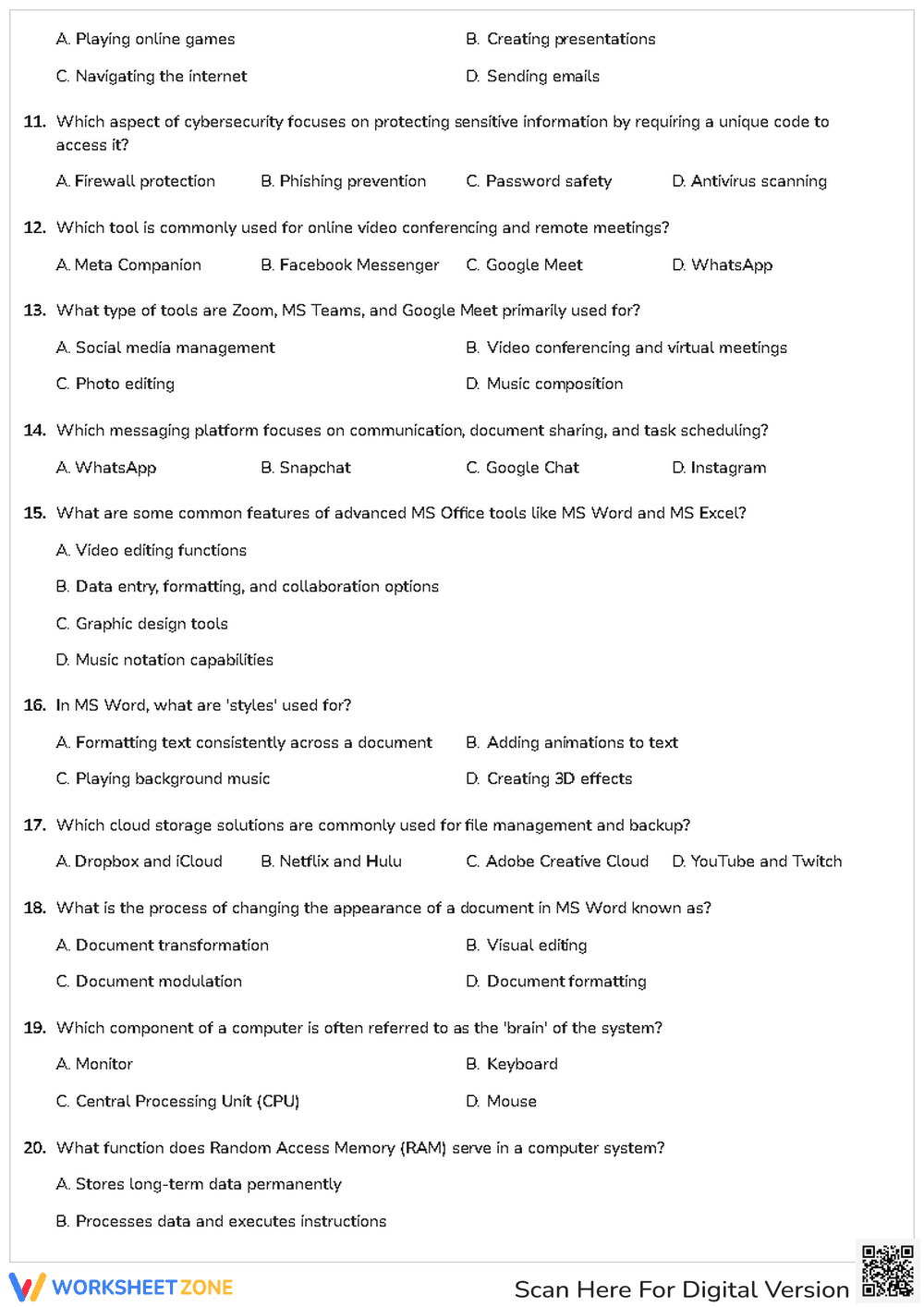
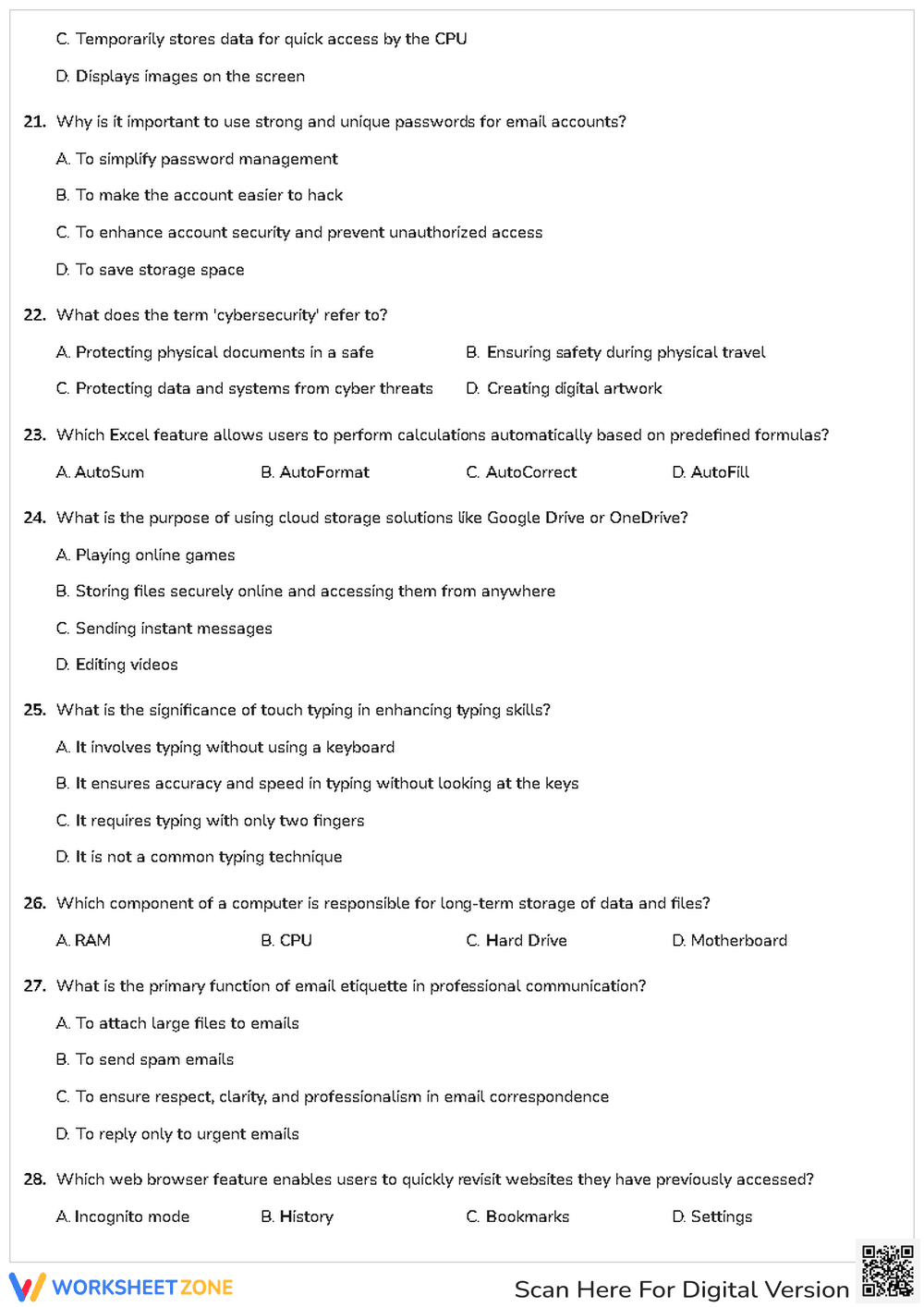
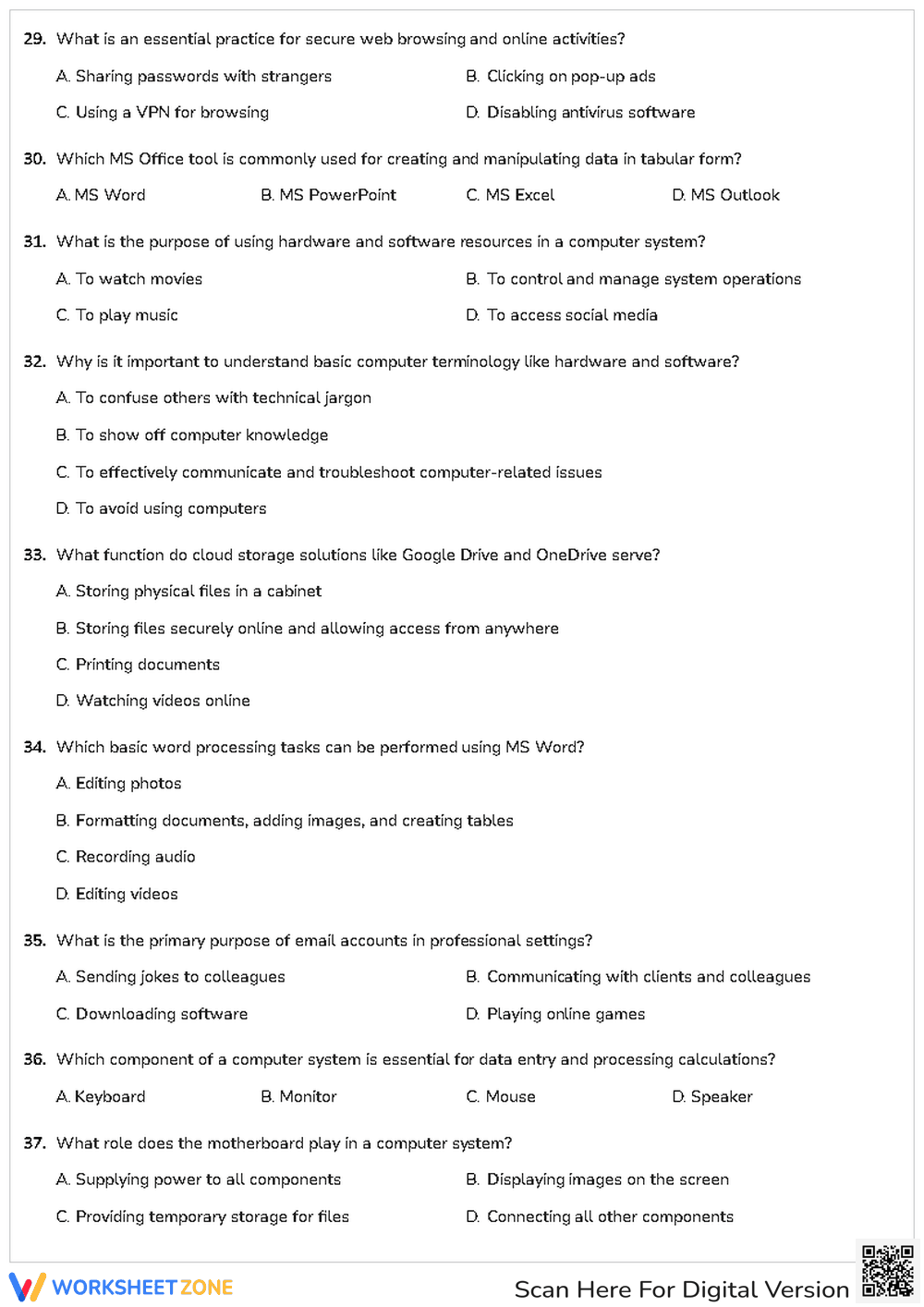
This comprehensive Grade 3-5 computer literacy worksheet evaluates student understanding of essential technology concepts and digital citizenship. Students demonstrate mastery of hardware functions, software applications, and online safety protocols through a structured assessment. It provides a clear baseline for technical proficiency before moving into advanced project-based learning or coding units.
At a Glance
- Grade: 3-5 · Subject: Computer Science
- Standard:
CCSS.ELA-LITERACY.L.4.6— Acquire and use accurately grade-appropriate domain-specific words and phrases- Skill Focus: Digital Literacy & Hardware Terminology
- Format: 5 pages · 40 problems · No-Prep · PDF
- Best For: Summative assessment or technology baseline testing
- Time: 30–45 minutes
What's Inside
The packet contains a five-page assessment featuring 40 multiple-choice questions. Each question is designed with four distinct options to challenge student recall and application of technical terms. The layout is clean and professional, focusing on readability for upper elementary students. Topics range from internal components like the CPU and RAM to practical software skills in MS Word and Excel.
Zero-Prep Workflow
- Print: Select the five-page document and print enough copies for your class (1 minute).
- Distribute: Hand out the quiz to students as a quiet, independent assessment to gauge their current technical knowledge (1 minute).
- Review: Go over the answers as a whole group to address common misconceptions about cloud storage or cybersecurity (10 minutes).
Standards Alignment
This resource aligns with `CCSS.ELA-LITERACY.L.4.6`, requiring students to acquire and use accurately grade-appropriate general academic and domain-specific words and phrases. By identifying terms like "operating system," "motherboard," and "phishing," students build the technical vocabulary necessary for modern academic success. Both standard codes can be copied directly into lesson plans, IEP goals, or district curriculum mapping tools.
How to Use It
Use this quiz as a summative assessment at the conclusion of a digital literacy unit to measure retention of key concepts. Alternatively, assign it as a pre-assessment at the start of the school year to identify gaps in student knowledge regarding internet safety and file management. During the quiz, observe which students struggle with software-specific questions to inform future small-group instruction. Completion typically takes 35 minutes.
Who It's For
This worksheet is tailored for Grade 3, 4, and 5 students in general education or technology lab settings. It is particularly useful for teachers looking to integrate digital literacy into the ELA block. It pairs naturally with an introductory slide deck on computer hardware or a classroom anchor chart detailing keyboard shortcuts and typing techniques.
According to the RAND AIRS 2024 report, the integration of explicit technical vocabulary instruction is a critical component of developing digital equity in elementary education. This worksheet addresses that need by assessing 40 distinct domain-specific terms related to computer science and online safety. By aligning with CCSS.ELA-LITERACY.L.4.6, the resource ensures that students are not just using technology, but understanding the underlying systems and terminology that govern digital environments. Research from Fisher & Frey (2014) emphasizes that structured assessments of domain-specific language help bridge the gap between basic computer usage and true digital literacy. This assessment provides educators with a quantifiable measure of student progress in mastering the language of technology, facilitating data-driven decisions for future instructional interventions in the classroom or computer lab.


