Turning a PDF assignment into an online assignment refers to the digital transformation of static documents into interactive, trackable, and auto-graded educational resources. This process involves using specialized tools to add interactive elements like text boxes, checkboxes, and drag-and-drop zones to existing files for students. This guide will walk you through the seamless process of transforming your curriculum using Worksheetzone’s powerful and user-friendly digital tools. Worksheetzone provides these resources to ensure educators can modernize their workflow, reduce paper waste, and gain real-time insights into student performance through a seamless online dashboard.
A tool to turn PDF assignment into online assignment
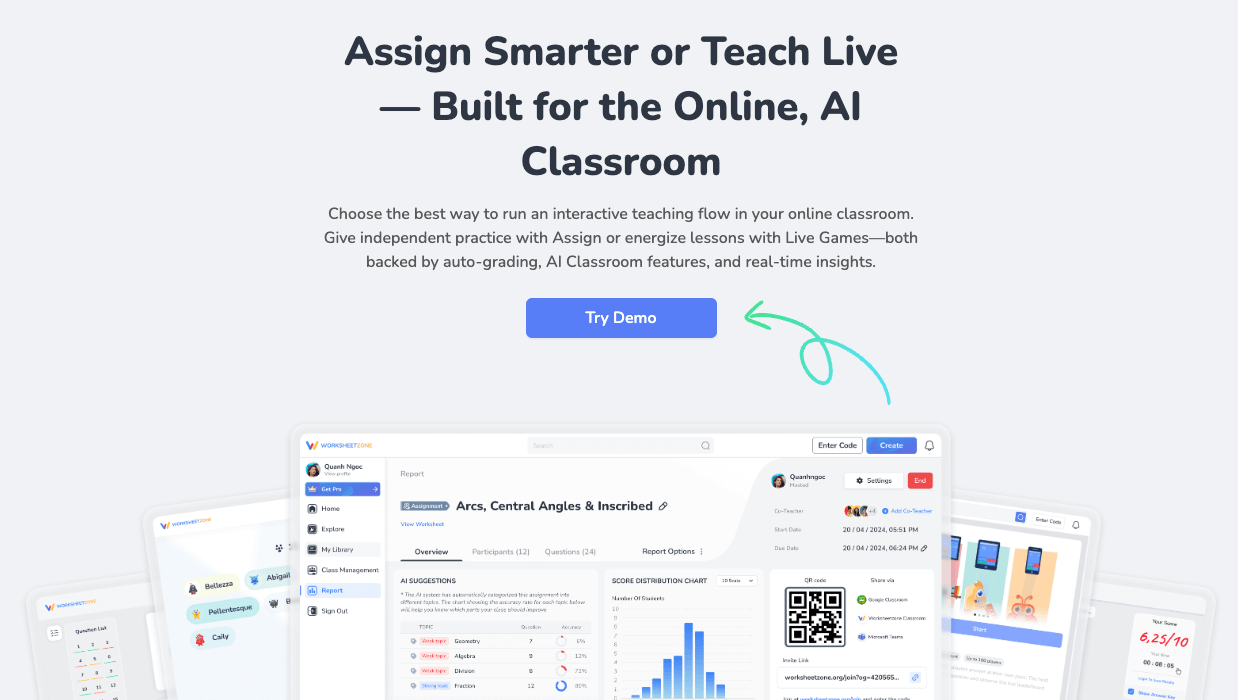
Finding the right digital conversion tool fosters children’s curiosity and engagement through interactive multimedia experiences. In a classroom setting, these tools work best when they allow for rapid transformation without requiring technical expertise. According to research from the International Society for Technology in Education (ISTE), digitizing assignments allows for more personalized feedback and better data-driven instruction.
Worksheetzone supports this transition with its powerful Assign feature, which integrates directly with our Interactive Worksheet Maker or AI Quiz Maker. Most of these conversions take less than 5 minutes and satisfy national standards for technology-enhanced learning.
How to turn PDF assignment into online assignment?
Transforming your classroom materials into digital tasks is a straightforward process when using a structured framework. In a setting with diverse student needs, this works best when you customize the feedback and accessibility settings for each assignment. Most teachers can digitize an entire unit’s worth of materials in under 20 minutes using the following steps.
Below is a clear step-by-step guide to help you do this efficiently.
Step 1: Choose resources
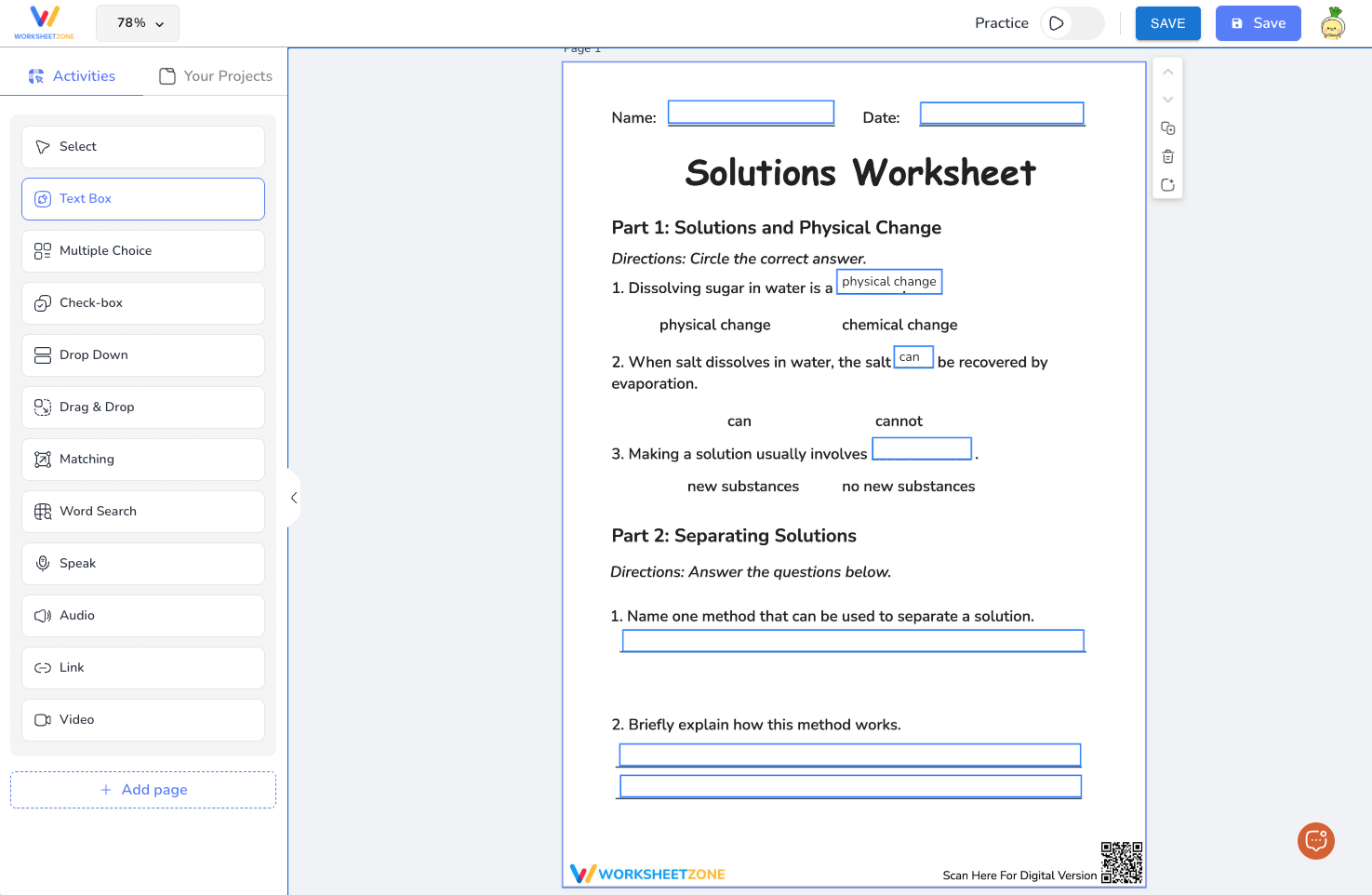
Start by selecting your learning content. You can browse the extensive library of ready-made interactive resources curated by other educators on the platform, or you can create a unique task using the Interactive Worksheet Maker.
If you have an existing PDF, you simply upload it into the maker. From there, you can overlay interactive elements – such as text boxes, multiple-choice buttons, and drag-and-drop zones – directly onto your original document, effectively giving your old files a new, interactive life.
Step 2: Click “Assign” to start
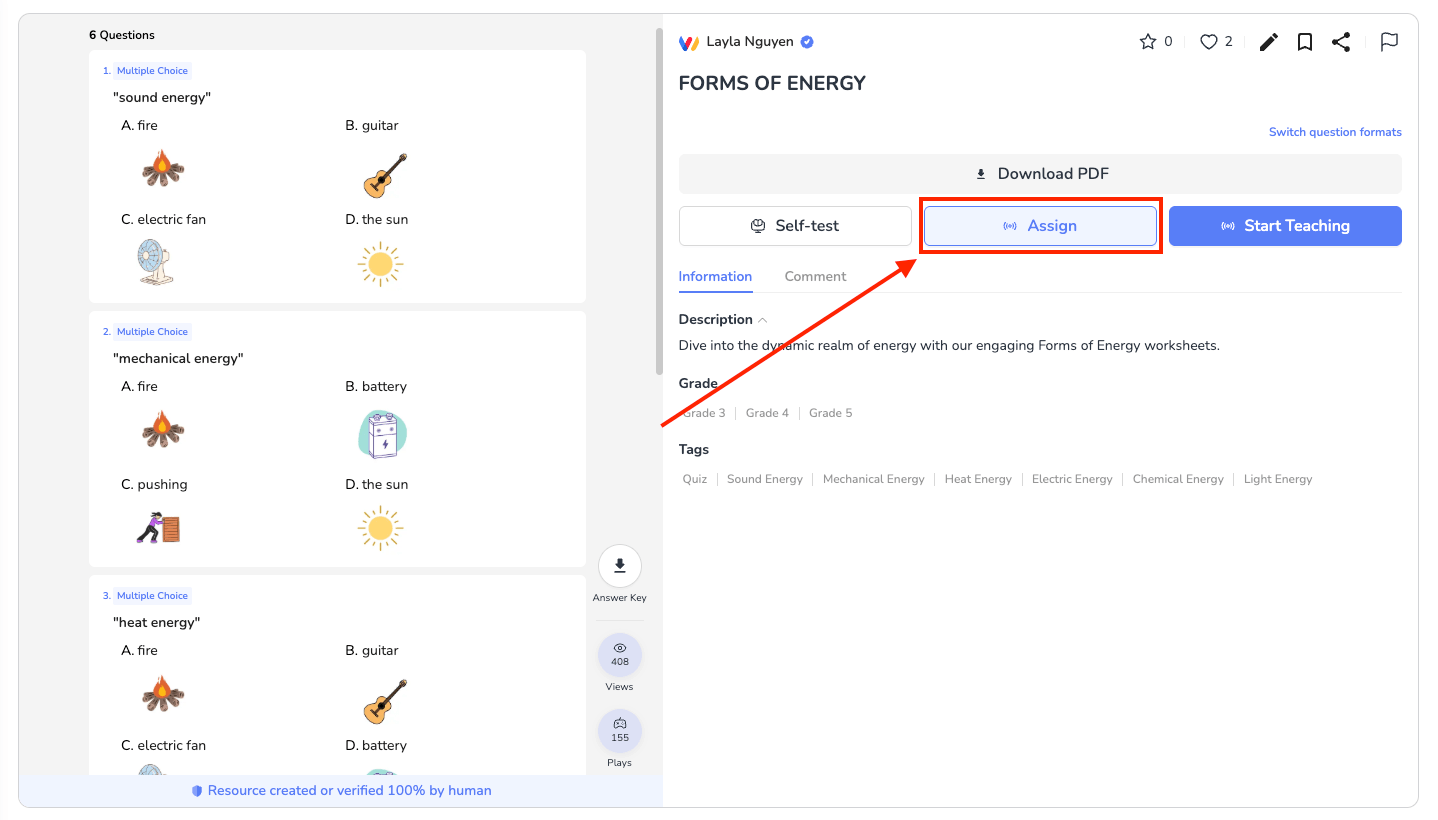
Once your interactive worksheet is ready, click the “Assign” button to begin setting it up as an online assignment. This action activates Worksheetzone Assign and moves your worksheet into assignment mode. From here, the worksheet is no longer just a practice resource – it becomes a trackable task linked to specific students or classes, ready to collect responses and scores automatically.
Step 3: Set rules for your assignment
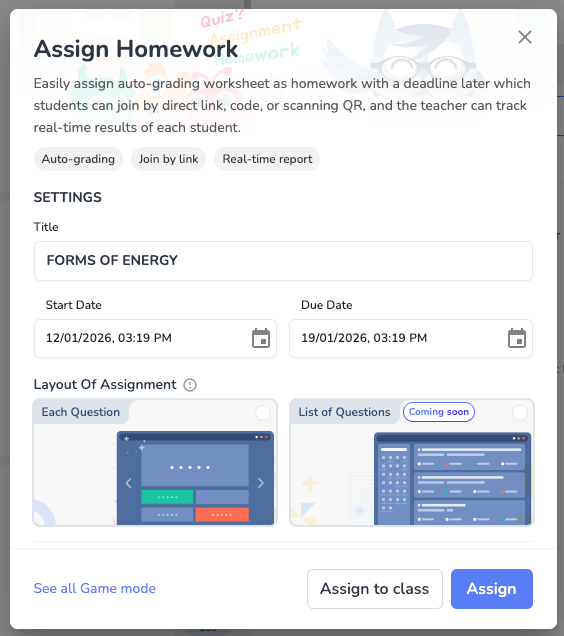
Next, define how the assignment should work. You can set deadlines, time limits, the number of attempts, and whether students see instant feedback. These rules help align the online assignment with your teaching goals.
For example, limiting attempts encourages focus, while instant feedback supports independent learning. This step ensures your online assignment is structured, fair, and classroom-ready.
Step 4: Assign & track progress
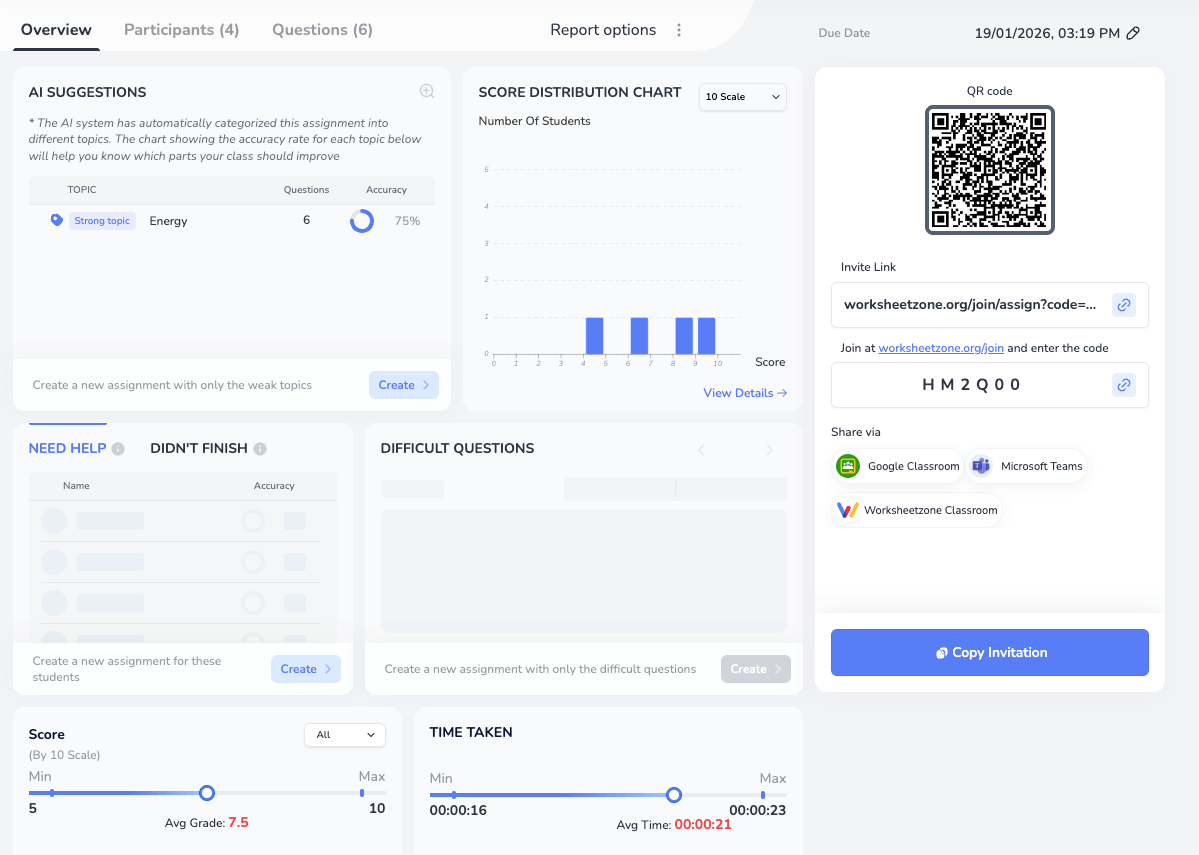
Share your assignment link via URL, QR code, or directly to Google Classroom. You can monitor student completion rates and accuracy in real-time. We recommend pairing this with our guide on how to track student progress for a deeper look at the analytics.
Frequently Asked Questions (FAQ)
Is it free to turn PDFs into online assignments?
Yes, Worksheetzone offers a generous free tier that allows teachers to convert and assign their existing PDFs. While some advanced reporting features or larger class sizes may require a premium subscription, the core interactive tools are accessible to all.
Can I track student progress in real-time?
Absolutely. One of the primary benefits of an online assignment is the ability to see who has started, who is currently working, and who has finished. You can also see live accuracy scores, which helps you identify students who need immediate intervention. Check our quick guide to reviewing results for more tips.
Does this work with Google Classroom?
Yes, Worksheetzone assignments are fully compatible with Google Classroom. You can post assignment links directly to your stream, and students can sign in using their school accounts. This ensures a seamless user experience for both teachers and young learners. Use our lesson plan generator to organize your digital curriculum.
Can I assign these to parents for home learning?
Yes. You can share secure links directly with parents via email or messaging apps. This is an excellent way to support homeschooling or provide engaging homework alternatives. Worksheetzone provides the classroom management tools needed to bridge the gap between school and home.
Wrapped up
Ultimately, the ability to turn PDF assignment into online assignment empowers teachers to spend less time on manual paperwork and more time on personalized instruction. Worksheetzone simplifies the technical hurdles, allowing you to focus on what matters most: student growth and comprehension. By embracing these interactive tools, you create a more accessible and dynamic educational experience for your class. Whether you’re teaching in-person or remotely, this digital transformation is a significant step toward a more efficient, data-driven, and highly engaging modern classroom.
Looking for more ways to engage your students? Explore our Interactive Tools or check out our guide on how to assign homework.