


























1 / 2
0
Views
0
Downloads

0.0
0
Save
0 Likes
Share
My Computer Parts Matching - Learn Technology Basics Worksheet
0 Views
0 Downloads
Paste this activity's link or code into your existing LMS (Google Classroom, Canvas, Teams, Schoology, Moodle, etc.).
Students can open and work on the activity right away, with no student login required.
You'll still be able to track student progress and results from your teacher account.
Information
Description
What It Is:
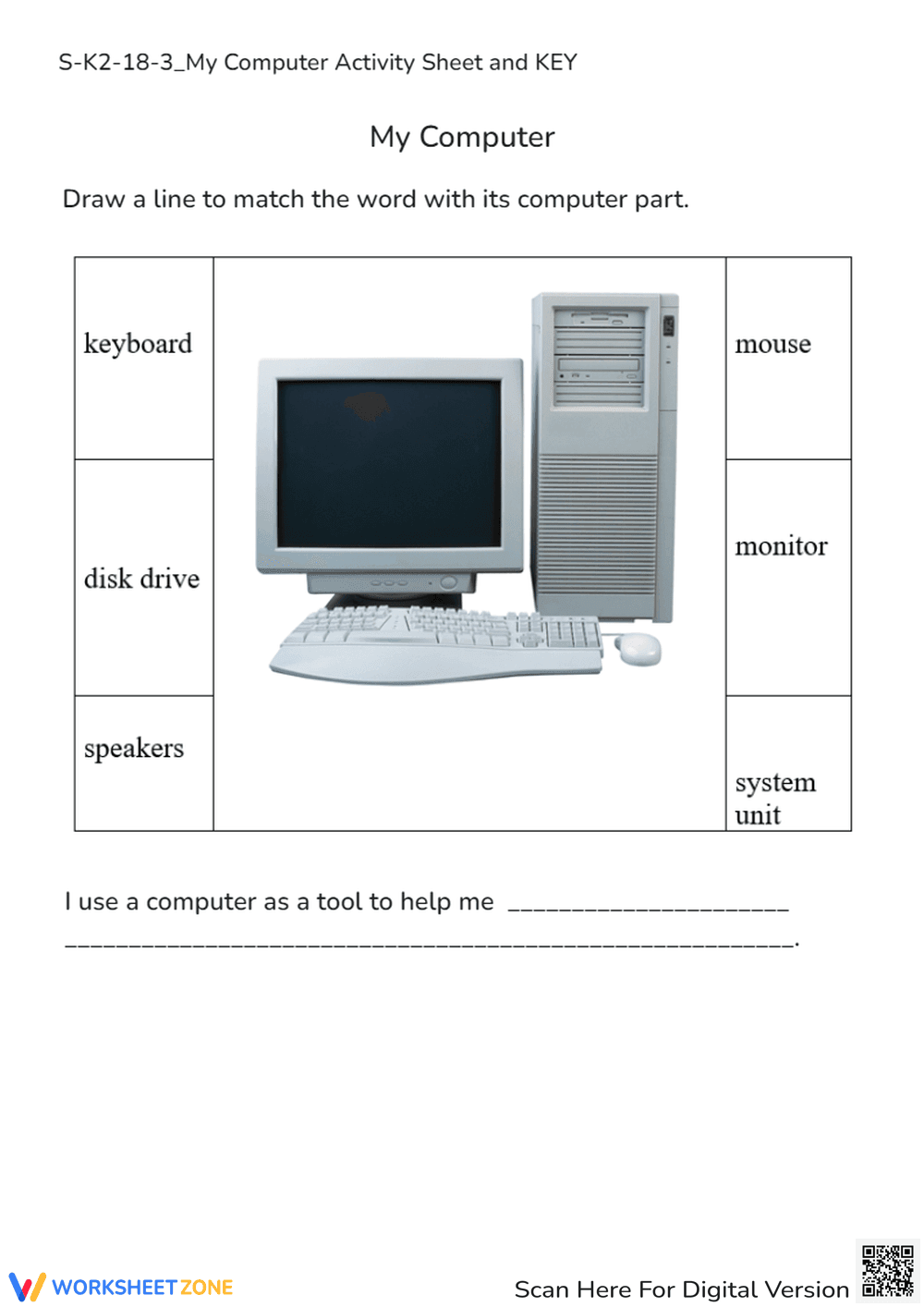
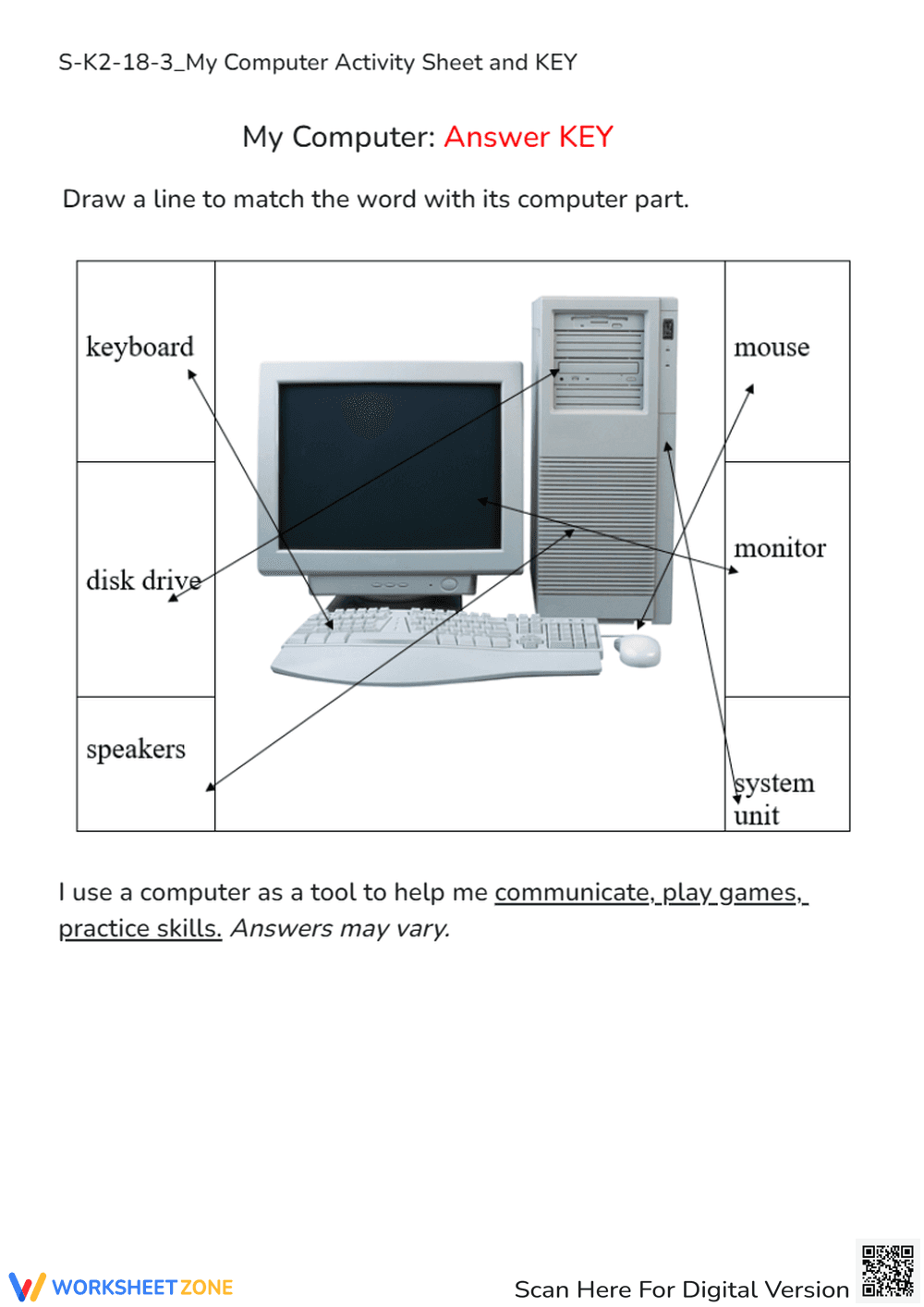
This is a worksheet titled 'My Computer' designed to teach basic computer parts. It features a matching activity where students draw lines to connect computer parts (keyboard, disk drive, speakers, mouse, monitor, system unit) listed on the sides of the page to a central image of a computer setup. There is also a fill-in-the-blank sentence at the bottom: 'I use a computer as a tool to help me _.'
Grade Level Suitability:
This worksheet is suitable for Kindergarten and 1st grade students. The activity is simple and involves matching basic vocabulary words with corresponding computer parts, which is appropriate for early elementary learners.
Why Use It:
This worksheet helps young students learn and identify the different parts of a computer. It promotes vocabulary development, visual recognition skills, and an understanding of how a computer functions as a tool.
How to Use It:
Instruct the student to draw a line from each word (e.g., 'keyboard') to the corresponding part on the computer image. Then, have the student complete the sentence at the bottom by filling in what a computer helps them to do (e.g., learn, play, etc.).
Target Users:
The target users are elementary school students, specifically those in Kindergarten and 1st grade, who are being introduced to computers and their components. It is also useful for ESL students learning basic computer vocabulary.
This is a worksheet titled 'My Computer' designed to teach basic computer parts. It features a matching activity where students draw lines to connect computer parts (keyboard, disk drive, speakers, mouse, monitor, system unit) listed on the sides of the page to a central image of a computer setup. There is also a fill-in-the-blank sentence at the bottom: 'I use a computer as a tool to help me _.'
Grade Level Suitability:
This worksheet is suitable for Kindergarten and 1st grade students. The activity is simple and involves matching basic vocabulary words with corresponding computer parts, which is appropriate for early elementary learners.
Why Use It:
This worksheet helps young students learn and identify the different parts of a computer. It promotes vocabulary development, visual recognition skills, and an understanding of how a computer functions as a tool.
How to Use It:
Instruct the student to draw a line from each word (e.g., 'keyboard') to the corresponding part on the computer image. Then, have the student complete the sentence at the bottom by filling in what a computer helps them to do (e.g., learn, play, etc.).
Target Users:
The target users are elementary school students, specifically those in Kindergarten and 1st grade, who are being introduced to computers and their components. It is also useful for ESL students learning basic computer vocabulary.


