




























1 / 4
0
Views
0
Downloads

0.0
0
Save
0 Likes
Share
Measuring Angles with a Digital Protractor Worksheet
0 Views
0 Downloads

Paste this activity's link or code into your existing LMS (Google Classroom, Canvas, Teams, Schoology, Moodle, etc.).
Students can open and work on the activity right away, with no student login required.
You'll still be able to track student progress and results from your teacher account.
Information
Description
What It Is:
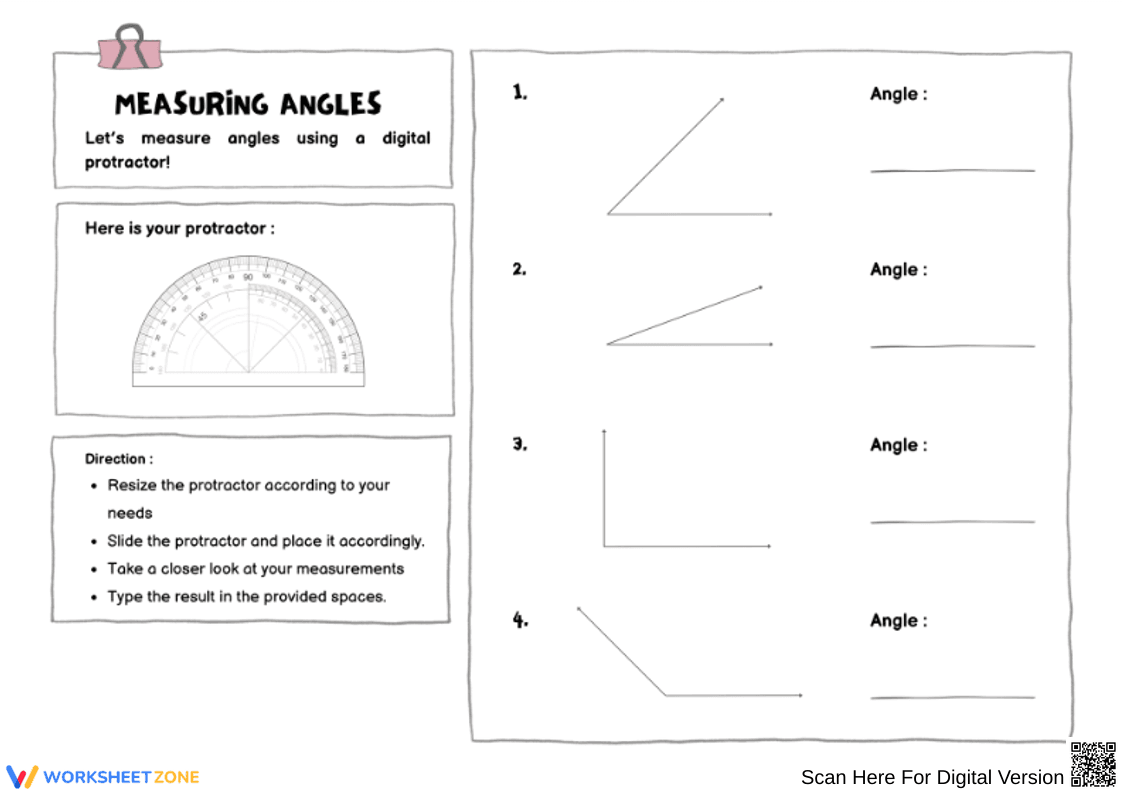
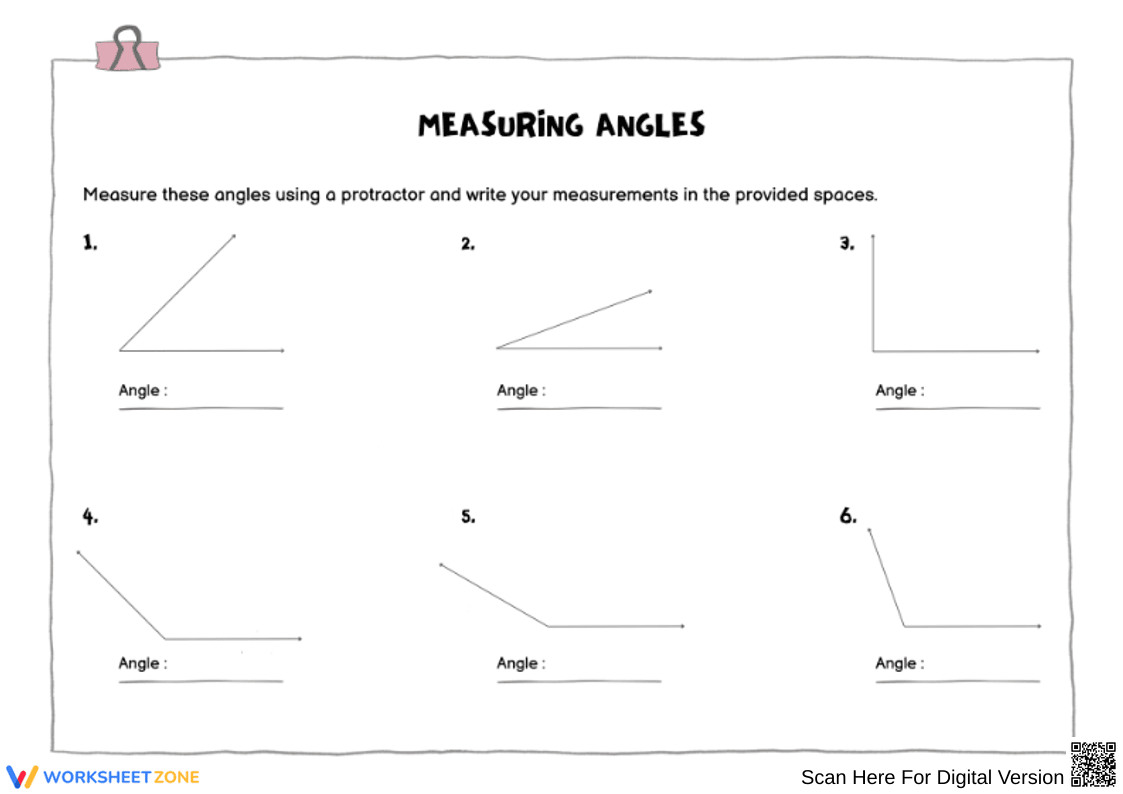
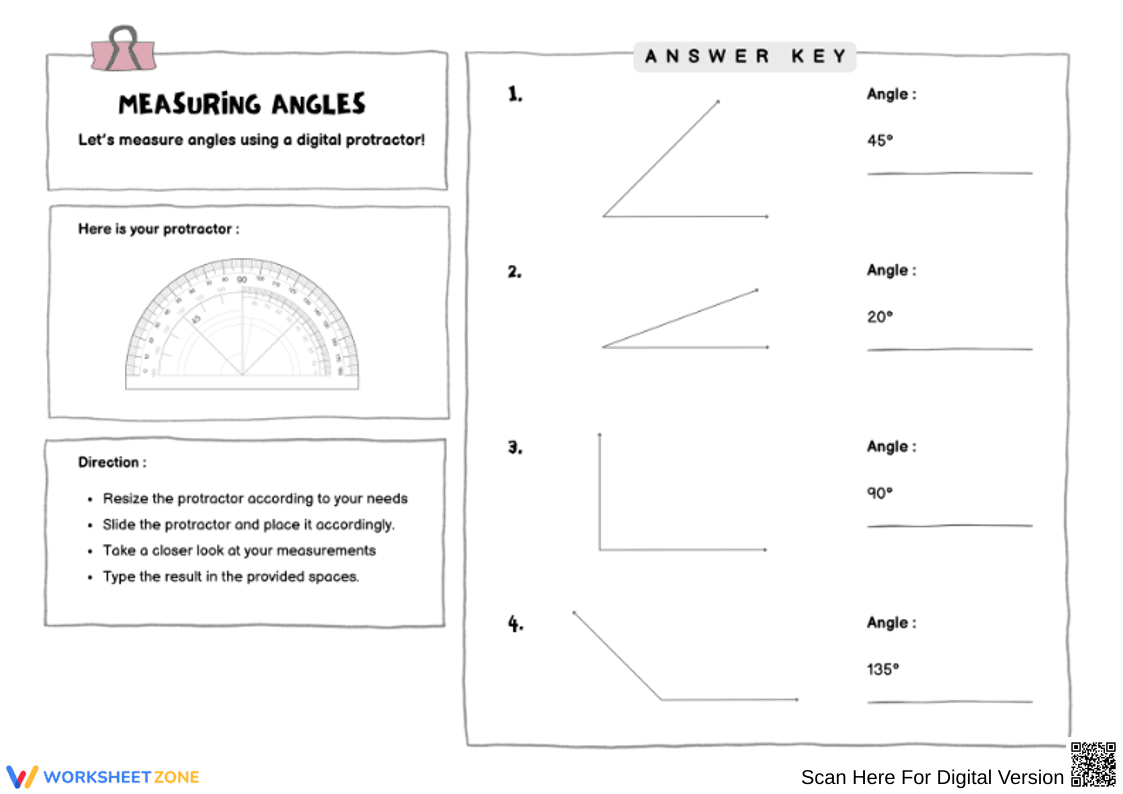
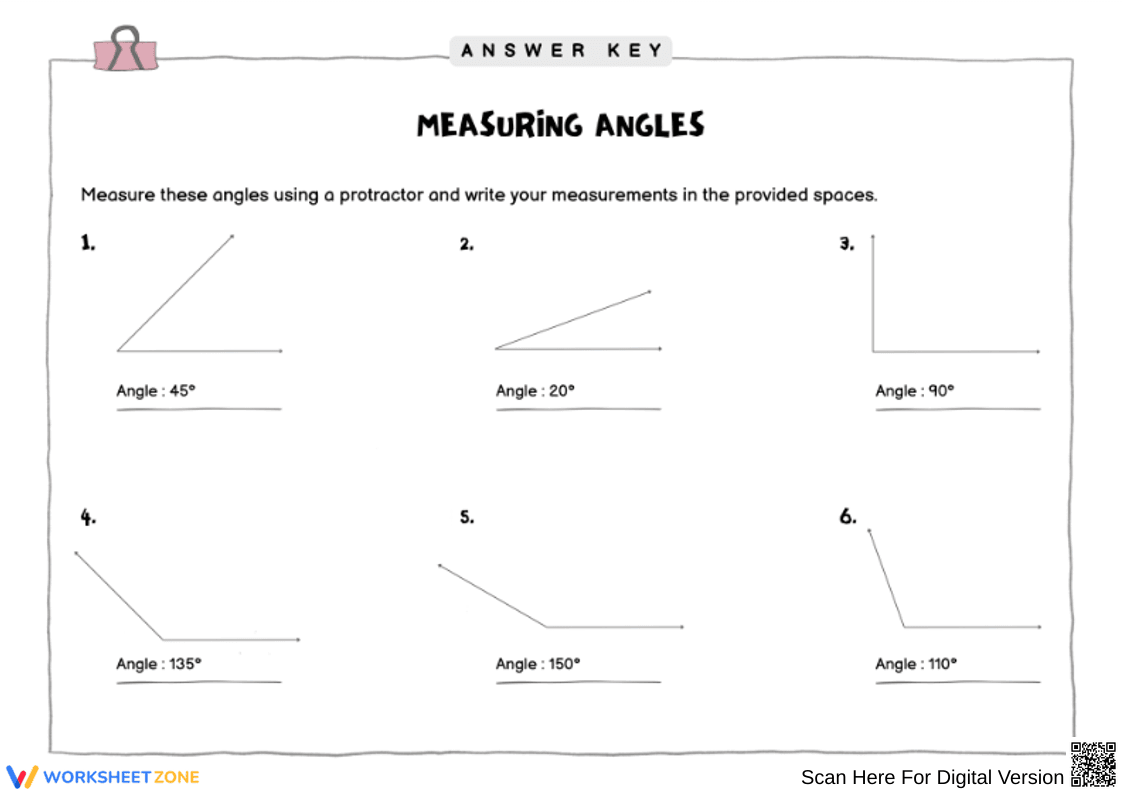
An interactive-style worksheet that guides students in measuring angles using a digital protractor provided on the page. Students drag, resize, and align the protractor over each angle to determine its measurement, then type their answer in the designated space. The layout includes four clear angle diagrams, a built-in protractor image, and simple step-by-step directions to support independent practice.
Why Use It:
This worksheet helps students build confidence using a protractor—both digital and physical—to measure angles accurately. It reinforces angle recognition, precision, and spatial reasoning while supporting digital learning tools. The hands-on approach makes practice engaging, clear, and accessible for students at different levels.
How to Use It:
• Have students resize and position the digital protractor over each angle.
• Ensure they align the baseline and vertex correctly before reading the measurement.
• Ask students to record their answers to the nearest degree in the provided spaces.
• Use as in-class practice, homework, or a digital math center activity.
Grade Suitability:
Best suited for Grades 4–7.
• Ideal for teaching angle measurement in geometry units.
• Helpful review for older students needing extra practice with protractors.
Target Users:
Teachers, homeschool educators, intervention specialists, and students learning to measure angles with a protractor.
An interactive-style worksheet that guides students in measuring angles using a digital protractor provided on the page. Students drag, resize, and align the protractor over each angle to determine its measurement, then type their answer in the designated space. The layout includes four clear angle diagrams, a built-in protractor image, and simple step-by-step directions to support independent practice.
Why Use It:
This worksheet helps students build confidence using a protractor—both digital and physical—to measure angles accurately. It reinforces angle recognition, precision, and spatial reasoning while supporting digital learning tools. The hands-on approach makes practice engaging, clear, and accessible for students at different levels.
How to Use It:
• Have students resize and position the digital protractor over each angle.
• Ensure they align the baseline and vertex correctly before reading the measurement.
• Ask students to record their answers to the nearest degree in the provided spaces.
• Use as in-class practice, homework, or a digital math center activity.
Grade Suitability:
Best suited for Grades 4–7.
• Ideal for teaching angle measurement in geometry units.
• Helpful review for older students needing extra practice with protractors.
Target Users:
Teachers, homeschool educators, intervention specialists, and students learning to measure angles with a protractor.


