




























Views
Downloads

Essential Technology Access Survey | Grades 3-8 Printable

Paste this activity's link or code into your existing LMS (Google Classroom, Canvas, Teams, Schoology, Moodle, etc.).
Students can open and work on the activity right away, with no student login required.
You'll still be able to track student progress and results from your teacher account.
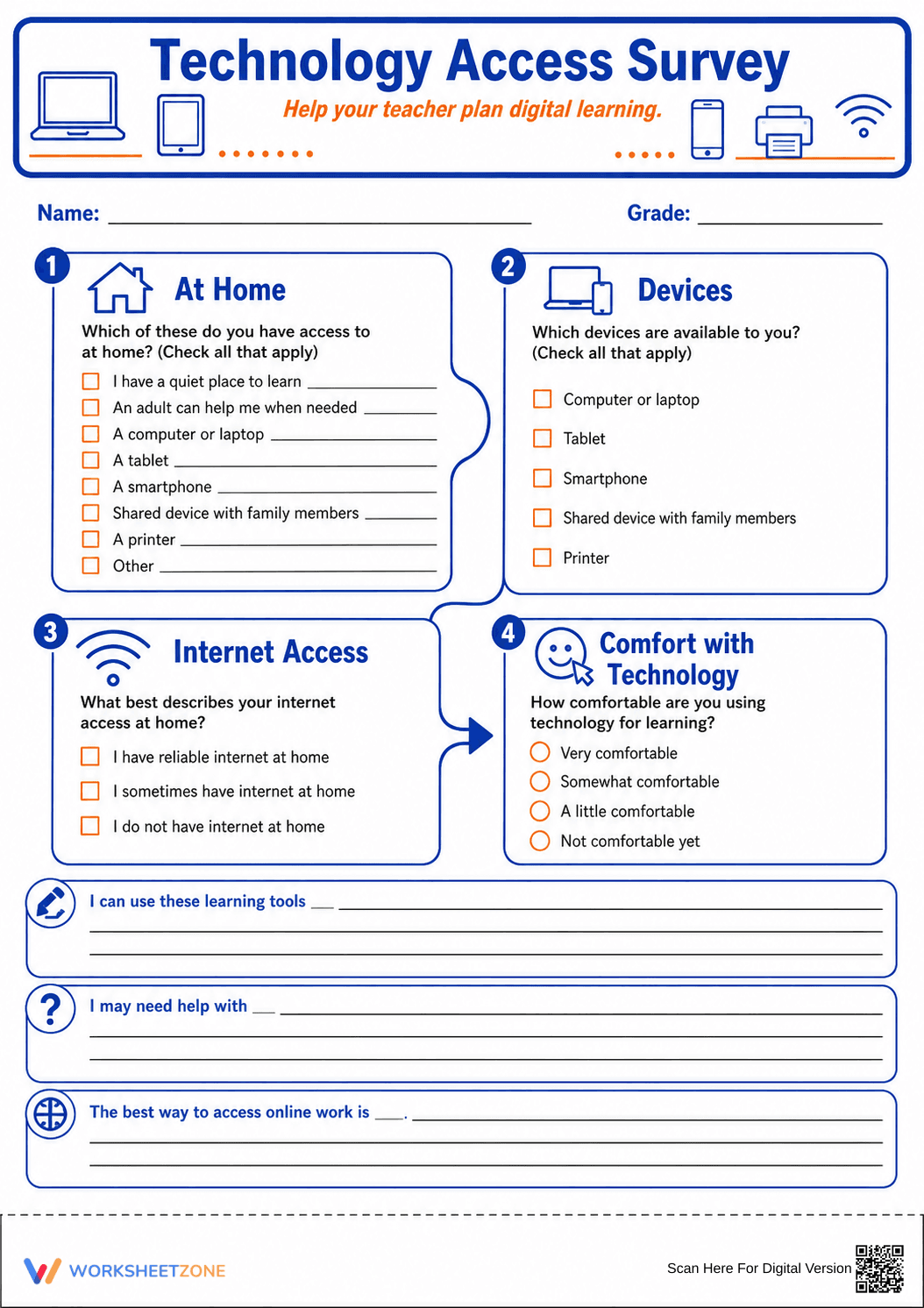
This Grade 3-8 technology access survey helps teachers identify digital equity gaps and student comfort levels before launching online curriculum. By gathering data on home devices, internet reliability, and self-perceived tech skills, educators can tailor their digital instruction to meet every student's specific needs from day one.
At a Glance
- Grade: 3-8 · Subject: Classroom Management
- Standard:
CCSS.ELA-LITERACY.SL.5.1— Engage effectively in a range of collaborative discussions and information gathering- Skill Focus: Digital Equity & Tech Literacy
- Format: 1 page · 7 tasks · No answer key needed · PDF
- Best For: Back-to-school week and digital planning
- Time: 10–15 minutes
What's Inside
This single-page PDF features four visual blocks and three writing prompts. Students use checkboxes to indicate access to laptops, tablets, and internet reliability. The survey includes a "Comfort with Technology" scale and response areas for students to describe their learning tool preferences and support needs. The clean layout uses blue and orange accents to guide the student's eye through the form.
Zero-Prep Workflow
- Print: Send the PDF to your printer (30 seconds).
- Distribute: Hand out during the first week of school (1 minute).
- Review: Scan responses to group students by tech confidence (5 minutes).
This workflow requires under two minutes of active teacher preparation, making it ideal for back-to-school transitions or as a quick diagnostic before introducing new software.
Standards Alignment
The primary standard is `CCSS.ELA-LITERACY.SL.5.1`, which focuses on engaging in collaborative discussions and gathering information to build on others' ideas. While this is a survey, it serves as the foundational data-gathering step for effective classroom communication and digital collaboration. Both standard codes can be copied directly into lesson plans, IEP goals, or district curriculum mapping tools.
How to Use It
Use this survey during the first three days of school to build a classroom digital profile. It serves as a formative assessment of student readiness for 1:1 device initiatives. Teachers should observe which students hesitate on the "Comfort" section to identify candidates for early tech-buddy pairing. Completion typically takes 10 to 15 minutes.
Who It's For
This resource is designed for general education teachers in grades 3 through 8, as well as technology specialists and media center coordinators. It is particularly useful for Title I schools where home internet access may vary. Pair this survey with a "Digital Citizenship" anchor chart or an introductory lesson on classroom LMS navigation.
According to the RAND AIRS 2024 report, understanding the specific nuances of student technology access at home is a critical factor in reducing the digital divide and ensuring equitable instructional delivery. This survey addresses that need by providing a structured format for students to communicate their hardware and connectivity status. By identifying whether a student is using a shared family device or a personal laptop, teachers can adjust homework expectations and provide necessary scaffolds. The inclusion of a self-reported comfort scale aligns with Fisher & Frey (2014) recommendations for student self-assessment in the gradual release of responsibility model. Using the CCSS.ELA-LITERACY.SL.5.1 framework, this tool facilitates the essential information-gathering phase of classroom management. This data allows for proactive planning rather than reactive troubleshooting during high-stakes digital testing or collaborative online projects, ultimately supporting better student outcomes in technology-rich learning environments.


