


























Views
Plays

Printable PowerPoint Review Worksheet | Grade 4
Paste this activity's link or code into your existing LMS (Google Classroom, Canvas, Teams, Schoology, Moodle, etc.).
Students can open and work on the activity right away, with no student login required.
You'll still be able to track student progress and results from your teacher account.
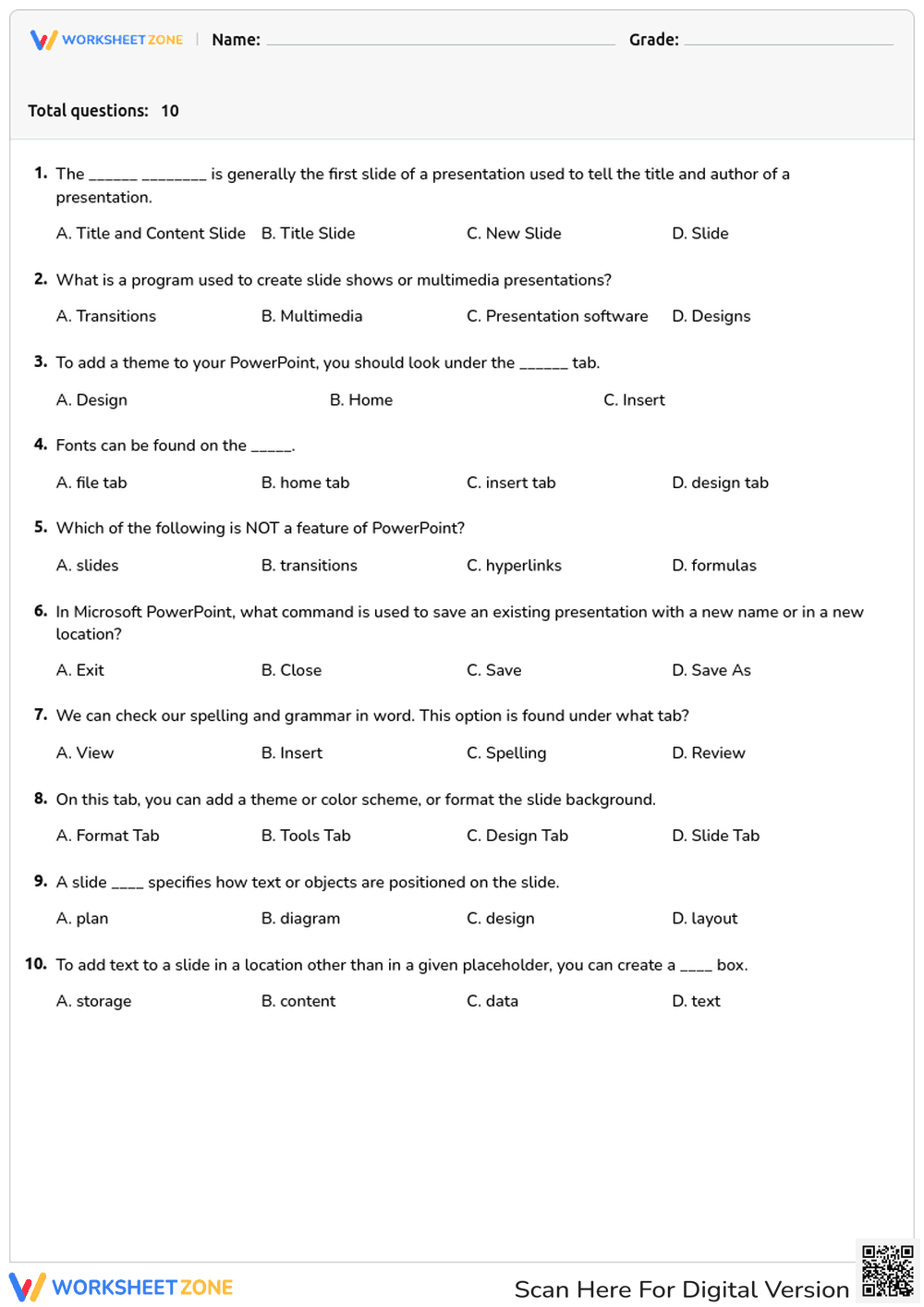
This Grade 4 PowerPoint review worksheet provides students with targeted practice on essential presentation software vocabulary. By completing these ten multiple-choice questions, learners reinforce their understanding of key terms like slide layout, design tabs, and text boxes, ensuring they are prepared for digital literacy tasks and multimedia projects.
At a Glance
- Grade: 4 · Subject: ELA
- Standard:
CCSS.ELA-LITERACY.RI.4.4— Determine the meaning of domain-specific words- Skill Focus: Technology Vocabulary
- Format: 1 page · 10 problems · Answer key included · PDF
- Best For: Independent practice or assessment
- Time: 10–15 minutes
Inside this resource, educators will find a single-page assessment featuring ten multiple-choice questions. The tasks focus on identifying correct terminology for PowerPoint functions, such as locating the spelling checker or understanding the Title Slide. The straightforward layout minimizes distractions. A complete answer key is provided to facilitate rapid grading.
This resource is designed for a streamlined zero-prep workflow.
- Print (1 minute): Download the PDF and print copies.
- Distribute (1 minute): Hand out the worksheet as a quick warm-up or computer lab activity.
- Review (3 minutes): Use the included answer key to grade rapidly, or project it for self-correction.
Total teacher prep time is under two minutes, making this an excellent option for emergency sub plans.
This worksheet is aligned to primary standard CCSS.ELA-LITERACY.RI.4.4, requiring students to determine the meaning of general academic and domain-specific words or phrases in a text relevant to a grade 4 topic or subject area. By identifying the correct software terms, students demonstrate mastery of this technical vocabulary. Both standard codes can be copied directly into lesson plans, IEP goals, or district curriculum mapping tools.
Teachers can utilize this worksheet effectively before or after direct instruction in the computer lab. As a pre-assessment, it helps gauge prior knowledge of presentation software before beginning a multimedia project. Alternatively, assign it as an independent review activity after a lesson on PowerPoint basics. For a formative assessment observation tip, watch to see if students hesitate between similar terms like "Design tab" and "Format tab," which can indicate a need for a quick visual review of the software ribbon. Expected completion time ranges from ten to fifteen minutes.
This material is ideal for fourth-grade students developing their digital literacy skills, though it is equally appropriate for third or fifth graders needing a technology refresher. For differentiation, teachers can pair English Language Learners with a visual anchor chart showing the PowerPoint interface to help them connect the vocabulary words to the actual software buttons. It serves as a natural pairing resource alongside a direct instruction lesson on creating effective multimedia presentations.
Mastering domain-specific vocabulary is a critical component of modern literacy, particularly as students transition to producing digital media. Aligned with CCSS.ELA-LITERACY.RI.4.4, this resource requires learners to determine the meaning of domain-specific words related to presentation software. According to the RAND AIRS 2024 report, explicit instruction and repeated practice with technical vocabulary significantly improve students' ability to comprehend and produce complex informational texts. By engaging with these ten targeted questions, students build the automaticity needed to navigate digital tools efficiently. This foundational knowledge reduces cognitive load during actual computer tasks, allowing students to focus on content creation rather than software navigation. Integrating this type of focused vocabulary practice ensures learners are better equipped to meet the demands of 21st-century communication and multimedia project requirements across all core academic subjects.


